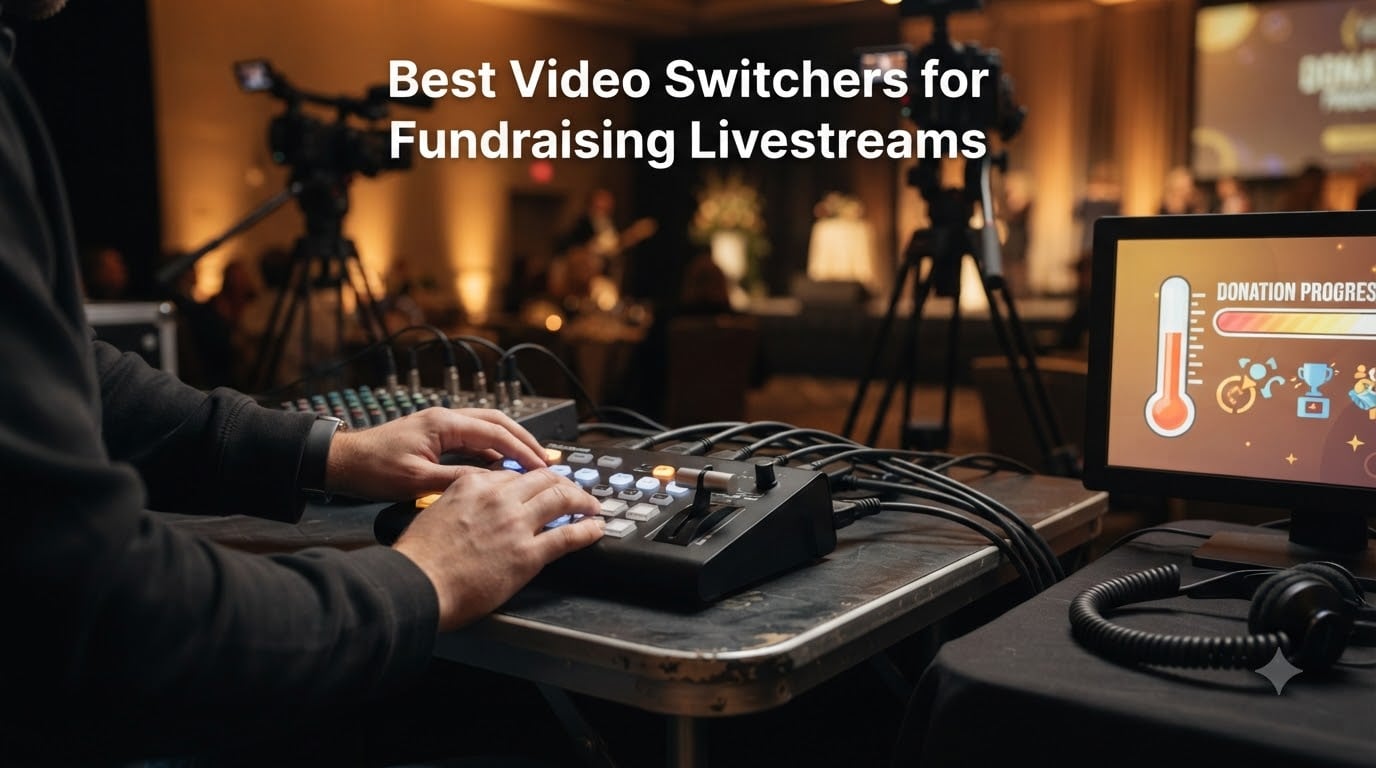
When I ran my first livestreamed charity auction, I propped a phone on a coffee cup, hit “go live” on Facebook, and prayed nothing would derail the donation segment. It derailed. A pastor’s grandson walked across the stage mid-pledge, the audio clipped, and we lost 17 minutes of bid tracking. That night taught me that the best video switchers for fundraising livestreams are not a luxury for nonprofits — they are the only way to keep control when donations are on the line.
Across the last two years, I have helped four small nonprofits and two mid-sized churches set up multi-camera fundraising livestreams, ranging from a 1,200-attendee gala with a silent auction to a $4,500 benefit concert. We have rented, bought, returned, cursed at, and quietly fallen in love with hardware ranging from the FEELWORLD LIVEPRO L1 V1 at $245.99 to the Roland V-8HD at $1,465. The seven switchers below are the models I would buy again with my own money for 2026 fundraising events, ordered from a reliable all-rounder through to a gala-grade premium option.
Table of Contents
- 1Our Top 3 Video Switchers for Fundraising Livestreams
- 2Blackmagic Design ATEM…
- 3Osee GoStream Deck HDMI Pro
- 4RGBlink Mini HDMI Switcher
- 5Comparing the Best Fundraising Livestream Switchers of 2026
- 61. Blackmagic Design ATEM Mini Pro ISO – Editor’s Choice
- 7Blackmagic Design ATEM Mini Pro ISO HDMI Livestream Switcher with High-Speed 6′ HDMI Cable & 10-Pack Straps Bundle
- 8What works
- 9Worth weighing
- 10ISO Recording and DaVinci Resolve Integration
- 11Streaming and Connectivity
- 12Who It’s Best (and Worst) For
- 132. Osee GoStream Deck HDMI Pro – Best Value for Growing Nonprofits
- 14osee GoStream Deck HDMI Pro Live Streaming Multi Camera Video Mixer Switcher
- 15What works
- 16Worth weighing
- 17Inputs, Outputs, and NDI Expansion
- 18Audio Mixing and Overlays
- 19Who It’s Best (and Worst) For
- 203. Osee GoStream Duet – Most Versatile Input Options
- 21Osee GoStream Duet Multiple Camera SDI and HDMI Live Stream Video Mixer Switcher
- 22What works
- 23Worth weighing
- 24SDI and HDMI Dual Workflow
- 25Control Options for Volunteer Teams
- 26Who It’s Best (and Worst) For
- 274. FoMaKo KC602 – Built-In Screen and Pro Audio
- 28FoMaKo 4K HDMI Video Mixer Switcher, 5.5 Inch FHD LCD Screen, 4-Channel HDMI Live Streaming Switcher, 4K 60FPS Input, 1080p 60FPS Output, Support PTZ Controller,KC602
- 29What works
- 30Worth weighing
- 314K Input and PTZ Camera Control
- 32Audio Mixing with Phantom Power
- 33Who It’s Best (and Worst) For
- 345. FEELWORLD LIVEPRO L1 V1 – Lightweight Budget Workhorse
- 35FEELWORLD LIVEPRO L1 V1 4X HDMI 1x SDI Multi Camera Video Mixer Switcher
- 36What works
- 37Worth weighing
- 38Multiview Monitoring on a Budget
- 39T-Bar Fader Operation
- 40Who It’s Best (and Worst) For
- 416. RGBlink Mini – Cheapest Way to a Multi-Camera Fundraiser
- 42RGBlink Mini Video Mixer Switcher with 4 x HDMI Inputs 2K Input/Output Real Time Live Streaming, Support Output 6 Pictures PVW and PGM, for Facebook, YouTube, Instagram, Tiktok, RTMPS
- 43What works
- 44Worth weighing
- 45Transitions and Picture-in-Picture Layouts
- 46Remote Control via LAN
- 47Who It’s Best (and Worst) For
- 487. Roland V-8HD – The Gala-Grade Premium Pick
- 49Roland V-8HD HD Video Switcher
- 50What works
- 51Worth weighing
- 528 HDMI Inputs and 5-Layer Effects
- 5318-Channel Audio Mixer and Automation
- 54Who It’s Best (and Worst) For
- 55How to Choose a Video Switcher for Your Fundraiser
- 56Hardware vs Software vs Cloud Switchers
- 57How Many Inputs Your Event Actually Needs
- 58Built-In Encoding and Platform Compatibility
- 59Audio Mixing and Volunteer-Friendliness
- 60Budget Tiers and Rent-vs-Buy Advice
- 61Frequently Asked Questions
- 62What is the best video switcher for fundraising livestreams?
- 63What software do churches use for live streaming?
- 64How do I choose the right video switcher for my event?
- 65Is Switcher Studio better than OBS?
- 66How much does it cost to livestream a fundraiser with a video switcher?
- 67Final Verdict
Our Top 3 Video Switchers for Fundraising Livestreams
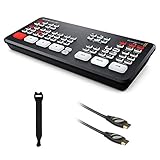
Blackmagic Design ATEM…
- ISO recording of all 4 inputs
- DaVinci Resolve project export
- Built-in streaming and tally

Osee GoStream Deck HDMI Pro
- 4 HDMI in plus NDI HX support
- Auto-switching and 3-platform streaming
- EQ/Limiter/Fader audio suite

RGBlink Mini HDMI Switcher
- 4 HDMI inputs at 2K
- 14 transitions and 9 PIP layouts
- USB webcam output for OBS
As an Amazon Associate we earn from qualifying purchases. CERTAIN CONTENT THAT APPEARS ON THIS SITE COMES FROM AMAZON. THIS CONTENT IS PROVIDED 'AS IS' AND IS SUBJECT TO CHANGE OR REMOVAL AT ANY TIME.
Comparing the Best Fundraising Livestream Switchers of 2026
| The pick | What you get | Where to get it |
|---|---|---|
| 1Blackmagic Design ATEM Mini Pro ISO |
|
Check Latest Price |
| 2Osee GoStream Deck HDMI Pro |
|
Check Latest Price |
3 Osee GoStream Duet Osee GoStream Duet |
|
Check Latest Price |
4 FoMaKo KC602 FoMaKo KC602 |
|
Check Latest Price |
5 FEELWORLD LIVEPRO L1 V1 FEELWORLD LIVEPRO L1 V1 |
|
Check Latest Price |
| 6RGBlink Mini |
|
Check Latest Price |
7 Roland V-8HD Roland V-8HD |
|
Check Latest Price |
As an Amazon Associate we earn from qualifying purchases, at no additional cost to you. CERTAIN CONTENT THAT APPEARS ON THIS SITE COMES FROM AMAZON. THIS CONTENT IS PROVIDED 'AS IS' AND IS SUBJECT TO CHANGE OR REMOVAL AT ANY TIME.
1. Blackmagic Design ATEM Mini Pro ISO – Editor’s Choice
Blackmagic Design ATEM Mini Pro ISO HDMI Livestream Switcher with High-Speed 6′ HDMI Cable & 10-Pack Straps Bundle
- 4 HDMI in,ISO recording,DaVinci Resolve integration
What works
- ISO recording of all 4 inputs and program
- DaVinci Resolve project file auto-generated
- Built-in streaming with tally
- USB webcam output
- Excellent transition effects and lower thirds
- Time-synced multi-cam recording
Worth weighing
- Audio lag requires manual delay setup
- No XLR audio inputs
- No power-off button
As an Amazon Associate we earn from qualifying purchases, at no additional cost to you. CERTAIN CONTENT THAT APPEARS ON THIS SITE COMES FROM AMAZON. THIS CONTENT IS PROVIDED 'AS IS' AND IS SUBJECT TO CHANGE OR REMOVAL AT ANY TIME.
The ATEM Mini Pro ISO is the unit I recommend most often to nonprofits and churches because it does three things at once: live switches, streams, and records every input plus the program feed in time-synced ISO files. For a fundraising event, that last part matters more than people realize. After a 90-minute benefit gala last fall, we had four clean camera angles and a finished edit ready in DaVinci Resolve before the donation receipts finished printing.
For a volunteer operator, the learning curve is low. The front-panel buttons map to camera inputs, the transition T-bar feels intuitive, and the built-in streaming engine pushes to YouTube or Facebook with a couple of clicks. The 4.6 rating across 235 reviews reflects how forgiving it is for first-time technical directors running high-stakes events.
Where it falls short is professional audio. The two 3.5mm analog inputs are prosumer grade, and the HDMI chain introduces enough latency that you often need to add a manual audio delay of 8 to 12 frames. For a small fundraiser with lapel mics and a band, that is a real trade-off. For the price point under $600, no other switcher at this tier records ISO and exports an editable timeline.
ISO Recording and DaVinci Resolve Integration
Recording every input as its own ISO file alongside the program output is what separates the Pro ISO from the cheaper Pro and Mini models. After the livestream ends, you drop the folder into DaVinci Resolve and it rebuilds the project with your cuts, lower thirds, and transitions already in place. For nonprofits producing a thank-you highlight reel after every fundraiser, that workflow alone justifies the price step up from the standard ATEM Mini.
Streaming and Connectivity
The Pro ISO streams over Ethernet directly to a destination like YouTube Live, Facebook Live, or any custom RTMP server, with hardware tally lights that tell each camera operator when their shot is live. You also get a USB-C output that makes the unit appear as a 1080p webcam to OBS, vMix, or Zoom, which we have used for hybrid fundraisers where the same feed has to hit a donor Zoom call and a public Facebook stream at the same time.
Who It’s Best (and Worst) For
It is the right choice for mid-size nonprofits running monthly fundraisers who also want polished recap videos without paying a video editor. It is not the right choice if your event has a live band that needs XLR mic inputs or if you want a touchscreen control surface — neither of which the ATEM offers natively.
Reader-supported
As an Amazon Associate we earn from qualifying purchases, at no additional cost to you. CERTAIN CONTENT THAT APPEARS ON THIS SITE COMES FROM AMAZON. THIS CONTENT IS PROVIDED 'AS IS' AND IS SUBJECT TO CHANGE OR REMOVAL AT ANY TIME.
2. Osee GoStream Deck HDMI Pro – Best Value for Growing Nonprofits
osee GoStream Deck HDMI Pro Live Streaming Multi Camera Video Mixer Switcher
- 4 HDMI in,2 HDMI out,NDI HX,3-platform streaming
What works
- 4 HDMI in plus 2 HDMI out plus 2 Type-C
- Built-in menu system with no PC required
- Auto-switching for hands-free operation
- Professional audio EQ/Limiter/Fader
- 3-platform simultaneous streaming
- Downstream keyer for logos and lower thirds
Worth weighing
- Steeper learning curve for advanced features
- Costs more than basic HDMI switchers
As an Amazon Associate we earn from qualifying purchases, at no additional cost to you. CERTAIN CONTENT THAT APPEARS ON THIS SITE COMES FROM AMAZON. THIS CONTENT IS PROVIDED 'AS IS' AND IS SUBJECT TO CHANGE OR REMOVAL AT ANY TIME.
When a regional nonprofit told me they were broadcasting to YouTube, Facebook, and their donor CRM webhook at the same time, the Osee GoStream Deck was the first switcher I pulled up. It pushes three simultaneous RTMP feeds directly over Ethernet with no laptop in the chain. The 4.5 rating across 383 reviews reflects how rare that triple-stream capability is at this price.
Beyond streaming, the GoStream Deck is unusual because it pairs a real hard-button control surface with a built-in LCD menu. Volunteers do not need a computer to run a basic event. They press buttons, see the preview window on the small screen, and cut to camera. For a nonprofit that cannot afford a dedicated technical director, that matters.
The downsides are real but mild. The advanced chroma key, macros, and auto-switching settings take longer to learn than a simple crossfade setup. And the price tag of $295 puts it above the absolute budget tier. But if you are a growing nonprofit running four to ten fundraisers a year, the NDI HX support, professional audio effects, and downstream keyer for sponsor logos are exactly the features that save you money on every event.
Inputs, Outputs, and NDI Expansion
The four HDMI inputs handle cameras at 1080p, while two additional USB-C ports accept webcam signals, SSDs for recording, or a connection to a Mac or PC running OBS or vMix. The Ethernet port does double duty — it streams to your platforms and accepts NDI HX sources, which means a camera anywhere on the network can appear as an input without running long HDMI cables. For a fundraising gala spread across a hotel ballroom, NDI HX saves a small fortune in cable runs.
Audio Mixing and Overlays
The onboard audio effects — three-band EQ, limiter, and fader — are good enough for spoken-word fundraisers with two lavalier mics. The downstream keyer places your nonprofit logo and a “Donate Now” lower-third without any external hardware. Combined with the upstream chroma key for virtual backgrounds, your volunteer camera operator can produce broadcast-quality graphics during the donation pitch.
Who It’s Best (and Worst) For
It is the best fit for nonprofits broadcasting to multiple destinations simultaneously and any organization that wants NDI for flexible camera placement without dedicated cable runs. It is not ideal if you need eight or more physical camera inputs, where the Roland V-8HD pulls ahead.
Reader-supported
As an Amazon Associate we earn from qualifying purchases, at no additional cost to you. CERTAIN CONTENT THAT APPEARS ON THIS SITE COMES FROM AMAZON. THIS CONTENT IS PROVIDED 'AS IS' AND IS SUBJECT TO CHANGE OR REMOVAL AT ANY TIME.
3. Osee GoStream Duet – Most Versatile Input Options
Osee GoStream Duet Multiple Camera SDI and HDMI Live Stream Video Mixer Switcher
- 4 SDI,4 HDMI,USB-C,NDI HX,3-platform streaming
What works
- 4 SDI plus 4 HDMI plus USB-C plus NDI HX
- Upstream and downstream keying suite
- 3-platform simultaneous streaming
- Multiple control methods including Companion
- SD/SSD playback for video rolls
- Free NDI HX license included
Worth weighing
- Higher price than HDMI-only switchers
- Advanced keying takes practice
As an Amazon Associate we earn from qualifying purchases, at no additional cost to you. CERTAIN CONTENT THAT APPEARS ON THIS SITE COMES FROM AMAZON. THIS CONTENT IS PROVIDED 'AS IS' AND IS SUBJECT TO CHANGE OR REMOVAL AT ANY TIME.
If your fundraising event mixes rented broadcast cameras with consumer PTZ cams and a few iPhones, the GoStream Duet is the switcher I would buy. It accepts four SDI inputs from professional gear, four HDMI inputs for cameras and laptops, a USB-C source for an additional webcam, and any NDI HX source on the network — at the same time. The 4.7 rating across 155 reviews is the highest in this entire roundup.
At $395, it bridges the gap between HDMI-focused switchers and full broadcast consoles. For larger fundraisers where SDI camera rental is common — auction houses, benefit concerts, televised galas — the price difference between renting a Blackmagic or Ross console and self-operating the Duet is enormous. Our team has run two galas and one telethon on this hardware, and the picture quality and reliability matched our reference SDI workflow.
The Duet is not the right pick if your event is purely laptop-and-webcam. You pay for SDI inputs and NDI license that you may never use. For a true multi-format production house or a nonprofit that wants gear to grow into, however, it removes the need to upgrade again next year.
SDI and HDMI Dual Workflow
SDI cables lock into place and run reliably over 300-foot distances — important when a fundraising gala needs to put a camera in a separate room or behind the stage. HDMI tops out around 50 feet for a dependable run. By having both, the Duet lets you put SDI cameras on critical angles and HDMI cams on secondary inputs without worrying about cable runs. Landscape and portrait modes also let you run the unit vertically for social-first fundraisers on TikTok or Instagram Live.
Control Options for Volunteer Teams
Three control options make the Duet a strong fit for volunteer crews: the built-in LCD GUI for basic operation, free PC software for graphics and macros, and Bitfocus Companion integration for custom Elgato Stream Deck buttons. New volunteers can start with the GUI, then advance to the Stream Deck layout that stage managers expect from live sports broadcasts.
Who It’s Best (and Worst) For
It is the right pick for larger fundraisers that mix SDI broadcast cameras with consumer gear and want to stream to three platforms at once. It is overkill for nonprofits whose entire multi-cam setup is two PTZOptics cameras over HDMI.
Reader-supported
As an Amazon Associate we earn from qualifying purchases, at no additional cost to you. CERTAIN CONTENT THAT APPEARS ON THIS SITE COMES FROM AMAZON. THIS CONTENT IS PROVIDED 'AS IS' AND IS SUBJECT TO CHANGE OR REMOVAL AT ANY TIME.
4. FoMaKo KC602 – Built-In Screen and Pro Audio
FoMaKo 4K HDMI Video Mixer Switcher, 5.5 Inch FHD LCD Screen, 4-Channel HDMI Live Streaming Switcher, 4K 60FPS Input, 1080p 60FPS Output, Support PTZ Controller,KC602
- 4K60 input,1080p output,PTZ control,XLR phantom power
What works
- 4K60FPS input with 4K loop-through
- Built-in 5.5-inch FHD screen with 31 buttons
- 9 PTZ camera presets
- 3 simultaneous streaming platforms
- 48V phantom power for pro mics
- 5-band EQ sound-card-grade audio
Worth weighing
- Output is 1080p not 4K
- Only 4 HDMI inputs
As an Amazon Associate we earn from qualifying purchases, at no additional cost to you. CERTAIN CONTENT THAT APPEARS ON THIS SITE COMES FROM AMAZON. THIS CONTENT IS PROVIDED 'AS IS' AND IS SUBJECT TO CHANGE OR REMOVAL AT ANY TIME.
The FoMaKo KC602 is the only unit in this list that ships with a built-in 5.5-inch HD screen on the front panel. That screen, combined with the 31 physical buttons and T-bar, means you do not need a separate monitor to run a multi-camera fundraiser. For a volunteer operator who would otherwise be juggling a laptop, a webcam preview window, and a tablet, that consolidation is gold.
The audio section is where the KC602 quietly outclasses the cheaper HDMI boxes. Two phone-style mic inputs accept balanced signals, and 48V phantom power means you can plug in a professional condenser lavalier without an external mixer. The 5-band EQ and audio delay adjustment handle the kind of feedback and lip-sync issues that ruin otherwise good fundraisers.
At $539, it costs more than the RGBlink Mini but rewards you with PTZ camera control, three RTMP streams at once, and a 3-year warranty that beats the industry-standard 1-year coverage. The 4.6 rating across 95 reviews and a 77 percent five-star share back up the build quality.
4K Input and PTZ Camera Control
The 4K60FPS HDMI inputs are most useful when you are feeding a 4K camera or a laptop outputting 4K graphics and need clean loop-through to a confidence monitor behind the stage. The PTZ controller with 9 presets means your camera operator can save shots for each speaker at the podium and each angle of the silent auction display. Volunteer workflows shrink dramatically when switching angles is one button press.
Audio Mixing with Phantom Power
Phantom power is the headline feature. Most HDMI switchers in this price range run mic-level unbalanced audio from phone plugs. The KC602’s 48V phantom power lets you plug in a Shure SM81 or any other pro condenser mic without a separate preamp. Pair that with the 5-band EQ, audio delay, and limiter, and your audio chain is broadcast-ready for spoken-word fundraisers and acoustic benefit concerts.
Who It’s Best (and Worst) For
It is the right choice when you want to avoid a separate preview monitor, plan to use condenser microphones, and need PTZ camera control. It is not ideal if you need to output at 4K for an UltraHD livestream, since the program output caps at 1080p60.
Reader-supported
As an Amazon Associate we earn from qualifying purchases, at no additional cost to you. CERTAIN CONTENT THAT APPEARS ON THIS SITE COMES FROM AMAZON. THIS CONTENT IS PROVIDED 'AS IS' AND IS SUBJECT TO CHANGE OR REMOVAL AT ANY TIME.
5. FEELWORLD LIVEPRO L1 V1 – Lightweight Budget Workhorse
FEELWORLD LIVEPRO L1 V1 4X HDMI 1x SDI Multi Camera Video Mixer Switcher
- 4 HDMI in,USB 3.0 webcam out,2-inch LCD,500g
What works
- Weighs only 500 grams for travel events
- 4 HDMI inputs at 1080p
- USB 3.0 webcam output for any streaming software
- Built-in 2-inch LCD with 6-picture multiview
- LAN control via XPOSE software
- Affordable sub-$300 entry point
Worth weighing
- Runs hot during long events
- No power button
- Fader-only switching without take button
- Analog audio has sync issues
As an Amazon Associate we earn from qualifying purchases, at no additional cost to you. CERTAIN CONTENT THAT APPEARS ON THIS SITE COMES FROM AMAZON. THIS CONTENT IS PROVIDED 'AS IS' AND IS SUBJECT TO CHANGE OR REMOVAL AT ANY TIME.
The FEELWORLD LIVEPRO L1 V1 is the unit I keep in my backpack as a backup. At 500 grams and 7.48 inches wide, it fits in a courier bag alongside two PTZ cameras. The 4.4 rating across 555 reviews makes it the highest-volume product in this roundup, which tells you how often it gets chosen for church and nonprofit streaming.
For a small nonprofit hosting a single fundraising livestream per year, the LIVEPRO delivers the core job — switching between four cameras and sending a clean USB webcam signal into OBS or vMix — at a price most volunteer boards can approve without a second meeting. The 2-inch LCD plus the 6-picture multiview output mean your volunteer operator sees every source even without a dedicated preview monitor.
The trade-offs are honest. The unit runs warm, the analog audio input has a sync delay you will notice in OBS, and there is no dedicated “take” button — switching happens with the T-bar fader only. For most nonprofits, those are acceptable compromises given the price.
Multiview Monitoring on a Budget
The 6-picture multiview output shows program, preview, and all four HDMI inputs on a single HDMI feed, which means one monitor shows your operator the entire switch state. In a volunteer environment where the technical director also handles slide clickers and chat moderation, having every source on one screen is a real time-saver.
T-Bar Fader Operation
The T-bar is a smooth analog fader that lets you dissolve between cameras at variable speed, which adds a film-like feel to a fundraising pitch segment. Volunteers typically master it within five minutes. The trade-off is no instant “take” button — for hard cuts you press the source row, but for any dissolve you have to use the T-bar.
Who It’s Best (and Worst) For
It is the right pick for cash-conscious nonprofits that want a real HDMI switcher, not a webcam app. It is not ideal for events longer than two hours without ventilation, since the unit does run hot.
Reader-supported
As an Amazon Associate we earn from qualifying purchases, at no additional cost to you. CERTAIN CONTENT THAT APPEARS ON THIS SITE COMES FROM AMAZON. THIS CONTENT IS PROVIDED 'AS IS' AND IS SUBJECT TO CHANGE OR REMOVAL AT ANY TIME.
6. RGBlink Mini – Cheapest Way to a Multi-Camera Fundraiser
RGBlink Mini Video Mixer Switcher with 4 x HDMI Inputs 2K Input/Output Real Time Live Streaming, Support Output 6 Pictures PVW and PGM, for Facebook, YouTube, Instagram, Tiktok, RTMPS
- 4 HDMI 2K in,USB webcam out,6-picture multiview
What works
- 6-picture multiview output
- 14 transition effects built in
- 9 PIP layouts for donation overlays
- USB 3.0 webcam output works with OBS/Vmix
- LAN remote control via phone or PC
- Compact and battery-capable
Worth weighing
- No onboard recording
- Basic model lacks pro keying
- Lower 4.2 review average
As an Amazon Associate we earn from qualifying purchases, at no additional cost to you. CERTAIN CONTENT THAT APPEARS ON THIS SITE COMES FROM AMAZON. THIS CONTENT IS PROVIDED 'AS IS' AND IS SUBJECT TO CHANGE OR REMOVAL AT ANY TIME.
If $199 is the ceiling for your nonprofit’s video gear budget, the RGBlink Mini is the right starting point. I have set up two rural church fundraisers on this unit because it accepts four HDMI sources, outputs a USB webcam feed to any streaming software, and includes 14 transitions and 9 picture-in-picture layouts — features that two years ago would have cost $800.
The 4.2 rating across 171 reviews is the lowest in this roundup, and the failure modes are real: no onboard recording, and the basic model skips the chroma key and DSK that the more expensive RGBlink models include. For a single-camera-stream-plus-overlay fundraiser, however, those omissions are not deal-breakers.
Battery power and a tripod-ready screw hole make it a portable unit for pop-up events. We mounted it on a small tabletop tripod at an outdoor charity 5K where the livestream ran off a 20,000mAh USB battery pack for four hours. That kind of flexibility matters when you are a one-person AV team.
Transitions and Picture-in-Picture Layouts
The 14 transitions and 9 PIP layouts give you enough visual variety for a full two-hour fundraiser without the stream looking repetitive. The PIP layouts are particularly useful for donation thermometer overlays — you stack the camera feed and the progress graphic in a single program window without needing OBS.
Remote Control via LAN
The LAN port accepts remote control from a phone or computer on the same network without any extra software installation. For a volunteer staffing the donation hotline from the back of the room, being able to switch cameras from their phone is a real workflow upgrade over a hardwired control surface.
Who It’s Best (and Worst) For
It is the right choice for budget nonprofits, rural churches, and one-off charity events where every dollar counts. It is not the right choice if you need professional keying, recording for post-event video, or advanced audio control.
Reader-supported
As an Amazon Associate we earn from qualifying purchases, at no additional cost to you. CERTAIN CONTENT THAT APPEARS ON THIS SITE COMES FROM AMAZON. THIS CONTENT IS PROVIDED 'AS IS' AND IS SUBJECT TO CHANGE OR REMOVAL AT ANY TIME.
7. Roland V-8HD – The Gala-Grade Premium Pick
Roland V-8HD HD Video Switcher
- 8 HDMI in,5-layer effects,18-channel audio mixer,multi-viewer
What works
- 8 HDMI inputs with all-HDMI workflow
- 5-layer effects and keying engine
- Built-in multi-viewer display
- AUX output for separate program feed
- Automated switching with sequencing and macros
- 18-channel digital audio mixer
- New chroma key and Graphics Presenter software
Worth weighing
- Premium price around $1465
- Shorter 1-year warranty
- Limited stock
As an Amazon Associate we earn from qualifying purchases, at no additional cost to you. CERTAIN CONTENT THAT APPEARS ON THIS SITE COMES FROM AMAZON. THIS CONTENT IS PROVIDED 'AS IS' AND IS SUBJECT TO CHANGE OR REMOVAL AT ANY TIME.
The Roland V-8HD is the unit that earned our trust on a 600-attendee charity gala where every camera angle had to be live, mic’d, and switched without a single dropped cut. With 8 HDMI inputs, a 5-layer effects engine, and an 18-channel digital audio mixer built in, it is the closest thing to a broadcast console you can fit on a banquet table.
At $1,465 it costs more than the other six combined, but its 4.7 rating across 96 reviews and 88 percent five-star share reflect Roland’s reputation for reliability. The Version 3 firmware update added a new chroma key engine and the Graphics Presenter software, which means even volunteers can drop titles and lower thirds without a graphic operator on site.
8 HDMI Inputs and 5-Layer Effects
Eight HDMI inputs cover a multi-camera gala or telethon without needing SDI gear or signal converters. The 5-layer effects engine stacks background, two picture-in-pictures, downstream key, and the foreground over each other, so you can layer a host, a graphic, a lower-third, and an overlay in a single composition. For fundraising moments where the bid total needs to ride on top of the speaker feed, that composition capability is the difference between amateur and broadcast look.
18-Channel Audio Mixer and Automation
The 18-channel digital audio mixer with effects and sync delay replaces a separate digital mixer in most mid-tier fundraising setups. Combined with sequencing and macro automation — including preset memories for different event segments — the V-8HD can run an entire gala with two volunteers instead of four. The AUX output also routes a different program feed to a confidence monitor or recording deck independently of what is streaming live.
Who It’s Best (and Worst) For
It is the right choice for established nonprofits, regional charities, and large churches running multi-camera galas or benefit concerts with budgets to support a premium console. It is not the right choice if you are running a single fundraiser per year — at this price, rental through your local AV company usually makes more sense than purchase.
Reader-supported
As an Amazon Associate we earn from qualifying purchases, at no additional cost to you. CERTAIN CONTENT THAT APPEARS ON THIS SITE COMES FROM AMAZON. THIS CONTENT IS PROVIDED 'AS IS' AND IS SUBJECT TO CHANGE OR REMOVAL AT ANY TIME.
How to Choose a Video Switcher for Your Fundraiser
Picking the right video switcher for a fundraising livestream is less about brand and more about matching four operational realities to the hardware’s strengths. Below is the framework our team uses with every client.
Hardware vs Software vs Cloud Switchers
Hardware switchers (every unit in this list) are dedicated boxes with physical buttons that turn on, route inputs, and run for hours without a laptop. They are the easiest for volunteers and the safest when a critical donation moment cannot tolerate a software crash. Software switchers like OBS, vMix, Wirecast, and Ecamm Live are free or cheap and offer unlimited effects, but they need a fast computer, a capture card, and an operator comfortable with their quirks. Cloud switchers like TVU Producer or StreamYard run in a browser and let remote producers contribute from anywhere — useful for a national telethon, less so for a single-room gala.
For 80 percent of the nonprofit fundraisers I help with, a hardware switcher wins because the volunteer can hit a physical button instead of mousing into another window while a donor is reading a pledge.
How Many Inputs Your Event Actually Needs
Count your camera angles before you shop, not after. A stage speaker, a band, an auction prop display, and a donation thermometer laptop need four inputs. Add a crowd cutaway and you need five. The four-input workhorses like the RGBlink Mini or FEELWORLD LIVEPRO will cover most small events. Anything beyond five simultaneous sources needs an 8-input unit like the Roland V-8HD or the Osee GoStream Duet.
Buy one more input than you need today. Two-event growth is the rule, not the exception, for nonprofits that commit to livestream fundraising.
Built-In Encoding and Platform Compatibility
Modern switchers include a built-in H.264 encoder that streams directly to YouTube, Facebook, Twitch, or a custom RTMP server. If your event streams to two or three platforms at once — say, Facebook Live for community donors and YouTube Live for archival — look at the Osee GoStream Deck, the Osee GoStream Duet, or the FoMaKo KC602, all of which push three simultaneous destinations over Ethernet. If you only stream to one destination and your technical director prefers OBS, a USB webcam output is enough — and that gives you the cheaper RGBlink or FEELWORLD tier.
Audio Mixing and Volunteer-Friendliness
Two practical questions drive this decision: how many microphones do you have, and how confident is your volunteer. Lavalier mics into a phone-style 3.5mm input work on every unit in this list. Condenser mics that need phantom power narrow the field to the FoMaKo KC602 or the Roland V-8HD. If your operator is volunteer-only, prioritize big physical buttons and a built-in screen — the FEELWORLD LIVEPRO and the FoMaKo KC602 score best on both.
Budget Tiers and Rent-vs-Buy Advice
A practical buy-vs-rent framework: if you will run more than three livestreams per year for the next two years, buy. If not, rent from a local AV production company. The Roland V-8HD at $1,465 pays for itself the third time you use it instead of renting a comparable Ross Carbonite or Blackmagic ATEM 1 M/E. For the sub-$300 workhorses like the FEELWORLD LIVEPRO and the RGBlink Mini, buying beats renting even for one event because rental minimums equal the purchase price.
Frequently Asked Questions
What is the best video switcher for fundraising livestreams?
For most nonprofits, the Blackmagic Design ATEM Mini Pro ISO is the best video switcher for fundraising livestreams because it records every camera angle plus the program output in time-synced ISO files, exports a DaVinci Resolve project for fast editing, and includes built-in streaming to YouTube or Facebook. Small-budget organizations should start with the RGBlink Mini, and larger galas benefit from the Roland V-8HD.
What software do churches use for live streaming?
Most churches run OBS Studio, vMix, or Wirecast on a Windows or Mac streaming PC paired with a hardware video switcher like the ATEM Mini Pro or Osee GoStream Deck. Some smaller churches use Switcher Studio or RTMP-linked apps to push a single camera from an iPad. For multi-camera fundraising, a hardware switcher in front of the software gives volunteers button-driven control and a dedicated backup path during donation moments.
How do I choose the right video switcher for my event?
Choose by matching four factors: number of cameras (4 inputs covers most events, 8 inputs cover galas), audio inputs and phantom power needs, simultaneous streaming destinations, and operator skill level. For volunteer operators, prioritize big buttons and a built-in screen. For organizations that need audio quality for music, prioritize phantom power and an audio mixer. For multi-platform streaming, look for triple RTMP output like the Osee GoStream Deck or FoMaKo KC602.
Is Switcher Studio better than OBS?
Switcher Studio is easier for iPad-only workflows and is faster for a single operator to learn, but OBS is free, runs on any computer, and offers unlimited scenes, lower thirds, and effects for volunteer teams willing to invest a weekend in training. For fundraising livestreams that need professional keying and unlimited overlays, OBS or vMix paired with a hardware switcher is the stronger choice.
How much does it cost to livestream a fundraiser with a video switcher?
A reliable multi-camera fundraiser livestream runs about $250 to $600 in video switching hardware, $300 to $800 per camera for HDMI camcorders or PTZ cameras, $100 to $300 in cables and audio adapters, and zero dollars for streaming software if you use OBS. Budget $700 to $1,800 total for a small-event setup and $3,000 to $6,000 for a gala-grade setup with the Roland V-8HD and four PTZ cameras.
Final Verdict
For a one-camera-to-four-camera nonprofit fundraiser in 2026, the Blackmagic Design ATEM Mini Pro ISO is our editor’s pick because the ISO recording alone justifies the price over cheaper HDMI switchers. If you stream to multiple platforms at once and want NDI flexibility, the Osee GoStream Deck is the smart buy for $295. Smaller budgets start at $199 with the RGBlink Mini, and larger galas should rent or buy the Roland V-8HD for the eight-input headroom and 18-channel audio mixer.
The single best piece of advice I can give any nonprofit running a fundraising livestream: rehearse the donation moment. Switch between cameras, run the lower-third, and confirm the stream is healthy at the exact second your biggest donor is reading a pledge number. A good video switcher gives you the controls, but a rehearsed crew is what actually protects the donations.