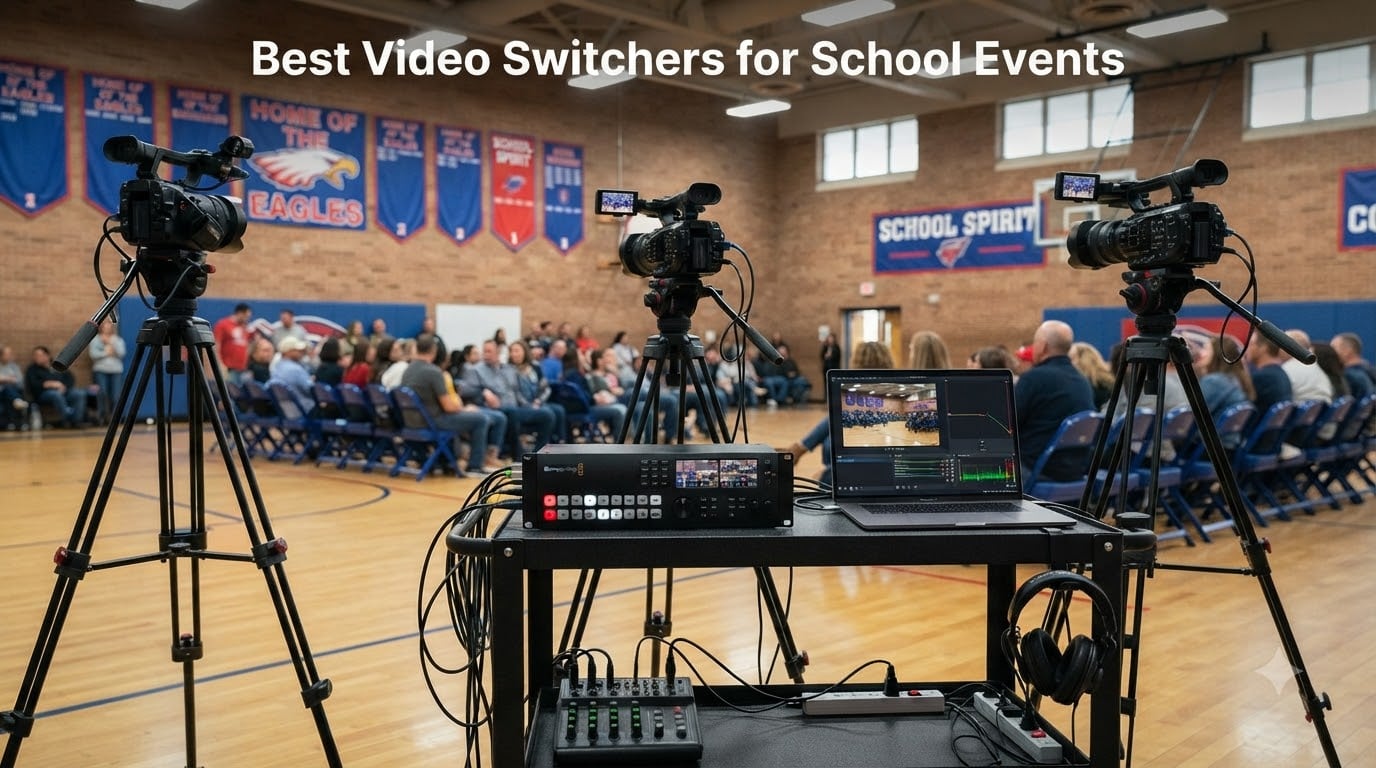
If you have ever watched a parent try to Facebook Live a school assembly with one phone held sideways, you already know why schools need the best video switchers for school events. A good switcher turns three or four cameras into a polished broadcast with clean transitions, clear audio, and a recording families can actually watch later. Our team has spent months running multi-camera setups for graduations, pep rallies, and school board streams, and the difference between a switched production and a single-camera feed is night and day.
Here is the challenge we kept running into: most video switcher guides are written for broadcast professionals with broadcast budgets. Schools, PTAs, and nonprofits do not have $4,000 for a control room, and the person running the switcher on Friday night might be a volunteer parent who has never touched a T-bar. So we focused this guide on switchers that real school AV teams and volunteer crews can afford, learn, and trust.
We pulled data on eight switchers across every price tier, from a sub-$250 starter mixer to a full eight-input professional deck. Every pick below has verified ratings, real review counts, and a clear answer to the question that matters most: who is this actually for? And if audio is your weak spot too, pair your switcher with one of the wireless microphone systems we tested — it made a bigger difference in our streams than any camera upgrade.
Table of Contents
- 1Our Top 3 Video Switchers for School Productions
- 2Blackmagic ATEM Mini Pro ISO
- 3Roland V-8HD
- 4FEELWORLD LIVEPRO L1
- 5Comparing All 8 School Event Video Switchers in 2026
- 61. Blackmagic Design ATEM Mini Pro ISO – The All-Around School Streaming Workhorse
- 7Blackmagic Design ATEM Mini Pro ISO HDMI Switcher
- 8What works
- 9Worth weighing
- 10Transitions and Keying for Polished Assemblies
- 11ISO Recording and Why Parents Will Thank You
- 12Audio Mixing Built In
- 13Who Should Buy It
- 142. FEELWORLD LIVEPRO L1 V1 – The Budget Pick That Gets the Job Done
- 15FEELWORLD LIVEPRO L1 V1 4X HDMI 1x SDI Multi Camera Video Mixer Switcher
- 16What works
- 17Worth weighing
- 18The Built-in Screen Advantage
- 19Streaming via USB Webcam Output
- 20Heat and Quirks to Know About
- 21Who Should Buy It
- 223. Roland V-8HD – The Premium Deck for Serious School Production Programs
- 23Roland V-8HD HD Video Switcher
- 24What works
- 25Worth weighing
- 26Eight Inputs and a Built-in Multi-Viewer
- 27Automation for Solo Operators
- 28An 18-Channel Audio Mixer Built In
- 29Who Should Buy It
- 304. Osee GoStream Deck HDMI Pro – Best Value for Multi-Platform Streaming
- 31osee GoStream Deck HDMI Pro Live Streaming Multi Camera Video Mixer Switcher
- 32What works
- 33Worth weighing
- 34NDI HX Opens Up Gym-Friendly Camera Placement
- 35Physical T-Bar and Auto-Switching
- 36Recording and Audio Controls
- 37Who Should Buy It
- 385. Osee GoStream Duet – Best Hybrid SDI and HDMI Flexibility
- 39Osee GoStream Duet Multiple Camera SDI and HDMI Live Stream Video Mixer Switcher
- 40What works
- 41Worth weighing
- 42Keying and Effects for Professional-Looking Streams
- 43Control Options for Every Skill Level
- 44Who Should Buy It
- 456. Tenveo 4K60FPS Switcher – 4K Inputs and PTZ Control on a Mid Budget
- 46Tenveo 4K60FPS HDMI Video Switcher Mixer, 4*SDI & 4*HDMI Input, 5CH Live Streaming Switcher, 5.5’’ FHD Screen, 1080P60FPS Output, USB/SD Recording, Support PTZ Camera and Controller, NDI|HX3 Certified
- 47What works
- 48Worth weighing
- 494K Input, 1080p60 Output Strategy
- 50Early-Adopter Caveats
- 51Who Should Buy It
- 527. FoMaKo KC602 4K HDMI Mixer – Best Audio Section in Its Class
- 53FoMaKo 4K HDMI Video Mixer Switcher, 5.5 Inch FHD LCD Screen, 4-Channel HDMI Live Streaming Switcher, 4K 60FPS Input, 1080p 60FPS Output, Support PTZ Controller,KC602
- 54What works
- 55Worth weighing
- 56The XLR Audio Advantage Explained
- 57Streaming and Recording Workflow
- 58Who Should Buy It
- 598. Blackmagic Design ATEM SDI – Broadcast-Grade Reliability, SDI Only
- 60Blackmagic Design ATEM SDI Live Production Switcher (SWATEMMXEP)
- 61What works
- 62Worth weighing
- 63Why SDI-Only Might Be Right (or Wrong) for You
- 64Fairlight Audio Processing
- 65Who Should Buy It
- 66How to Choose a Video Switcher for Your School
- 67Start With Your Cameras, Not the Switcher
- 68Match Input Count to Your Real Productions
- 69Decide How You Will Stream
- 70Budget for the Whole System, Not Just the Switcher
- 71Plan for the Volunteer Who Has Never Switched Video
- 72Frequently Asked Questions
- 73What is the best video switcher?
- 74How do I choose the right video switcher?
- 75What is a good low-cost video switcher?
- 76Is Switcher Studio better than OBS?
- 77Do I need ISO recording for school events?
- 78Final Verdict: Which Switcher Belongs at Your School?
Our Top 3 Video Switchers for School Productions
After comparing all eight models, three stood out for school use. The Blackmagic ATEM Mini Pro ISO is the safest all-around pick, the Roland V-8HD is the premium choice for schools that produce events weekly, and the FEELWORLD LIVEPRO L1 covers tight budgets without cutting HDMI inputs.

Blackmagic ATEM Mini Pro ISO
- 4 HDMI inputs
- ISO recording
- Built-in streaming
- Audio mixer

Roland V-8HD
- 8 HDMI inputs
- 5-layer effects
- 18-channel audio
- Multiviewer

FEELWORLD LIVEPRO L1
- 4 HDMI inputs
- USB 3.0 webcam out
- Built-in LCD
- Multiview
As an Amazon Associate we earn from qualifying purchases. CERTAIN CONTENT THAT APPEARS ON THIS SITE COMES FROM AMAZON. THIS CONTENT IS PROVIDED 'AS IS' AND IS SUBJECT TO CHANGE OR REMOVAL AT ANY TIME.
Comparing All 8 School Event Video Switchers in 2026
Here is the full lineup side by side. Notice how input type — not price — is the biggest differentiator: HDMI-only decks are cheaper and easier, while SDI and NDI models give you longer cable runs and more flexibility for gymnasium-scale events.
| The pick | What you get | Where to get it |
|---|---|---|
| 1Blackmagic ATEM Mini Pro ISO |
|
Check Latest Price |
| 2FEELWORLD LIVEPRO L1 V1 |
|
Check Latest Price |
| 3Roland V-8HD |
|
Check Latest Price |
4 Osee GoStream Deck HDMI Pro Osee GoStream Deck HDMI Pro |
|
Check Latest Price |
5 Osee GoStream Duet Osee GoStream Duet |
|
Check Latest Price |
6 Tenveo 4K60FPS Switcher Tenveo 4K60FPS Switcher |
|
Check Latest Price |
7 FoMaKo KC602 4K HDMI FoMaKo KC602 4K HDMI |
|
Check Latest Price |
8 Blackmagic ATEM SDI Blackmagic ATEM SDI |
|
Check Latest Price |
As an Amazon Associate we earn from qualifying purchases, at no additional cost to you. CERTAIN CONTENT THAT APPEARS ON THIS SITE COMES FROM AMAZON. THIS CONTENT IS PROVIDED 'AS IS' AND IS SUBJECT TO CHANGE OR REMOVAL AT ANY TIME.
1. Blackmagic Design ATEM Mini Pro ISO – The All-Around School Streaming Workhorse
Blackmagic Design ATEM Mini Pro ISO HDMI Switcher
- 4 HDMI inputs
- ISO recording of 5 streams
- Built-in 6-in audio mixer
- USB-C webcam output
What works
- Cut
- Mix
- Dip
- Wipe
- DVE transitions
- Luma
- Linear
- Chroma and Pattern upstream keys
- Downstream keyer for lower thirds
- 4 camera multiview
- Records up to 5 separate H.264 streams in real time
- Built-in 6-input 2-channel audio mixer
Worth weighing
- Requires external power supply
- May need extra gear for advanced setups
As an Amazon Associate we earn from qualifying purchases, at no additional cost to you. CERTAIN CONTENT THAT APPEARS ON THIS SITE COMES FROM AMAZON. THIS CONTENT IS PROVIDED 'AS IS' AND IS SUBJECT TO CHANGE OR REMOVAL AT ANY TIME.
This is the switcher I recommend when a school asks me where to start, and it is the one I reach for first. The ATEM Mini Pro ISO takes four HDMI cameras, gives you a multiview of all of them on one monitor, and streams directly to YouTube or Facebook over Ethernet — no computer required. For a graduation ceremony where you want a wide shot, two close-ups, and a slide feed, this covers the whole job in a box the size of a hardcover book.
The feature that earns the “ISO” in its name is the killer one for schools: it records every input as a separate ISO file while you stream live. When a parent asks for a close-up of their student walking across the stage, you can re-edit the recording afterward instead of being stuck with the live cut. With 323 reviews and a 4.7 rating — 86 percent of them five stars — this is also the most battle-tested pick on our list.
Transitions and Keying for Polished Assemblies
The transition engine handles Cut, Mix, Dip, Wipe, and DVE moves, which is more than any school event needs. In practice, we use Mix for ceremonies and Wipe for sports hype videos. The upstream keyers (Luma, Linear, Chroma, Pattern) plus a downstream keyer mean you can overlay a school logo or lower-third names during a live awards night.
ISO Recording and Why Parents Will Thank You
Recording up to five separate H.264 streams in real time to a USB-C drive changes post-production completely. Your live operator can miss a cue and it does not matter, because every camera is preserved. One high school TV studio on Reddit described moving from an ancient Echolab switcher to Blackmagic gear and never looking back — that tracks with our experience.
Audio Mixing Built In
The six-input, two-channel audio mixer means a microphone and playback laptop can plug straight into the switcher. Add a lavalier microphone system for the principal’s remarks and your whole ceremony audio is handled without a separate mixer.
Who Should Buy It
This is the pick for most schools: it is affordable, it is proven, and volunteer-friendly once the free ATEM software control is set up. The only real knocks are the external power supply (buy a spare) and the fact that bigger multi-room productions will outgrow four HDMI inputs.
Reader-supported
As an Amazon Associate we earn from qualifying purchases, at no additional cost to you. CERTAIN CONTENT THAT APPEARS ON THIS SITE COMES FROM AMAZON. THIS CONTENT IS PROVIDED 'AS IS' AND IS SUBJECT TO CHANGE OR REMOVAL AT ANY TIME.
2. FEELWORLD LIVEPRO L1 V1 – The Budget Pick That Gets the Job Done
FEELWORLD LIVEPRO L1 V1 4X HDMI 1x SDI Multi Camera Video Mixer Switcher
- 4 HDMI inputs, 1080p
- USB 3.0 webcam output
- 2 inch LCD screen
- 6-picture multiview
What works
- 4 HDMI inputs with 1080p support
- USB 3.0 output works as a webcam
- Compact and lightweight design
- 2 inch LCD screen for monitoring
- Multiple transitions and effects
- LAN control via XPOSE software
Worth weighing
- Runs hot during operation
- Documentation and API could be better
- Fader lever feels unusual to some users
- Analog audio input has sync issues
As an Amazon Associate we earn from qualifying purchases, at no additional cost to you. CERTAIN CONTENT THAT APPEARS ON THIS SITE COMES FROM AMAZON. THIS CONTENT IS PROVIDED 'AS IS' AND IS SUBJECT TO CHANGE OR REMOVAL AT ANY TIME.
Not every school can spend $500-plus on a switcher, and the LIVEPRO L1 exists for exactly that situation. For under $250 you get four HDMI inputs at 1080p, a built-in two-inch LCD so you do not even need an external monitor, and a USB 3.0 output that shows up on a computer as a webcam. With 555 reviews it is the most-reviewed switcher on our list, and about 70 percent of reviewers give it five stars.
We used one for a middle school talent show streamed to a private YouTube channel, and it did the core job: clean cuts between three cameras, a couple of wipe transitions, and a stable stream through OBS. It will not wow you with keying or ISO recording, but if the choice is this or a single static camera, this wins easily.
The Built-in Screen Advantage
That little two-inch LCD shows a six-picture multiview including program, preview, and all four inputs. For a school cart that gets rolled from gym to auditorium, not needing a separate HDMI monitor saves money, cabling, and setup time. Operators who have never switched video before understood it within a few minutes.
Streaming via USB Webcam Output
The USB 3.0 output plugs into any laptop and appears as a standard webcam, so you can stream through OBS, vMix, or Zoom. That flexibility matters for schools already invested in a streaming workflow. Just budget for a long USB cable if the switcher sits far from the laptop.
Heat and Quirks to Know About
Owners consistently report the unit runs warm, so give it ventilation and do not stack anything on it. The fader-style switching lever takes getting used to if you expect buttons, and the analog audio input has sync issues — feed audio through your cameras or skip it. Documentation is thin, so plan a practice run before event day.
Who Should Buy It
Elementary schools, clubs, and PTAs on a strict budget who need real multi-camera switching for occasional events. If your school streams weekly and needs reliability above all, the ATEM Mini Pro ISO is worth the extra spend.
Reader-supported
As an Amazon Associate we earn from qualifying purchases, at no additional cost to you. CERTAIN CONTENT THAT APPEARS ON THIS SITE COMES FROM AMAZON. THIS CONTENT IS PROVIDED 'AS IS' AND IS SUBJECT TO CHANGE OR REMOVAL AT ANY TIME.
3. Roland V-8HD – The Premium Deck for Serious School Production Programs
Roland V-8HD HD Video Switcher
- 8 HDMI inputs
- 5-layer effects and keying
- Built-in multiviewer
- 18-channel audio mixer
What works
- 8 HDMI inputs for extensive source connectivity
- 5-layer effects and keying engine
- Built-in multi-viewer display
- AUX output for separate feed routing
- Automated switching with macros and presets
- 18-channel audio mixer with effects
- Professional-grade construction
Worth weighing
- Higher price point
- Limited stock availability
- Feature set has a learning curve
As an Amazon Associate we earn from qualifying purchases, at no additional cost to you. CERTAIN CONTENT THAT APPEARS ON THIS SITE COMES FROM AMAZON. THIS CONTENT IS PROVIDED 'AS IS' AND IS SUBJECT TO CHANGE OR REMOVAL AT ANY TIME.
When a school has a broadcast program, a packed sports schedule, and a paid or deeply committed volunteer AV crew, the Roland V-8HD is the deck that makes everything easier. Eight HDMI inputs mean every camera, a graphics laptop, a replay source, and a timeout feed can be connected at once with zero dongles. Roland mixers are what working event companies use daily, and the V-8HD carries a 4.7 rating with 88 percent five-star reviews from people who run shows for a living.
The physical layout is the real story: dedicated buttons, a T-bar, and a built-in multi-viewer mean the operator watches the switcher, not a laptop. For a student learning to switch, that hardware surface builds real broadcast skills. The learning curve is real, but this is a teach-on-it machine, not a despite-it one.
Eight Inputs and a Built-in Multi-Viewer
Eight HDMI sources cover even ambitious productions: four cameras, a scoreboard or stats laptop, a title slide deck, and still two spare inputs. The built-in multi-viewer preview monitor shows everything at once, and the AUX output can feed a lobby TV or a confidence monitor while the main output goes to the stream.
Automation for Solo Operators
Here is the feature nobody talks about enough for school use: sequencing and macros. You can pre-program an entire transition sequence — wide shot, mix to speaker, lower-third in — and trigger it with one button. When your only operator is also handling audio, automation is the difference between smooth and chaotic.
An 18-Channel Audio Mixer Built In
The integrated 18-channel digital mixer with effects replaces a separate audio console in many setups. Mic inputs for the podium and commentators, plus camera audio, all route through one box with lip-sync delay to keep words matched to mouths. The 8-slot still store loads logos and title graphics as PNG files, ready to key over live video.
Who Should Buy It
High schools with AV programs, districts that produce events year-round, and schools that also rent gear out to community events. It costs significantly more than the others here and stock runs low, but nothing else on this list scales the same way. Skip it if you only stream two events a year.
Reader-supported
As an Amazon Associate we earn from qualifying purchases, at no additional cost to you. CERTAIN CONTENT THAT APPEARS ON THIS SITE COMES FROM AMAZON. THIS CONTENT IS PROVIDED 'AS IS' AND IS SUBJECT TO CHANGE OR REMOVAL AT ANY TIME.
4. Osee GoStream Deck HDMI Pro – Best Value for Multi-Platform Streaming
osee GoStream Deck HDMI Pro Live Streaming Multi Camera Video Mixer Switcher
- 4 HDMI in, 2 HDMI out
- NDI HX via Ethernet
- 3-platform simultaneous streaming
- SD card recording
What works
- 4 HDMI inputs and 2 HDMI outputs
- NDI HX support via Ethernet
- Streams to 3 platforms simultaneously
- SD card and SSD recording
- Professional audio with EQ
- limiter
- fader
- Hard control panel with T-Bar
- Auto-switching for hands-free operation
Worth weighing
- Advanced features need extra setup
- Software integration varies
As an Amazon Associate we earn from qualifying purchases, at no additional cost to you. CERTAIN CONTENT THAT APPEARS ON THIS SITE COMES FROM AMAZON. THIS CONTENT IS PROVIDED 'AS IS' AND IS SUBJECT TO CHANGE OR REMOVAL AT ANY TIME.
The GoStream Deck hits a sweet spot the big brands ignore: a physical T-bar control surface with pro features at a mid-tier price. Its best-seller rank of #79 in its category backs that up — a lot of people are buying these. With 383 reviews and a 4.5 rating, it has proven itself with exactly the kind of users who stream community events.
What sold us for school use is streaming to three platforms at once over Ethernet. When your district wants the game on YouTube, the booster club wants it on Facebook, and the principal wants a private link for the school board, the GoStream Deck does all three simultaneously from one box.
NDI HX Opens Up Gym-Friendly Camera Placement
The Ethernet port supports NDI HX, meaning compatible cameras can send video over ordinary network cable instead of HDMI runs. In a gymnasium where a 50-foot HDMI cable is fragile and expensive, running Cat6 to an NDI camera near the far baseline is far more practical.
Physical T-Bar and Auto-Switching
Real PVW/PGM buses and a T-bar give students the feel of a broadcast control panel. And for nights when nobody can operate the switcher, the auto-switching feature rotates through inputs on its own — a genuine lifesaver for Wednesday night JV games with a one-person crew.
Recording and Audio Controls
An SD card slot records the program feed directly, and two Type-C ports handle webcam output plus SSD recording. The audio section includes EQ, a limiter, and a real fader — noticeably better control than the budget decks for taming loud gymnasiums.
Who Should Buy It
Schools that stream to multiple platforms, want NDI expansion, and need a physical control surface without Roland money. Plan on some setup time for the advanced features, and test the software integration with your specific workflow before event day.
Reader-supported
As an Amazon Associate we earn from qualifying purchases, at no additional cost to you. CERTAIN CONTENT THAT APPEARS ON THIS SITE COMES FROM AMAZON. THIS CONTENT IS PROVIDED 'AS IS' AND IS SUBJECT TO CHANGE OR REMOVAL AT ANY TIME.
5. Osee GoStream Duet – Best Hybrid SDI and HDMI Flexibility
Osee GoStream Duet Multiple Camera SDI and HDMI Live Stream Video Mixer Switcher
- 4 SDI and 4 HDMI inputs
- NDI HX included
- 3-platform streaming
- MIX, DIP, WIPE with T-Bar
What works
- 4 SDI
- 4 HDMI
- USB-C and NDI HX inputs
- Control via GUI
- PC software or Bitfocus Companion
- Rich keying including Chroma Key and PIP
- Streams to 3 platforms simultaneously
- Includes free NDI HX license
- Professional T-Bar transitions
Worth weighing
- Costs more than HDMI-only models
- SDI integration may need extra setup
As an Amazon Associate we earn from qualifying purchases, at no additional cost to you. CERTAIN CONTENT THAT APPEARS ON THIS SITE COMES FROM AMAZON. THIS CONTENT IS PROVIDED 'AS IS' AND IS SUBJECT TO CHANGE OR REMOVAL AT ANY TIME.
The GoStream Duet is the deck for schools caught between two worlds: newer HDMI cameras and older SDI gear, or long cable runs where SDI is the only sane option. With four SDI and four HDMI inputs plus NDI HX, it accepts up to ten different sources. Its 4.7 rating with 82 percent five-star reviews puts it among the highest-rated models we reviewed.
SDI matters more than people realize in school buildings. BNC connectors lock in place, SDI cable runs go 300 feet without repeaters, and it survives being coiled badly by students. If your auditorium camera position is far from the switcher cart, SDI is the difference between a reliable feed and HDMI dropouts mid-ceremony.
Keying and Effects for Professional-Looking Streams
The keying engine covers Multisource, Luma, Chroma, Pattern, PIP, and DSK, so green-screen morning announcements and picture-in-picture lecture streams are both easy. Transitions include MIX, DIP, and WIPE driven by a proper T-bar. For a school building a real broadcast curriculum, this range gives students plenty to learn.
Control Options for Every Skill Level
You can run the Duet three ways: the built-in GUI, the PC software, or Bitfocus Companion — the free platform that lets you build custom button layouts on a tablet. That last option is fantastic for volunteer crews: hand a parent a tablet with four clearly labeled buttons and they can switch the winter concert without panic.
Who Should Buy It
Schools with mixed SDI and HDMI cameras, long cable runs across a gym or auditorium, or crews that want flexible remote control. It costs more than HDMI-only decks and SDI setup adds complexity, so pure-HDMI schools can safely choose the GoStream Deck instead.
Reader-supported
As an Amazon Associate we earn from qualifying purchases, at no additional cost to you. CERTAIN CONTENT THAT APPEARS ON THIS SITE COMES FROM AMAZON. THIS CONTENT IS PROVIDED 'AS IS' AND IS SUBJECT TO CHANGE OR REMOVAL AT ANY TIME.
6. Tenveo 4K60FPS Switcher – 4K Inputs and PTZ Control on a Mid Budget
Tenveo 4K60FPS HDMI Video Switcher Mixer, 4*SDI & 4*HDMI Input, 5CH Live Streaming Switcher, 5.5’’ FHD Screen, 1080P60FPS Output, USB/SD Recording, Support PTZ Camera and Controller, NDI|HX3 Certified
- 4 HDMI and 4 SDI at 4K60
- 5.5 inch FHD screen
- Dual streaming and recording
- PTZ control with presets
What works
- 4K60FPS HDMI and SDI inputs
- 5.5 inch FHD monitoring screen
- Dual streaming via UVC and IP with SRT
- RTMP
- RTSP
- NDI
- Dual recording via USB
- SD or HDD
- PTZ camera control with 10 presets per camera
- 30 transition effects
- PIP and logo overlay
- Luma key and chroma key support
- 3-year warranty
Worth weighing
- NDI reported not working for one reviewer
- Audio quality can sound tinny
- Importing graphics to internal memory is buggy
As an Amazon Associate we earn from qualifying purchases, at no additional cost to you. CERTAIN CONTENT THAT APPEARS ON THIS SITE COMES FROM AMAZON. THIS CONTENT IS PROVIDED 'AS IS' AND IS SUBJECT TO CHANGE OR REMOVAL AT ANY TIME.
The Tenveo TEVO-PC500 packs an unusual amount into a $699 box: 4K60 inputs across four HDMI and four SDI connections, a 5.5-inch full-HD built-in screen, PTZ camera control, and dual-stream output. It is the newest and least-proven pick here — only 10 reviews so far — but the feature list reads like a deck costing twice as much.
The built-in PTZ control is the standout for schools. If you run PTZ cameras in the gym, you can switch and move cameras from the same panel, with up to ten presets per camera. One operator can run a four-camera basketball stream alone, calling preset shots instead of asking a volunteer to manually pan.
4K Input, 1080p60 Output Strategy
The workflow here is smart for schools: record and switch in 1080p60 while accepting 4K60 inputs. That keeps file sizes manageable for YouTube uploads while future-proofing your camera investment. Dual streaming over UVC and IP — with SRT, RTMP, RTSP, and NDI — covers both simple webcam setups and dedicated ethernet streaming.
Early-Adopter Caveats
Be honest with yourself about the review base: 10 reviews means the bugs are still being found. Owners have reported NDI not working, tinny audio, and buggy graphics import into internal memory. None of those are dealbreakers for basic switching, but test everything before a marquee event, and lean on the 3-year warranty if something fails.
Who Should Buy It
Schools with PTZ cameras, 4K camera fleets, or a technically confident operator who wants maximum features per dollar. If you want proven reliability over cutting-edge specs, the ATEM Mini Pro ISO or FoMaKo below are safer bets.
Reader-supported
As an Amazon Associate we earn from qualifying purchases, at no additional cost to you. CERTAIN CONTENT THAT APPEARS ON THIS SITE COMES FROM AMAZON. THIS CONTENT IS PROVIDED 'AS IS' AND IS SUBJECT TO CHANGE OR REMOVAL AT ANY TIME.
7. FoMaKo KC602 4K HDMI Mixer – Best Audio Section in Its Class
FoMaKo 4K HDMI Video Mixer Switcher, 5.5 Inch FHD LCD Screen, 4-Channel HDMI Live Streaming Switcher, 4K 60FPS Input, 1080p 60FPS Output, Support PTZ Controller,KC602
- 4K60 input with loop-through
- XLR input with 48V phantom
- 3-platform streaming
- 5.5 inch HD display
What works
- 4K60FPS input with 4K loop-through output
- 1080p60 recording to USB drives
- Streams to 3 platforms simultaneously
- Professional XLR input with 48V phantom power
- 5-band EQ audio processing
- PTZ camera control with 9 presets
- 20 transition effects
- 3-year warranty with 30-day return
Worth weighing
- Limited to 4 HDMI inputs
- no SDI
- Pro features have a steeper learning curve
As an Amazon Associate we earn from qualifying purchases, at no additional cost to you. CERTAIN CONTENT THAT APPEARS ON THIS SITE COMES FROM AMAZON. THIS CONTENT IS PROVIDED 'AS IS' AND IS SUBJECT TO CHANGE OR REMOVAL AT ANY TIME.
The FoMaKo KC602 earns its spot with one feature almost no switcher at this price has: a professional XLR balanced input with 48-volt phantom power. That means you can plug a real condenser or broadcast microphone straight into the switcher. For ceremony audio — the part parents complain about most — that is a genuine upgrade over 3.5mm consumer inputs.
With a 4.6 rating across 95 reviews and 77 percent five-star, it has a solid track record. The spec sheet covers everything a school stream needs: 4K60 input with loop-through, 1080p60 USB recording, three simultaneous streaming platforms, PTZ control with nine presets, and a 5.5-inch display with 31 physical buttons.
The XLR Audio Advantage Explained
Balanced XLR connections reject the electrical noise that plagues long cable runs near stage lighting dimmers. Combined with the 5-band EQ and dual AUX mixing, you can plug in a podium mic, EQ out the gym reverb, and send clean voice to the stream. Weak ceremony audio ruins more school streams than bad video ever has.
Streaming and Recording Workflow
RTMP and RTMPS protocol support sends the program feed to three platforms at once, and USB 3.0 UVC output doubles as a webcam source for Zoom-based virtual events. Recording lands on ordinary USB drives at 1080p60, which uploads to YouTube quickly — a small thing that matters when the AV kid has to upload at 11 p.m.
Who Should Buy It
Schools where ceremony audio quality is the top complaint, and anyone wanting PTZ control plus 4K inputs with a more proven track record than the Tenveo. Skip it if you need SDI inputs or more than four cameras — this deck is HDMI-only at four inputs.
Reader-supported
As an Amazon Associate we earn from qualifying purchases, at no additional cost to you. CERTAIN CONTENT THAT APPEARS ON THIS SITE COMES FROM AMAZON. THIS CONTENT IS PROVIDED 'AS IS' AND IS SUBJECT TO CHANGE OR REMOVAL AT ANY TIME.
8. Blackmagic Design ATEM SDI – Broadcast-Grade Reliability, SDI Only
Blackmagic Design ATEM SDI Live Production Switcher (SWATEMMXEP)
- 4x 3G-SDI inputs, 10-bit HD
- Hardware format converters
- USB webcam output
- Fairlight audio processing
What works
- 4x 3G-SDI inputs with 10-bit HD quality
- Hardware-based frame rate converters on all inputs
- Real-time color space conversion
- USB Type-C webcam output
- Fairlight audio with compressor
- gate and EQ
- Audio-Follow-Video per channel
- 2-year warranty
Worth weighing
- SDI inputs only
- no HDMI
- Stock availability is limited
As an Amazon Associate we earn from qualifying purchases, at no additional cost to you. CERTAIN CONTENT THAT APPEARS ON THIS SITE COMES FROM AMAZON. THIS CONTENT IS PROVIDED 'AS IS' AND IS SUBJECT TO CHANGE OR REMOVAL AT ANY TIME.
The ATEM SDI is the same trusted ATEM platform as our top pick, with the inputs swapped from HDMI to SDI — and at $385, it is one of the most affordable ways into broadcast-grade switching. If your school already owns SDI cameras from a legacy AV purchase, or you need long cable runs in a big auditorium, this is a clean entry point into the Blackmagic ecosystem.
What makes it “broadcast-grade” at this price is the hardware-based processing: frame rate and format converters on every input mean mismatched cameras just work, and 10-bit HD processing keeps quality intact. Blackmagic’s 4.5 rating here mirrors its reputation — forum engineers consistently recommend the ATEM line as the default learning platform for video switching.
Why SDI-Only Might Be Right (or Wrong) for You
SDI cables lock, run hundreds of feet, and survive student handling. The trade-off is absolute: no HDMI inputs at all, so consumer cameras, laptops, and document cameras need an HDMI-to-SDI converter first. Count your sources before choosing between this and the ATEM Mini line.
Fairlight Audio Processing
The six-input audio mixer includes Blackmagic’s Fairlight processing — compressor, gate, and EQ on every channel, plus selectable Audio-Follow-Video. That last feature is great for multi-camera ceremonies: the mic on the active camera follows your cuts automatically.
Who Should Buy It
Schools with existing SDI cameras or long-run installations, and programs teaching on industry-standard gear. Everyone else should default to the HDMI-based ATEM Mini Pro ISO for simpler cabling. Note the low stock warnings — plan purchases ahead of event season.
Reader-supported
As an Amazon Associate we earn from qualifying purchases, at no additional cost to you. CERTAIN CONTENT THAT APPEARS ON THIS SITE COMES FROM AMAZON. THIS CONTENT IS PROVIDED 'AS IS' AND IS SUBJECT TO CHANGE OR REMOVAL AT ANY TIME.
How to Choose a Video Switcher for Your School
Choosing the best video switcher for school events comes down to five practical decisions. Work through them in order and the right model usually becomes obvious.
Start With Your Cameras, Not the Switcher
Inventory what you already own before anything else. HDMI cameras pair with every switcher on this list; SDI cameras narrow you to the GoStream Duet, the Tenveo, or the ATEM SDI. If you plan to add PTZ cameras, favor decks with built-in PTZ control like the Tenveo or FoMaKo — it eliminates a separate controller and the volunteer who would have to run it.
Match Input Count to Your Real Productions
Four inputs cover most school events: a wide shot, two close-ups, and a slides or graphics feed. Eight inputs (Roland V-8HD) matter when you add sideline cameras, replay, and stats. Buy for the events you actually produce, not the broadcast you imagine producing someday.
Decide How You Will Stream
If a laptop runs your stream, any deck with a USB webcam output works. If you want the switcher to stream itself over Ethernet — fewer failure points on event night — choose the ATEM Mini Pro ISO, a GoStream model, or the FoMaKo. Schools streaming to YouTube and Facebook and a private board link simultaneously need the three-platform models: GoStream Deck, GoStream Duet, or FoMaKo KC602.
Budget for the Whole System, Not Just the Switcher
The switcher is one line item. Cables, an external monitor (unless your deck has a built-in screen), a microphones setup, spare power supplies, and a rolling case add up fast. A $246 LIVEPRO L1 plus a proper audio chain often outperforms a $700 switcher with no budget left for mics. Districts with grant or fundraising constraints should also check whether the purchase qualifies under existing AV or STEM budgets — it usually does.
Plan for the Volunteer Who Has Never Switched Video
This is the factor every competitor guide ignores. Look for physical button layouts, built-in multiview screens, auto-switching modes, and simple preset recall. The LIVEPRO L1 with its built-in screen, the GoStream Deck’s auto-switching, and the Duet’s tablet-based Companion control are the most volunteer-proof options we tested. Schedule one practice session before every event season — one hour of rehearsal prevents 90 percent of live-stream disasters.
Frequently Asked Questions
What is the best video switcher?
The Blackmagic Design ATEM Mini Pro ISO is the best video switcher for most school events, thanks to its 4 HDMI inputs, built-in streaming, ISO recording of every camera, and a 4.7-star rating from 323 reviewers. Schools needing eight inputs should step up to the Roland V-8HD.
How do I choose the right video switcher?
Choose a video switcher by matching five things to your situation: 1) your cameras’ output type (HDMI, SDI, or NDI), 2) how many inputs your events need, 3) how you will stream (USB webcam to a laptop or direct Ethernet streaming), 4) your total system budget including cables and monitors, and 5) the skill level of your volunteer operators.
What is a good low-cost video switcher?
The FEELWORLD LIVEPRO L1 V1 is the best low-cost video switcher at under $250, offering 4 HDMI inputs at 1080p, a built-in 2-inch multiview screen, and USB 3.0 webcam output for streaming. It holds a 4.4-star rating across 555 reviews.
Is Switcher Studio better than OBS?
Switcher Studio is easier for beginners because it switches Apple devices wirelessly with no capture hardware, while OBS is free and more flexible but runs on a computer and needs capture cards for cameras. For multi-camera school events with real cameras, a hardware switcher like the ATEM Mini Pro ISO paired with OBS as the streaming destination gives you the best of both.
Do I need ISO recording for school events?
ISO recording, which saves every camera as a separate file while you stream, is extremely valuable for graduations and award nights because you can re-edit close-ups afterward. The Blackmagic ATEM Mini Pro ISO records up to 5 simultaneous H.264 streams for exactly this purpose.
Final Verdict: Which Switcher Belongs at Your School?
After testing and comparing eight decks, our 2026 recommendations break down by situation. If you want one switcher that handles every school event from pep rallies to graduations, buy the Blackmagic ATEM Mini Pro ISO — the ISO recording alone justifies it. If budget is the deciding factor, the FEELWORLD LIVEPRO L1 delivers genuine four-camera switching for under $250.
Bigger programs should think bigger: the Roland V-8HD for schools with broadcast curricula and eight-source productions, the GoStream Deck for multi-platform streaming on a mid budget, and the GoStream Duet when SDI cameras or long gym cable runs are part of your reality. The FoMaKo KC602 wins for ceremony audio with its XLR input, while the Tenveo and ATEM SDI serve PTZ-heavy and SDI-equipped schools respectively.
Whichever you choose, do the two things that separate good school streams from great ones: rehearse once with your actual volunteer crew, and fix your audio first. Check current pricing on our top picks above, and get this year’s graduation stream that families actually rewatch.