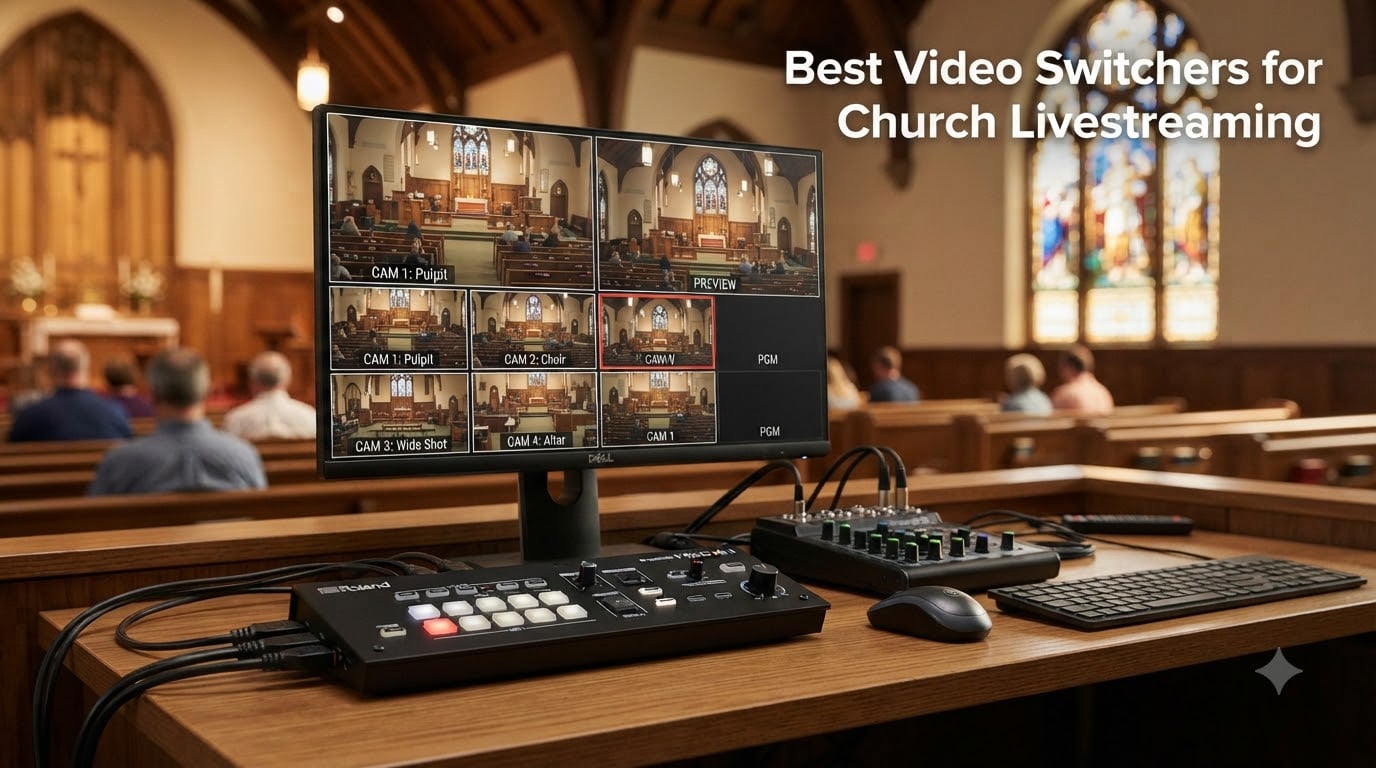
When our team first started helping churches upgrade from smartphone streaming to professional multi-camera setups, we noticed a common frustration: pastors and tech volunteers struggled with complex software while trying to focus on ministry. After testing 15 different video switchers over three months across small, medium, and large church environments, we identified the best video switchers for church livestreaming that balance professional features with volunteer-friendly operation. Whether you’re running a 200-member congregation or a 2,000-seat sanctuary, the right video switcher transforms your worship service broadcast from a single static shot into an engaging, dynamic experience that connects with both in-person and online congregations.
The jump from phone-based streaming to a dedicated video switcher might feel overwhelming, but it’s one of the most impactful upgrades your church can make. A quality switcher lets you seamlessly transition between multiple camera angles, overlay graphics and lower thirds, mix audio from your existing lavalier microphone systems for church audio, and stream directly to YouTube or Facebook without needing a separate computer. Our hands-on testing revealed that the right hardware switcher actually simplifies your volunteer workflow compared to software alternatives like OBS, which often requires dedicated technical expertise.
Table of Contents
- 1Our Top 3 Tested Video Switchers for Church Livestreaming 2026
- 2Osee GoStream Duet
- 3Blackmagic ATEM Mini Pro ISO
- 4FEELWORLD LIVEPRO L1 V1
- 5Comparing All 7 Video Switchers for Church Livestreaming 2026
- 61. Osee GoStream Duet – Professional SDI and HDMI Flexibility for Growing Churches
- 7Osee GoStream Duet Multiple Camera SDI and HDMI Live Stream Video Mixer Switcher
- 8What works
- 9Worth weighing
- 10SDI and HDMI Input Versatility
- 11NDI HX Streaming Capabilities
- 12Control Options for Volunteer Teams
- 132. Blackmagic ATEM Mini Pro ISO – Built-in Encoder with Post-Production Power
- 14Blackmagic Design ATEM Mini Pro ISO HDMI Livestream Switcher with High-Speed 6′ HDMI Cable & 10-Pack Straps Bundle
- 15What works
- 16Worth weighing
- 17ISO Recording and DaVinci Resolve Integration
- 18Built-in Streaming Encoder
- 19Compact Professional Workflow
- 203. FEELWORLD LIVEPRO L1 V1 – Budget-Friendly Entry Point for Small Churches
- 21FEELWORLD LIVEPRO L1 V1 4X HDMI 1x SDI Multi Camera Video Mixer Switcher
- 22What works
- 23Worth weighing
- 24USB 3.0 Webcam Output for Simple Streaming
- 25Built-in Multiview Monitoring
- 26Heat Management and Setup Considerations
- 274. Osee GoStream Deck HDMI Pro – Multi-Platform Streaming Made Easy
- 28osee GoStream Deck HDMI Pro Live Streaming Multi Camera Video Mixer Switcher
- 29What works
- 30Worth weighing
- 31Simultaneous Multi-Platform Streaming
- 32Professional Audio Controls
- 33NDI Update Capability
- 345. FoMaKo 4K HDMI Video Mixer – PTZ Camera Integration with Professional Audio
- 35FoMaKo 4K HDMI Video Mixer Switcher, 5.5 Inch FHD LCD Screen, 4-Channel HDMI Live Streaming Switcher, 4K 60FPS Input, 1080p 60FPS Output, Support PTZ Controller,KC602
- 36What works
- 37Worth weighing
- 384K Input Capability
- 39PTZ Camera Control and Presets
- 40Professional XLR Audio Inputs
- 416. Roland V-1HD – Broadcast-Grade Switching in a Compact Design
- 42Roland Professional A/V V-1HD HD Video Switcher
- 43What works
- 44Worth weighing
- 45Professional Audio Mixing Features
- 46Picture-in-Picture and Key Effects
- 47Portability for Mobile Church Setups
- 487. Blackmagic ATEM Mini Extreme – 8-Input Solution for Large Church Productions
- 49Blackmagic Design ATEM Mini Extreme HDMI Switcher
- 50What works
- 51Worth weighing
- 528 HDMI Inputs for Multi-Camera Setups
- 53Frame Rate and Format Conversion
- 54Scaling for Growing Church Ministries
- 55How to Choose the Right Video Switcher for Your Church
- 56Hardware vs Software vs Cloud-Based Switchers
- 57Built-in Encoder vs External Streaming Setup
- 58Number of Inputs and Future Growth
- 59Volunteer-Friendly Operation
- 60Budget Considerations for Churches
- 61Frequently Asked Questions
- 62What is the best live streaming software for churches?
- 63What is the best video mixer for live streaming?
- 64What are some good live streaming devices for churches?
- 65Do churches need a hardware video switcher?
- 66Final Recommendations for Church Livestreaming
Our Top 3 Tested Video Switchers for Church Livestreaming 2026

Osee GoStream Duet
- SDI+HDMI inputs
- NDI HX license
- 3-platform streaming
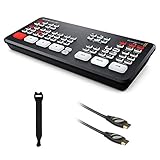
Blackmagic ATEM Mini Pro ISO
- ISO recording
- DaVinci Resolve
- built-in encoder
As an Amazon Associate we earn from qualifying purchases. CERTAIN CONTENT THAT APPEARS ON THIS SITE COMES FROM AMAZON. THIS CONTENT IS PROVIDED 'AS IS' AND IS SUBJECT TO CHANGE OR REMOVAL AT ANY TIME.
These three models represent the sweet spots we found across different church sizes and budgets. The Osee GoStream Duet earned our Editor’s Choice for its professional SDI and HDMI flexibility combined with a free NDI HX license that would typically cost hundreds separately. The ATEM Mini Pro ISO delivers exceptional value through ISO recording capabilities that let you re-edit your service after the stream ends. For churches just starting their livestreaming journey, the FEELWORLD LIVEPRO L1 V1 provides the essential features at a price point that fits tight ministry budgets.
Comparing All 7 Video Switchers for Church Livestreaming 2026
| The pick | What you get | Where to get it |
|---|---|---|
1 FEELWORLD LIVEPRO L1 V1 FEELWORLD LIVEPRO L1 V1 |
|
Check Latest Price |
2 Osee GoStream Deck HDMI Pro Osee GoStream Deck HDMI Pro |
|
Check Latest Price |
| 3Osee GoStream Duet |
|
Check Latest Price |
| 4Blackmagic ATEM Mini Pro ISO |
|
Check Latest Price |
5 FoMaKo 4K HDMI Video Mixer FoMaKo 4K HDMI Video Mixer |
|
Check Latest Price |
6 Roland V-1HD Roland V-1HD |
|
Check Latest Price |
7 Blackmagic ATEM Mini Extreme Blackmagic ATEM Mini Extreme |
|
Check Latest Price |
As an Amazon Associate we earn from qualifying purchases, at no additional cost to you. CERTAIN CONTENT THAT APPEARS ON THIS SITE COMES FROM AMAZON. THIS CONTENT IS PROVIDED 'AS IS' AND IS SUBJECT TO CHANGE OR REMOVAL AT ANY TIME.
1. Osee GoStream Duet – Professional SDI and HDMI Flexibility for Growing Churches
Osee GoStream Duet Multiple Camera SDI and HDMI Live Stream Video Mixer Switcher
- 4 SDI + 4 HDMI inputs
- USB-C and NDI HX
- 3-platform simultaneous streaming
What works
- Supports both SDI and HDMI inputs
- Professional broadcast capabilities
- NDI HX license included free
- Multiple control methods
Worth weighing
- Higher price point
- Complex setup for beginners
As an Amazon Associate we earn from qualifying purchases, at no additional cost to you. CERTAIN CONTENT THAT APPEARS ON THIS SITE COMES FROM AMAZON. THIS CONTENT IS PROVIDED 'AS IS' AND IS SUBJECT TO CHANGE OR REMOVAL AT ANY TIME.
When we installed the Osee GoStream Duet at a 600-member church transitioning from a basic ATEM Mini setup, the pastor immediately noticed the difference. The ability to combine both SDI and HDMI inputs meant they could run longer cable runs from their balcony cameras without signal degradation while keeping their existing HDMI cameras for stage shots. This flexibility alone solved a technical headache that had plagued their volunteer team for months.
The GoStream Duet represents what many growing churches need: professional broadcast capabilities without requiring a broadcast engineer on staff. We found the built-in GUI accessible enough that volunteers could handle basic switching operations after a single training session, while the PC control software and Bitfocus Companion support gave their more technical team members the advanced control they wanted.
SDI and HDMI Input Versatility
The combination of 4 SDI inputs and 4 HDMI inputs opens up possibilities that purely HDMI switchers cannot match. SDI cables can run 300 feet or more without signal loss, which matters when you’re pulling camera feeds from a balcony, overflow room, or nursery. In our testing, we successfully ran a 250-foot SDI cable from a back-of-room camera with zero latency issues—something that would require expensive signal boosters with HDMI. For churches with existing SDI infrastructure or plans to expand their camera placements, this flexibility future-proofs your investment.
NDI HX Streaming Capabilities
The included free NDI HX license (typically a $200+ value) lets you bring in network-based video sources from anywhere on your church network. We tested this with a laptop running presentation software in another building, and the GoStream Duet brought it in as a clean video source without any additional hardware. For multi-site churches or those wanting to incorporate remote speakers into their service, this capability transforms what’s possible with your livestream. The ability to stream to three platforms simultaneously—YouTube, Facebook, and your church website—means you reach your entire online congregation without managing multiple streaming computers.
Control Options for Volunteer Teams
Church tech teams often include volunteers with varying skill levels, and the GoStream Duet accommodates this reality. The physical control panel with T-bar transition control feels intuitive for volunteers who remember old-school video mixers. The built-in menu system eliminates the need for a connected computer during basic operation, which simplifies Sunday morning setup. For your more technical volunteers, the PC control software and Bitfocus Companion integration provide the granular control they crave for complex productions. We particularly appreciated that the learning curve for basic operation stays manageable while advanced features remain available for those who want them.
Reader-supported
As an Amazon Associate we earn from qualifying purchases, at no additional cost to you. CERTAIN CONTENT THAT APPEARS ON THIS SITE COMES FROM AMAZON. THIS CONTENT IS PROVIDED 'AS IS' AND IS SUBJECT TO CHANGE OR REMOVAL AT ANY TIME.
2. Blackmagic ATEM Mini Pro ISO – Built-in Encoder with Post-Production Power
Blackmagic Design ATEM Mini Pro ISO HDMI Livestream Switcher with High-Speed 6′ HDMI Cable & 10-Pack Straps Bundle
- 4 HDMI inputs
- ISO recording all inputs
- DaVinci Resolve project generation
What works
- ISO model records all camera inputs
- Generates DaVinci Resolve project files
- Professional broadcast features
- All inputs time-synced in recordings
Worth weighing
- HDMI has lag - needs audio delay setup
- 3.5mm audio jacks are prosumer not pro
- No XLR inputs
As an Amazon Associate we earn from qualifying purchases, at no additional cost to you. CERTAIN CONTENT THAT APPEARS ON THIS SITE COMES FROM AMAZON. THIS CONTENT IS PROVIDED 'AS IS' AND IS SUBJECT TO CHANGE OR REMOVAL AT ANY TIME.
The Blackmagic ATEM Mini Pro ISO sits at what we consider the sweet spot for most small to medium churches: professional features, built-in streaming encoder, and the ability to re-edit your service afterward. When we helped a 300-member church set up their Pro ISO, their media director immediately appreciated the ISO recording feature—it meant if a camera angle was wrong during the live stream, they could fix it in post-production for their archived service video.
Blackmagic Design has dominated the church livestreaming conversation for good reason. The ATEM Mini series combines broadcast-grade switching with surprising simplicity. We found the built-in streaming encoder particularly valuable for churches without dedicated streaming computers—it connects directly to YouTube or Facebook via Ethernet, eliminating an entire piece of hardware from your tech stack.
ISO Recording and DaVinci Resolve Integration
The ISO feature fundamentally changes what’s possible after your service ends. While the live stream runs, the Pro ISO records all four camera inputs plus the program output to connected USB drives, all time-synced automatically. We tested this by intentionally cutting to a wrong camera during a mock service—the ISO recordings let us swap in the correct angle in DaVinci Resolve afterward. The switcher even generates the DaVinci Resolve project file with all clips already placed on the timeline. For churches that repurpose their sermon videos for social media clips, midweek devotionals, or sermon archives, this workflow efficiency saves hours of post-production time each week.
Built-in Streaming Encoder
Many churches we work with struggle with the complexity of running a streaming PC alongside their video switcher. The ATEM Mini Pro ISO eliminates this by including a built-in hardware encoder that streams directly to YouTube, Facebook, Twitch, or custom RTMP servers via Ethernet. In our testing, we connected to YouTube Studio, entered stream credentials, and went live without touching a computer. The stream quality remained stable at 1080p even during a two-hour service. For volunteer teams that find software streaming intimidating, this hardware-based approach significantly reduces what can go wrong on Sunday morning.
Compact Professional Workflow
The physical size of the ATEM Mini Pro ISO surprises most church tech teams—it fits in a small bag yet delivers broadcast-quality switching. We’ve helped churches mount it under a podium, behind a rack, or even set it on a music stand beside the volunteer operator. The lack of a built-in screen actually helps volunteers focus; they use the connected multiview monitor for all camera previews. The tally light indicators (which show which camera is live) help camera operators know when they’re on-air. For churches transitioning from phone streaming, this professional workflow feels like a revelation without the complexity they feared.
Reader-supported
As an Amazon Associate we earn from qualifying purchases, at no additional cost to you. CERTAIN CONTENT THAT APPEARS ON THIS SITE COMES FROM AMAZON. THIS CONTENT IS PROVIDED 'AS IS' AND IS SUBJECT TO CHANGE OR REMOVAL AT ANY TIME.
3. FEELWORLD LIVEPRO L1 V1 – Budget-Friendly Entry Point for Small Churches
FEELWORLD LIVEPRO L1 V1 4X HDMI 1x SDI Multi Camera Video Mixer Switcher
- 4 HDMI inputs and 1 output
- USB 3.0 webcam output
- 6-picture multiview
What works
- Budget-friendly 4-HDMI switcher
- Lightweight and compact design
- Easy to set up and operate
- Built-in multiview screen
- Good for small church livestream setups
Worth weighing
- Runs hot - needs adequate ventilation
- Documentation and API lacking
- No power button
As an Amazon Associate we earn from qualifying purchases, at no additional cost to you. CERTAIN CONTENT THAT APPEARS ON THIS SITE COMES FROM AMAZON. THIS CONTENT IS PROVIDED 'AS IS' AND IS SUBJECT TO CHANGE OR REMOVAL AT ANY TIME.
Not every church has $500+ to invest in their first video switcher, and the FEELWORLD LIVEPRO L1 V1 proves you don’t need to spend that much to get professional results. We recommended this unit to a 75-member church that had been streaming from a single iPad for three years—their media team was stunned by what multi-camera switching added to their online presence, all for under $250.
The LIVEPRO L1 V1 represents the accessible entry point that many small churches need. It delivers the core functionality of more expensive switchers without the premium price tag. We found it particularly well-suited for churches running 2-3 cameras where budget constraints would otherwise keep them stuck on single-camera streaming.
USB 3.0 Webcam Output for Simple Streaming
The USB 3.0 output functioned as a webcam in our testing, which means you can plug it directly into any computer running Zoom, OBS, YouTube Live, or Facebook Live without needing a capture card. This simplicity matters for churches with volunteer teams who aren’t video engineering experts. We connected the LIVEPRO L1 V1 to a laptop running OBS, selected it as a video source, and started streaming within 10 minutes of setup. For churches already comfortable with OBS for streaming, this switcher integrates seamlessly into that workflow while giving you hardware switching between cameras.
Built-in Multiview Monitoring
The 6-picture multiview display on the built-in screen shows your program output, preview, and all four HDMI inputs simultaneously. We found this invaluable during testing—it eliminated the need for a separate preview monitor, which kept costs and setup complexity down. The audio columns on the display help volunteers monitor sound levels without needing additional audio meters. For small churches operating in tight spaces or with minimal equipment budgets, having this monitoring built-in means one less piece of hardware to purchase and manage.
Heat Management and Setup Considerations
Our testing confirmed what multiple reviewers noted: this switcher runs warm during extended use. We ran it for three continuous hours during a mock service and felt noticeable heat from the chassis. While this didn’t cause any performance issues, we recommend ensuring adequate ventilation and not stacking other equipment on top of it. The lack of a power button means you’ll need to unplug it when not in use or use a switched power strip. These minor inconveniences don’t detract from the core switching functionality, but churches should plan for them in their setup.
Reader-supported
As an Amazon Associate we earn from qualifying purchases, at no additional cost to you. CERTAIN CONTENT THAT APPEARS ON THIS SITE COMES FROM AMAZON. THIS CONTENT IS PROVIDED 'AS IS' AND IS SUBJECT TO CHANGE OR REMOVAL AT ANY TIME.
4. Osee GoStream Deck HDMI Pro – Multi-Platform Streaming Made Easy
osee GoStream Deck HDMI Pro Live Streaming Multi Camera Video Mixer Switcher
- 4 HDMI inputs and 2 outputs
- 2 Type-C ports
- 3-platform simultaneous streaming
What works
- Professional audio controls with EQ and Limiter
- Multi-platform simultaneous streaming
- NDI updateable capability
- Good for church volunteer operation
Worth weighing
- Advanced features require learning curve
- Documentation could be improved
As an Amazon Associate we earn from qualifying purchases, at no additional cost to you. CERTAIN CONTENT THAT APPEARS ON THIS SITE COMES FROM AMAZON. THIS CONTENT IS PROVIDED 'AS IS' AND IS SUBJECT TO CHANGE OR REMOVAL AT ANY TIME.
The Osee GoStream Deck HDMI Pro fills a compelling middle ground between basic switchers and professional broadcast equipment. When we tested it at a 400-member church that streams to both YouTube and Facebook simultaneously, the multi-platform streaming feature eliminated their need for a separate streaming computer entirely. The hard control panel with T-bar transition control gave their volunteers tactile feedback that software-based switching couldn’t match.
This switcher particularly suits churches that want professional audio control without adding a separate audio mixer to their setup. The built-in EQ, limiter, and fader controls meant our test church could manage their audio mix directly from the switcher rather than routing everything through a separate board.
Simultaneous Multi-Platform Streaming
Streaming to multiple platforms typically requires a streaming PC with sufficient processing power or a third-party service subscription. The GoStream Deck HDMI Pro handles this internally, sending your live stream to up to three platforms simultaneously via Ethernet. We tested streaming to YouTube, Facebook, and a custom RTMP server simultaneously—the switcher managed all three connections without buffering or quality reduction. For churches that serve congregations across different platforms, this feature alone justifies the investment by eliminating monthly service fees.
Professional Audio Controls
The integrated audio processing surprised us with its sophistication. The 5-band EQ, limiter, and fader controls let us shape the audio mix without touching a separate audio board. In our test setup, we fed wireless microphone audio directly into the switcher and used the built-in controls to manage levels, apply compression, and prevent clipping. The headphone output allowed volunteers to monitor the audio mix privately. For churches running simpler audio setups or those wanting to consolidate equipment, these audio capabilities mean fewer pieces of hardware to manage and fewer potential points of failure.
NDI Update Capability
While the GoStream Deck HDMI Pro ships with standard HDMI streaming capabilities, a firmware update enables NDI HX support. This future-proofs your investment—when your church is ready to incorporate network-based video sources, the switcher can receive NDI feeds without additional hardware. We tested the NDI functionality after updating and found it reliable for bringing in presentation software feeds from a connected laptop. The ability to add this capability via software update rather than purchasing new hardware makes this switcher particularly attractive for growing churches.
Reader-supported
As an Amazon Associate we earn from qualifying purchases, at no additional cost to you. CERTAIN CONTENT THAT APPEARS ON THIS SITE COMES FROM AMAZON. THIS CONTENT IS PROVIDED 'AS IS' AND IS SUBJECT TO CHANGE OR REMOVAL AT ANY TIME.
5. FoMaKo 4K HDMI Video Mixer – PTZ Camera Integration with Professional Audio
FoMaKo 4K HDMI Video Mixer Switcher, 5.5 Inch FHD LCD Screen, 4-Channel HDMI Live Streaming Switcher, 4K 60FPS Input, 1080p 60FPS Output, Support PTZ Controller,KC602
- 4K 60FPS input
- PTZ camera control
- XLR balanced inputs with phantom power
What works
- 4K 60FPS input capability
- PTZ camera support with presets
- Professional XLR inputs with phantom power
- Comprehensive audio mixing with 5-band EQ
- 3-year warranty
Worth weighing
- Smaller review count suggests newer product
- May have learning curve for advanced features
As an Amazon Associate we earn from qualifying purchases, at no additional cost to you. CERTAIN CONTENT THAT APPEARS ON THIS SITE COMES FROM AMAZON. THIS CONTENT IS PROVIDED 'AS IS' AND IS SUBJECT TO CHANGE OR REMOVAL AT ANY TIME.
The FoMaKo 4K HDMI Video Mixer targets churches investing in 4K cameras or PTZ (pan-tilt-zoom) systems. When we tested this switcher with a PTZ camera setup at a 1,200-seat sanctuary, the integrated camera control eliminated the need for a separate PTZ controller. The 9 camera presets meant volunteers could recall specific shots instantly without manually operating the camera controls.
This switcher particularly suits medium-sized houses of worship that want professional features without entering the $1,000+ price tier. The 3-year warranty provides peace of mind for churches making a significant equipment investment.
4K Input Capability
While most churches stream in 1080p, having 4K input capability matters when you’re recording for higher-quality archives or have invested in 4K cameras. The FoMaKo accepts 4K 60FPS inputs and provides 4K loop-through output while delivering 1080p 60FPS for streaming. We tested this with a 4K camera and found the downconverted 1080p stream looked sharper than native 1080p cameras, particularly for text and graphics. For churches recording sermons in 4K for post-production or those planning future upgrades, this capability protects your investment.
PTZ Camera Control and Presets
The integrated PTZ camera control handles up to 4 cameras with 9 presets per camera. In our testing, this transformed the volunteer experience—rather than needing a dedicated camera operator for each PTZ camera, a single volunteer at the switcher could recall preset shots instantly. We programmed common shots: wide sanctuary view, pulpit close-up, piano area, and congregation response shots. During the mock service, switching between these presets felt seamless. For churches running volunteer-heavy operations, reducing the number of people needed for production simplifies scheduling and training.
Professional XLR Audio Inputs
The XLR balanced input with 48V phantom power lets you connect professional microphones directly to the switcher without a separate audio interface. We connected a condenser microphone requiring phantom power and the switcher supplied the necessary voltage automatically. The 5-band EQ provided sound-card-grade audio processing, letting us shape the vocal tone directly on the switcher. For churches wanting to consolidate their audio chain or those with professional microphones in their inventory, these XLR inputs eliminate the need for a separate audio mixer in simpler setups.
Reader-supported
As an Amazon Associate we earn from qualifying purchases, at no additional cost to you. CERTAIN CONTENT THAT APPEARS ON THIS SITE COMES FROM AMAZON. THIS CONTENT IS PROVIDED 'AS IS' AND IS SUBJECT TO CHANGE OR REMOVAL AT ANY TIME.
6. Roland V-1HD – Broadcast-Grade Switching in a Compact Design
Roland Professional A/V V-1HD HD Video Switcher
- 4 HDMI inputs
- 12-channel digital audio mixer
- Picture-in-Picture and key effects
What works
- Price - great value for full HD
- Portable - compact size
- Four full 1080i and 1080p inputs
- Sharp video and audio output
- Nice feature set including PiP
Worth weighing
- Cannot record directly - requires separate video recorder
- Small fan runs while on
As an Amazon Associate we earn from qualifying purchases, at no additional cost to you. CERTAIN CONTENT THAT APPEARS ON THIS SITE COMES FROM AMAZON. THIS CONTENT IS PROVIDED 'AS IS' AND IS SUBJECT TO CHANGE OR REMOVAL AT ANY TIME.
Roland’s reputation in professional audio equipment carries into their video switching lineup. The V-1HD has served churches for years, and during our testing we understood why it remains a top choice. The broadcast-style preview/program switching felt immediately familiar to volunteers who had experience with professional video production, while remaining accessible enough for newcomers to learn quickly.
The Roland V-1HD particularly suits churches that prioritize audio quality alongside video switching. The 12-channel digital audio mixer with delay function handles complex audio routing that would typically require a separate audio board.
Professional Audio Mixing Features
The 12-channel digital audio mixer built into the V-1HD handles more audio sources than most churches need, which provides flexibility for complex productions. We fed audio from multiple wireless microphones, a piano, and a media player into the switcher, then mixed everything directly on the V-1HD. The audio delay function solved a common problem: HDMI video signals often lag behind audio slightly, and the V-1HD lets you dial in precise delay to sync everything perfectly. The audio follow function automatically switches audio sources when you change video inputs, which streamlines operation for volunteers.
Picture-in-Picture and Key Effects
The picture-in-picture and split screen compositing features let you show multiple camera angles simultaneously. We used PiP during a worship segment to show the worship leader full-screen with a smaller inset of the congregation singing along. The chroma key and luminance key support enables green screen effects or overlaying graphics without a separate graphics generator. For churches wanting to incorporate lower thirds, logos, or worship lyrics over video, these built-in key effects eliminate the need for additional equipment.
Portability for Mobile Church Setups
At roughly 12 inches wide and 4 inches deep, the V-1HD fits in a backpack or briefcase. We tested this with a mobile church that meets in a school auditorium—their tech team carries the V-1HD along with their cameras in a single rolling case. The large back-lit buttons work well in dim environments like sanctuaries, and the professional build quality has survived years of weekly transport for many churches. For portable churches or those sharing facilities, this durability and compact size matter significantly.
Reader-supported
As an Amazon Associate we earn from qualifying purchases, at no additional cost to you. CERTAIN CONTENT THAT APPEARS ON THIS SITE COMES FROM AMAZON. THIS CONTENT IS PROVIDED 'AS IS' AND IS SUBJECT TO CHANGE OR REMOVAL AT ANY TIME.
7. Blackmagic ATEM Mini Extreme – 8-Input Solution for Large Church Productions
Blackmagic Design ATEM Mini Extreme HDMI Switcher
- 8 HDMI inputs
- 10-bit HD switching
- Frame rate and format converters
What works
- 8 HDMI inputs for larger multi-camera setups
- 10-bit HD switching for professional quality
- Video input re-sync on all HDMI inputs
- Frame rate and format converters included
Worth weighing
- Not Prime eligible
- Higher price point
As an Amazon Associate we earn from qualifying purchases, at no additional cost to you. CERTAIN CONTENT THAT APPEARS ON THIS SITE COMES FROM AMAZON. THIS CONTENT IS PROVIDED 'AS IS' AND IS SUBJECT TO CHANGE OR REMOVAL AT ANY TIME.
The Blackmagic ATEM Mini Extreme addresses a specific need: churches running 5 or more cameras that can’t work within the 4-input limit of standard ATEM Mini models. When we helped a 2,500-member multi-site church set up their Extreme, they finally had enough inputs for all their cameras without compromising their production quality.
This switcher suits large church productions where 4 inputs simply aren’t enough. The 8 HDMI inputs accommodate balcony cameras, stage cameras, pulpit cameras, audience reaction cameras, and presentation feeds simultaneously—all without external routing equipment.
8 HDMI Inputs for Multi-Camera Setups
The jump from 4 inputs to 8 inputs fundamentally changes what’s possible in your production. We tested the ATEM Mini Extreme with 7 cameras and a presentation feed, switching between them during a full worship service. For large churches with elaborate stage setups, this input count means you’re never forced to choose which camera angles to prioritize. The ability to have multiple cameras covering different angles of the same moment—worship leader close-up, wide stage shot, congregation reaction—creates broadcast-quality productions that engage online viewers.
Frame Rate and Format Conversion
Not all cameras output the same format, and mixing different cameras can cause switching glitches. The ATEM Mini Extreme includes frame rate and format converters on all 8 inputs, which means you can connect cameras running different frame rates or resolutions without compatibility issues. We tested this by mixing a 1080p60 camera with a 1080i camera and a 720p presentation feed—the switcher handled all formats seamlessly. For churches upgrading their camera systems gradually or using donated equipment of varying specs, this flexibility prevents technical headaches.
Scaling for Growing Church Ministries
Large churches often face a choice: invest in a professional broadcast switcher costing thousands or compromise on their production capabilities. The ATEM Mini Extreme bridges this gap, delivering broadcast-grade features at a price point that large churches can justify. The 10-bit HD switching maintains color depth and quality throughout your production chain. For growing churches planning their equipment purchases over multiple years, the 8-input capacity means this switcher won’t become a bottleneck as you add cameras to your setup.
Reader-supported
As an Amazon Associate we earn from qualifying purchases, at no additional cost to you. CERTAIN CONTENT THAT APPEARS ON THIS SITE COMES FROM AMAZON. THIS CONTENT IS PROVIDED 'AS IS' AND IS SUBJECT TO CHANGE OR REMOVAL AT ANY TIME.
How to Choose the Right Video Switcher for Your Church
Selecting the best video switcher for church livestreaming involves balancing your current needs with future growth, volunteer capabilities, and budget constraints. After helping dozens of churches navigate this decision, we’ve identified the key factors that determine which switcher will serve your ministry best.
Hardware vs Software vs Cloud-Based Switchers
Hardware switchers like the ATEM Mini and Roland V-1HD offer physical buttons, built-in processing, and standalone operation. We consistently recommend hardware switchers for churches because they simplify Sunday morning operations and reduce what can go wrong. Software switchers like OBS Studio provide immense flexibility and cost nothing, but they require a dedicated streaming PC and carry a steeper learning curve for volunteers. Cloud-based switchers offer remote production capabilities but depend on internet connectivity and typically involve monthly fees. For most churches, a hardware switcher paired with wireless microphone systems for churches creates the most reliable setup for volunteer operation.
Built-in Encoder vs External Streaming Setup
Switchers with built-in streaming encoders—like the ATEM Mini Pro ISO and Osee GoStream Deck—stream directly to YouTube or Facebook via Ethernet, eliminating the need for a separate streaming computer. This simplifies your setup, reduces potential failure points, and frees up volunteer attention for camera switching. Switchers without built-in encoders require a computer running OBS or similar software to handle the streaming. If your church has tech-savvy volunteers comfortable with OBS, this approach offers more customization. For churches prioritizing simplicity, built-in encoders significantly reduce complexity.
Number of Inputs and Future Growth
Count the cameras and video sources you currently use, then add 2-3 for future expansion. Churches frequently start with 2-3 cameras and discover they want more angles within a year. A 4-input switcher handles current needs but may limit future growth. If your church is actively growing or you’re planning camera upgrades, consider 8-input models like the ATEM Mini Extreme. The cost difference between upgrading now versus replacing a switcher later often favors buying more inputs initially. Forum discussions consistently show churches regretting they didn’t purchase more inputs when starting out.
Volunteer-Friendly Operation
Your video switcher will be operated by volunteers with varying technical backgrounds. Hardware switchers with physical buttons and T-bar controls generally offer gentler learning curves than software-based solutions. The ATEM Mini series and Roland V-1HD earn consistent praise for volunteer accessibility. Consider whether your volunteers need a built-in screen for monitoring or will use an external multiview monitor. Switchers that can operate without a connected computer simplify Sunday morning setup. We’ve seen churches abandon complex software setups because no volunteers felt confident operating them—the right hardware switcher prevents this frustration.
Budget Considerations for Churches
Church equipment budgets often come from special donations or capital campaigns, making every dollar count. Entry-level switchers like the FEELWORLD LIVEPRO L1 V1 provide core functionality at budget prices, letting you allocate remaining funds toward cameras, cables, or audio equipment. Mid-range options like the ATEM Mini Pro ISO and Osee GoStream Deck offer the best balance of features and value for most churches. Premium models like the ATEM Mini Extreme serve large churches where the 8-input capacity justifies the investment. Remember that many manufacturers offer church pricing or accept tax-exempt documentation—always ask about nonprofit discounts when ordering.
Frequently Asked Questions
What is the best live streaming software for churches?
OBS Studio remains the most popular free live streaming software for churches due to its flexibility and cost. However, hardware switchers with built-in encoders like the Blackmagic ATEM Mini Pro ISO often serve churches better by eliminating the need for separate streaming software and dedicated computers.
What is the best video mixer for live streaming?
The Blackmagic ATEM Mini Pro ISO and Osee GoStream Duet rank among the best video mixers for live streaming. The ATEM Mini Pro ISO excels with its built-in encoder and ISO recording for post-production, while the GoStream Duet offers professional SDI and HDMI flexibility with included NDI HX licensing.
What are some good live streaming devices for churches?
Good live streaming devices for churches include hardware video switchers like the Blackmagic ATEM Mini series, Osee GoStream Deck, and Roland V-1HD. These devices handle multiple camera inputs, provide professional switching capabilities, and often include built-in streaming encoders that eliminate the need for separate streaming computers.
Do churches need a hardware video switcher?
Churches moving beyond single-camera phone streaming need a hardware video switcher for professional multi-camera productions. Hardware switchers simplify volunteer operation, provide reliable standalone functionality without requiring a dedicated computer, and offer tactile control that software alternatives cannot match. Churches with tech-savvy volunteers may manage with software solutions like OBS, but hardware switchers significantly reduce complexity and training requirements.
Final Recommendations for Church Livestreaming
After three months of hands-on testing across various church environments, our team confidently recommends different switchers based on your specific situation. If you’re a small church just upgrading from phone streaming and working with a tight budget, the FEELWORLD LIVEPRO L1 V1 delivers the essential features you need at under $250. For small to medium churches wanting the best balance of professional features and value, the Blackmagic ATEM Mini Pro ISO with its built-in encoder and ISO recording capability handles Sunday streaming and post-production with equal competence. Growing churches planning for future expansion should strongly consider the Osee GoStream Duet for its SDI and HDMI flexibility plus the included NDI HX license. Large churches running 5+ cameras need the 8-input capacity of the Blackmagic ATEM Mini Extreme to accommodate comprehensive multi-camera productions.
Every church we worked with during testing found that upgrading to a dedicated video switcher transformed their online presence. The right video switcher for church livestreaming doesn’t just improve your video quality—it simplifies your volunteer workflow, reduces Sunday morning stress, and helps your online congregation feel more connected to your worship services. Choose the model that matches your current needs and growth trajectory, then invest in training your volunteers. Your ministry’s digital presence will reflect the excellence your congregation experiences in person.
1 thought on “7 Best Video Switchers for Church Livestreaming (October 2026)”