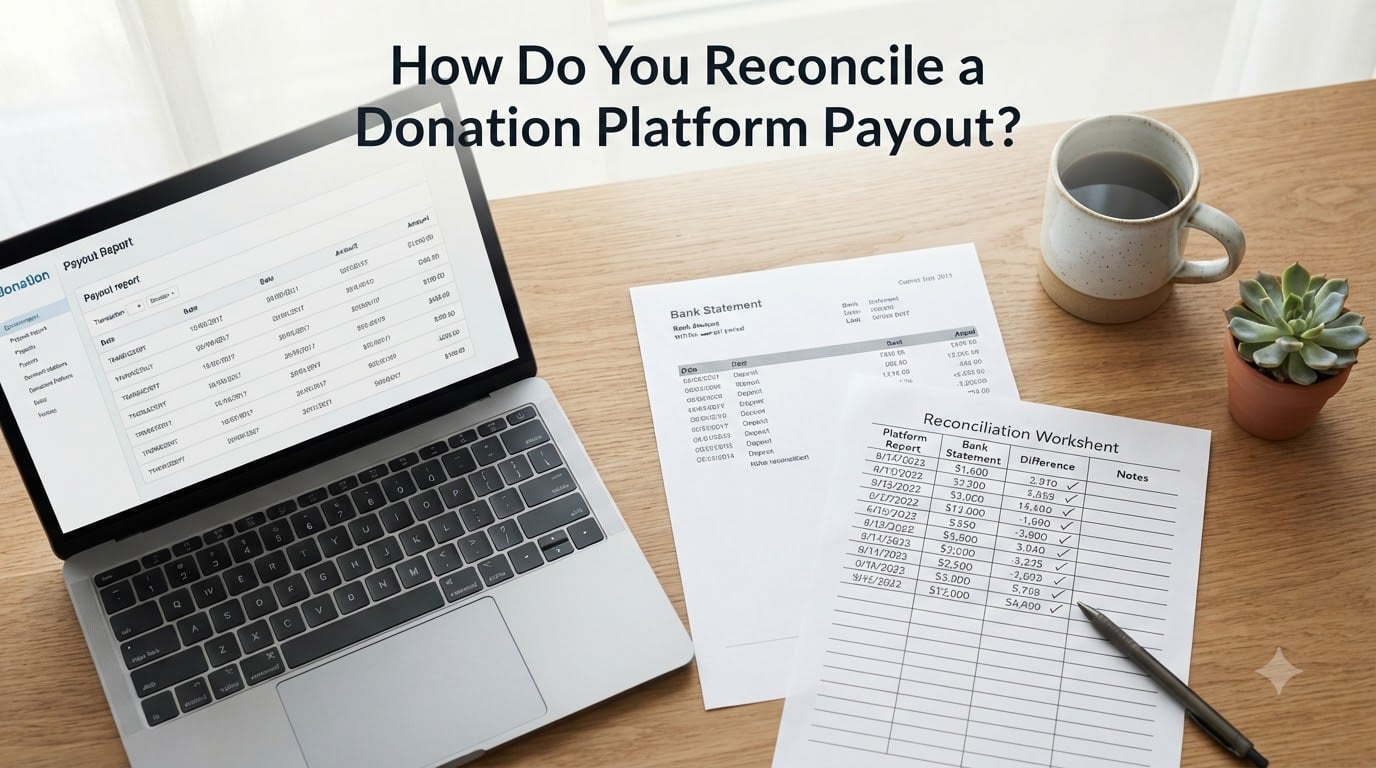
If you have ever stared at a bank deposit from Stripe, PayPal, or Donorbox and wondered whether it actually matches the donations in your CRM, you are not alone. Knowing how do you reconcile a donation platform payout is one of those nonprofit bookkeeping tasks that looks simple until you try it the first time. A single payout can bundle hundreds of donations, subtract processor fees, and occasionally include refunds you never expected. Without a clear process, small differences turn into hours of detective work.
I have helped several small nonprofits tighten their monthly close, and the difference between a 6-hour reconciliation and a 45-minute one comes down to a repeatable workflow. In this guide, I will walk you through exactly that workflow, including the reports to pull, how to match transactions, where discrepancies usually hide, and how to map everything back to your chart of accounts so your books stay audit-ready in 2026 and beyond.
Table of Contents
- 1What Is Donation Platform Payout Reconciliation?
- 2Why Reconciliation Matters for Nonprofits
- 3Step-by-Step Process for Reconciling a Donation Platform Payout
- 4Step 1: Pull the Payout Report From Your Donation Platform
- 5Step 2: Pull Your Bank Statement for the Same Period
- 6Step 3: Match Each Transaction to a Donation Record
- 7Step 4: Verify Totals Match After Fees
- 8Step 5: Handle Refunds, Chargebacks, and Discrepancies
- 9Step 6: Map the Net Amount to Your Chart of Accounts
- 10Step 7: Save Documentation for Audit Trail
- 11Handling Discrepancies and Refunds the Right Way
- 12Mapping Payouts to Your Chart of Accounts
- 13Common Mistakes to Avoid When Reconciling Donation Payouts
- 14Making Reconciliation Repeatable and Audit-Ready
- 15Frequently Asked Questions
- 16What is a payout reconciliation?
- 17What is reconciling donations?
- 18How do you reconcile payments?
- 19What is an example of a payment reconciliation?
- 20Final Thoughts on Donation Platform Payout Reconciliation
What Is Donation Platform Payout Reconciliation?
Donation platform payout reconciliation is the process of matching the donations recorded inside your fundraising platform against the actual deposits that hit your bank account, so every dollar is accounted for correctly. A payout is the lump sum your processor sends after batching donations, subtracting fees, and adjusting for refunds or chargebacks.
Think of it as a three-way match. Your donation platform shows the gross donations. Your processor shows the net deposit. Your bank statement confirms the cash actually arrived. Reconciliation is what closes the loop between those three views, including the merchant fees in between.
The term itself comes from nonprofit bookkeeping and fund accounting, where accuracy matters not just for taxes but for grant compliance and donor trust. When your reconciliation is clean, you can answer questions like “how much did we raise for the food pantry last month” in minutes rather than days.
Why Reconciliation Matters for Nonprofits
Reconciliation is not just an accounting formality. For nonprofits, it directly affects reporting accuracy, donor confidence, and your ability to pass an audit. Boards, funders, and the IRS all rely on numbers that match reality.
Here is what proper reconciliation protects against:
- Lost or missing donations that quietly disappear into processor fees.
- Duplicate donor receipts sent because of unmatched records.
- Restricted fund misallocations that violate grant agreements.
- End-of-year surprises during your audit or Form 990 preparation.
On the operations side, a clean reconciliation workflow saves your finance team hours every month. Our team has seen small nonprofits recover hundreds of dollars in missed refunds and unrecorded corporate matches simply by tightening this process. If your organization processes recurring donations, peer-to-peer campaigns, or event revenue through a third party, reconciliation is the safety net that keeps your database honest.
Step-by-Step Process for Reconciling a Donation Platform Payout
Below is the exact workflow I use with nonprofit clients. Each step includes what to pull, where to look, and the time it should take for a typical monthly close. Plan on 30 to 90 minutes depending on donation volume.
Step 1: Pull the Payout Report From Your Donation Platform
Start by logging into your donation platform (Stripe, Zeffy, Donorbox, Givebutter, PayPal Giving Fund, etc.) and exporting the payout report for the period you are closing. Most platforms let you filter by payout date or batch ID and download a CSV.
Confirm the report includes the gross donation amount, processor fees, refunds, and the net payout total. If the platform only shows itemized donations without fee breakdowns, export the itemized payments report separately. Save the original CSV with a clear filename like “Stripe_Payout_2026-07-15.csv” so you have an audit trail.
Step 2: Pull Your Bank Statement for the Same Period
Next, download the matching period from your bank or accounting software. You want the exact date the payout hit your account, not the donation date. Processors often hold funds for 2 to 7 days before sending a payout, so the bank deposit date is the anchor.
Note the net deposit amount. This is the number that must eventually reconcile to your donation platform’s payout total. Anything off by even a few dollars needs an explanation before you close the period.
Step 3: Match Each Transaction to a Donation Record
Use a stable processor identifier such as the transaction ID, charge ID, or batch ID to tie each donation in your CRM to a row in the payout report. Transaction IDs are unique and survive most data imports, making them the gold standard for matching.
If you work in Excel or Google Sheets, build a simple VLOOKUP or XLOOKUP that pulls donor name and amount by transaction ID. A pivot table grouped by payout date can speed this up dramatically when you have hundreds of gifts per batch. Aim for a 100 percent match rate before moving on.
Step 4: Verify Totals Match After Fees
Add up the gross donations, subtract processor fees, subtract any refunds, and confirm the result equals your net payout. The math should be:
Gross donations minus processor fees minus refunds equals net payout.
If the numbers do not tie, look for currency conversion adjustments, ACH return fees, or partial refunds that did not get flagged in the donor report. Most discrepancies under $10 come from rounding or a missed fee line. Anything larger usually signals a refund or chargeback you need to investigate.
Step 5: Handle Refunds, Chargebacks, and Discrepancies
Open a separate tab or worksheet just for adjustments. List every refund and chargeback from the payout period, including the donor name, original gift date, refund date, and reason. These rows need to be subtracted from gross revenue, not just netted into the payout total, so your donor statements stay accurate.
For unresolved discrepancies, document what you know and what is still open. A simple note like “Awaiting processor confirmation on chargeback #12345” is enough to show your auditor you flagged the issue in the right period.
Step 6: Map the Net Amount to Your Chart of Accounts
Once your payout reconciles cleanly, create the journal entry. Debit your bank account for the net deposit. Credit the appropriate contribution revenue accounts, broken out by fund (unrestricted, temporarily restricted, permanently restricted) and by campaign if you track that level of detail.
If your platform deducts fees automatically, you also need a separate credit to a “merchant fee” or “payment processing fees” expense account. This keeps your program expense ratio accurate and matches generally accepted nonprofit accounting principles.
Step 7: Save Documentation for Audit Trail
Save the payout report, itemized donation report, reconciliation worksheet, and journal entry together in a folder named with the period and platform. Audit-ready documentation is one of the fastest ways to speed up a year-end review, and it gives your board confidence that the numbers match the bank.
Many bookkeepers store these in a shared drive organized as “Reconciliation/2026-07/Stripe.” The naming convention is dull, but it has saved clients weeks of searching during their annual audit.
Handling Discrepancies and Refunds the Right Way
Discrepancies are the part of reconciliation nobody enjoys, but they are also where most of the learning happens. The most common culprits I see are timing differences between donation date and payout date, currency conversion on international gifts, and refunds issued in a different month than the original gift.
Here is how to handle each cleanly:
- Timing differences: Note the donation date and payout date separately on your reconciliation worksheet. Do not force them into the same period.
- Currency conversion: Use the platform’s converted USD amount as your gross donation figure, not the original foreign currency.
- Late refunds: Reverse the original revenue entry in the period the refund occurred, and add a footnote explaining which gift it relates to.
- Chargebacks: Treat them like refunds, but flag them in a separate column so you can spot fraud patterns over time.
If you cannot resolve a discrepancy within the month, leave the difference as a reconciling item on your bank reconciliation and follow up with the processor in writing. Having a paper trail protects you if the issue escalates.
Mapping Payouts to Your Chart of Accounts
Fund accounting is what makes nonprofit reconciliation different from a regular business. A single payout can include donations designated for your general fund, a capital campaign, a scholarship endowment, and a peer-to-peer fundraiser, all batched into one deposit.
To map payouts correctly, your chart of accounts should include:
- Contribution revenue accounts by fund type (unrestricted, temporarily restricted, permanently restricted).
- Separate accounts for event revenue, in-kind contributions, and corporate matches if material.
- A dedicated payment processing fees expense account.
- A refund and adjustments contra-revenue account.
When you book the journal entry, split the payout across revenue accounts based on the itemized donation report, not the payout summary. The payout summary just gives you the total. The itemized report tells you where the money actually belongs.
Common Mistakes to Avoid When Reconciling Donation Payouts
Most reconciliation errors fall into a handful of predictable patterns. Skipping these checks is the single biggest reason nonprofits end up restating prior months. Here are the mistakes I see most often, and how to dodge each one.
- Reconciling to the donation date instead of the payout date. Always anchor on the date funds hit your bank. Donation dates and payout dates rarely match, and using the wrong one will throw your bank reconciliation off.
- Forgetting processor fees. Recording the gross donation as revenue without booking the fee expense inflates both your revenue and your expenses. Net them properly in your chart of accounts.
- Ignoring refunds until year-end. Refunds belong in the period they happen. Pushing them to December makes your interim financials wrong and complicates donor statements.
- Mixing multiple platforms into one entry. If you use Stripe for online gifts and Zeffy for events, reconcile each separately. Bundling them hides platform-specific issues.
- Skipping the transaction ID match. Matching by donor name and amount alone creates false positives when donors give multiple times in the same month. Transaction IDs are unique.
- Not saving the source files. Auditors want to see the original CSV, not just your summary. Keep a copy for at least seven years.
- Reconciling only annually. Monthly reconciliation catches errors while you still have time to fix them. Waiting until year-end turns small issues into big restatements.
Sharing this list with your bookkeeper or finance volunteer can prevent the same five problems from showing up quarter after quarter.
Making Reconciliation Repeatable and Audit-Ready
The fastest way to keep reconciliation painless is to turn it into a monthly habit with a fixed checklist. Pick the same day each month (I recommend the second business day after month-end) and block 60 to 90 minutes on the calendar. Use the same folder structure, the same file names, and the same reconciliation worksheet every time.
If your donation volume is growing, consider automating parts of the workflow. Tools like Aplos, QuickBooks Online with Stripe integration, or a simple Zapier connection can pull payout reports directly into your accounting software. Just remember that automation still needs a human review step for refunds and discrepancies. Machines do not catch context.
For year-end, build a reconciliation checklist that includes re-running the last three months in summary, confirming all processor 1099-K forms match your deposits, and exporting a final donor statement file. Closing 2026 with a clean reconciliation sets up 2026 to start on solid ground.
Frequently Asked Questions
What is a payout reconciliation?
A payout reconciliation is the process of matching donations recorded in your fundraising platform to the actual deposit your processor sent to your bank. It verifies gross donations, processor fees, refunds, and the final net payout all line up.
What is reconciling donations?
Reconciling donations means verifying that every gift recorded in your CRM or donation platform matches a corresponding transaction in your processor report and your bank statement. It ensures revenue, fees, and refunds are posted in the correct period.
How do you reconcile payments?
To reconcile payments, pull the payout report from your processor, pull the matching bank statement, match each transaction by ID, verify gross minus fees minus refunds equals the net deposit, and book a journal entry to your chart of accounts.
What is an example of a payment reconciliation?
Say Stripe sends you a $9,800 payout that covers 50 donations totaling $10,000, with $180 in processor fees and one $20 refund. Your reconciliation would subtract the $180 fee and the $20 refund from the $10,000 gross to confirm $9,800 matches the bank deposit.
Final Thoughts on Donation Platform Payout Reconciliation
Reconciliation is one of those nonprofit tasks that quietly protects everything else you do. When you know how to reconcile a donation platform payout, you close your books faster, pass audits with less stress, and give your board numbers they can actually trust. Start with the seven-step process above, run it monthly, and your year-end close will feel dramatically lighter.
If you are setting this up for the first time, give yourself a full month to build the habit. By the second or third close, you will be moving from 90 minutes down to 30, with cleaner numbers to show for it. And if you would like a printable checklist to hand to your finance team, our team is happy to share the version we use with clients.