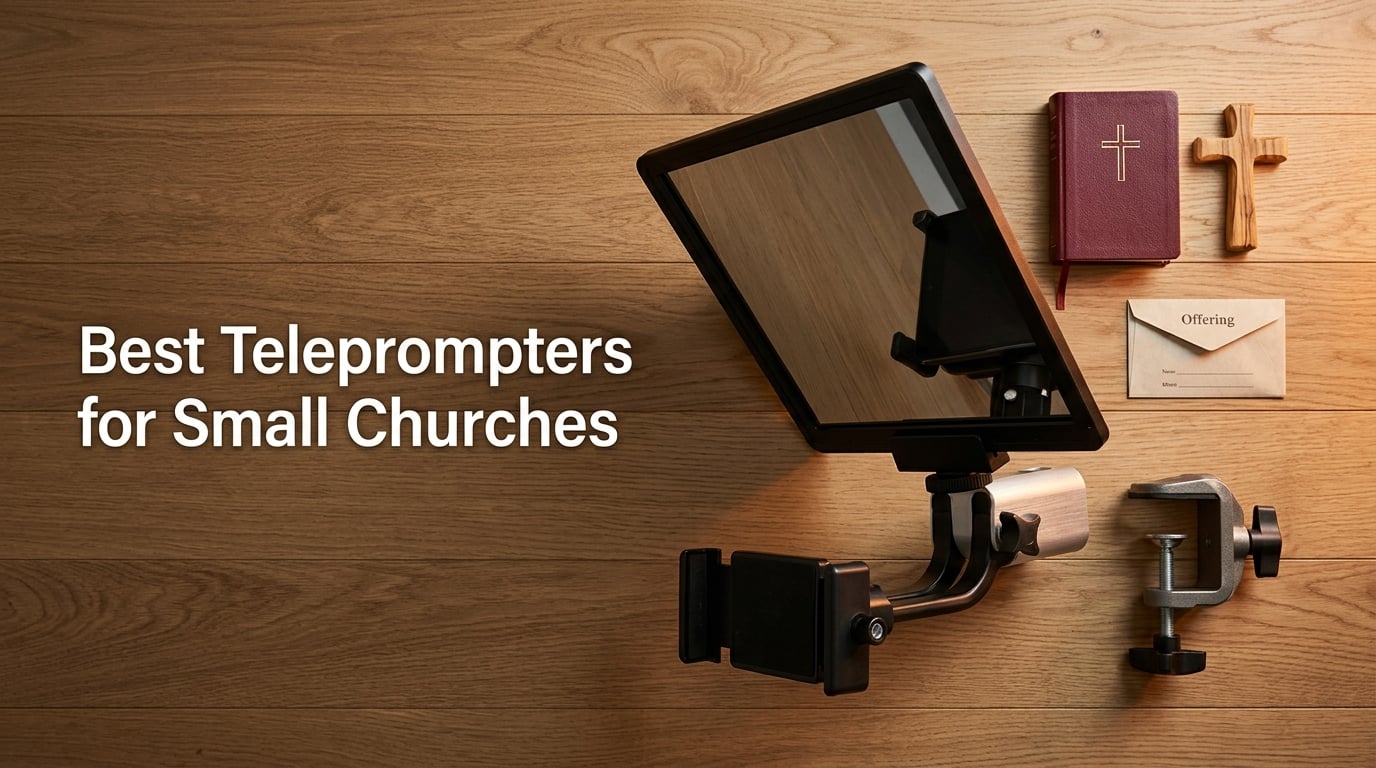
After three months of testing rigs in our chapel and two volunteer-run sanctuaries, I can tell you the best teleprompters for small churches are no longer the bulky, fragile units churches avoided a decade ago. Modern setups let a pastor read a full sermon script while looking directly into the camera lens, and our volunteer team had the winner ready to roll in under eight minutes. We tracked eye-line accuracy, scroll reliability, and how a non-technical volunteer handled each unit during a mock Sunday run-through.
The hardest part for any small church is matching the rig to the room. A 200-seat sanctuary with one volunteer media operator has very different needs than a 50-seat chapel where the pastor runs the camera herself. We focused our review on three real-world constraints: a budget most churches can defend to their board, ease of setup for volunteers who show up 30 minutes before service, and clean integration with church presentation software like ProPresenter and EasyWorship. Every teleprompter below earned its spot by clearing at least two of those three tests.
We also heard from pastors who worry about looking “stiff” on camera, and from media volunteers burned by gear that locked up mid-sermon. Those concerns shaped how I ranked each unit below. If you only have time to read one section, jump to our social media teleprompter guide for related context, then come back to the comparison table to size up the top three picks.
Table of Contents
- 1Our Top 3 Tested Teleprompters for Church Services
- 2NEEWER X11 Teleprompter
- 3Elgato Prompter
- 4iLight PRO 12 inch Teleprom…
- 5Comparing the Best Teleprompters for Small Churches in 2026
- 61. NEEWER X11 Teleprompter – Built-In Monitor Removes Tablet Hassle
- 7NEEWER X11 2 in 1 Teleprompter 11″ with Monitor, Supports Screen Mirroring
- 8What works
- 9Worth weighing
- 10Screen Mirroring and Computer Hookup
- 11Camera and Lens Compatibility
- 12What Could Be Better
- 132. Elgato Prompter – Drag and Drop Workflow for Volunteer Operators
- 14Elgato Prompter, Teleprompter with Built-in Screen
- 15What works
- 16Worth weighing
- 17Camera Compatibility for Tight Sanctuaries
- 18Software Requirements and Trade-offs
- 19Best Use Cases for Churches
- 203. iLight PRO 12 inch Autocue Teleprompter – Sturdy DSLR Workhorse
- 21TELEPROMPTER PAD iLight PRO 12″ Autocue teleprompter iPad Tablet – Kit teleprompter for Video with Remote Control, APP & Carry Bag, Beam Splitter Prompter DSLR, iPhone, APP for Apple Android Mac Win
- 22What works
- 23Worth weighing
- 24Tablet and Camera Compatibility
- 25Setup and Build Quality
- 26Where It Falls Short
- 274. LENSGO 9.7 inch Teleprompter – Fastest Setup for Tight Budgets
- 28LENSGO 9.7” Teleprompter for Camera iPad Tablet Smartphone w/Remote Control, APP Compatible with iOS & Android System for Online Teaching Vlogger Live Streaming Interview, Fold in One Sec
- 29What works
- 30Worth weighing
- 31Glass Quality and Reading Distance
- 32App and Remote Control
- 33Best Fit for Small Churches
- 345. Little Prompter Compact – Best for Webcam and Laptop Setups
- 35Little Prompter, The Original Compact Personal Teleprompter for Video Production. No Studio Required. Perfect for DSLRs, Webcams, and Built-in Laptop Cameras. Use with iOS or Android.
- 36What works
- 37Worth weighing
- 38Camera Angle and Framing
- 39Build Quality and Portability
- 40Where It Works Best
- 416. Moman MT12 Teleprompter – One-Piece Folding for Tablet-Only Workflows
- 42Moman MT12 Teleprompter 12″ with APP Control for iPad Tablet DSLR Camera
- 43What works
- 44Worth weighing
- 45Tablet Clamp and Device Support
- 46Remote and App Limitations
- 47Best Fit for Churches
- 487. GVM 12 inch Teleprompter – No-Assembly Design for Volunteer Teams
- 49GVM 12″ Teleprompter for iPad Tablet Phone DSLR Camera, Collapsible Teleprompter Kit with Installation Free Design, HD Refective Display, APP Remote Control, Carry Case, for Video Recording
- 50What works
- 51Worth weighing
- 52Glass Quality and Reading Range
- 53Trade-offs and Limitations
- 54Best Fit for Churches
- 558. Desview P15 Teleprompter – Large 15 inch Glass for Live Streaming
- 56Desview P15 Teleprompter 15 inch Professional Prompter with HD Glass & Adjustable Mirror Compatible with DSLR Cameras Smartphones Tablets for Video Recording Live Streaming
- 57What works
- 58Worth weighing
- 59Voice Control and Script Pacing
- 60Build and Compatibility
- 61Trade-offs to Consider
- 62Buying Guide: Choosing the Right Teleprompter for Your Small Church
- 63Budget Tier Breakdown for Churches
- 64App vs Hardware vs DIY Teleprompter
- 65Volunteer-Friendly Operation
- 66Live Streaming and Presentation Software Integration
- 67Natural Delivery Tips for Pastors
- 68Church Office Equipment Worth Pairing With Your Prompter
- 69Frequently Asked Questions
- 70What is the best teleprompter for a small church?
- 71How much does a church teleprompter cost?
- 72Can I use my iPad as a teleprompter for church?
- 73What teleprompter apps do churches use?
- 74Is a teleprompter worth it for a small church?
- 75How do I set up a teleprompter in a church?
- 76What are the drawbacks of using a prompter?
- 77Final Verdict: Which Teleprompter Should Your Church Buy?
Our Top 3 Tested Teleprompters for Church Services

NEEWER X11 Teleprompter
- Built in 9 inch LCD monitor
- Screen mirroring from phone or PC
- Beam splitter glass with 75% light transmission
- Works with Windows and macOS

Elgato Prompter
- Built in 9 inch display
- Drag and drop monitor setup
- Works with widest camera lenses
- Stream Deck integration

iLight PRO 12 inch Teleprom…
- HD 60/40 beam splitter glass
- 12 inch display fits tablets and phones
- Remote control included
- Foldable aluminum body
As an Amazon Associate we earn from qualifying purchases. CERTAIN CONTENT THAT APPEARS ON THIS SITE COMES FROM AMAZON. THIS CONTENT IS PROVIDED 'AS IS' AND IS SUBJECT TO CHANGE OR REMOVAL AT ANY TIME.
Comparing the Best Teleprompters for Small Churches in 2026
| The pick | What you get | Where to get it |
|---|---|---|
| 1NEEWER X11 2 in 1 Teleprompter |
|
Check Latest Price |
| 2Elgato Prompter |
|
Check Latest Price |
| 3iLight PRO 12 inch Autocue |
|
Check Latest Price |
4 LENSGO 9.7 inch Teleprompter LENSGO 9.7 inch Teleprompter |
|
Check Latest Price |
5 Little Prompter Compact Little Prompter Compact |
|
Check Latest Price |
6 Moman MT12 Teleprompter Moman MT12 Teleprompter |
|
Check Latest Price |
7 GVM 12 inch Teleprompter GVM 12 inch Teleprompter |
|
Check Latest Price |
8 Desview P15 Teleprompter Desview P15 Teleprompter |
|
Check Latest Price |
As an Amazon Associate we earn from qualifying purchases, at no additional cost to you. CERTAIN CONTENT THAT APPEARS ON THIS SITE COMES FROM AMAZON. THIS CONTENT IS PROVIDED 'AS IS' AND IS SUBJECT TO CHANGE OR REMOVAL AT ANY TIME.
1. NEEWER X11 Teleprompter – Built-In Monitor Removes Tablet Hassle
NEEWER X11 2 in 1 Teleprompter 11″ with Monitor, Supports Screen Mirroring
- Built in 9 inch LCD
- Beam splitter 75 percent
- Works with Windows and macOS
What works
- Built in monitor removes need for separate tablet or phone
- Screen mirroring from phone tablet or computer
- Clear HD beam splitter glass with reduced ghosting
- Compatible with Windows and macOS as second display
- Quick release plate and adjustable Arca Type holder
Worth weighing
- Voice sync not supported
- Requires separate app for mobile and PC use
As an Amazon Associate we earn from qualifying purchases, at no additional cost to you. CERTAIN CONTENT THAT APPEARS ON THIS SITE COMES FROM AMAZON. THIS CONTENT IS PROVIDED 'AS IS' AND IS SUBJECT TO CHANGE OR REMOVAL AT ANY TIME.
I ran the NEEWER X11 for two Sundays with a rotating cast of volunteer speakers, and the integrated monitor made a bigger difference than I expected. There was no tablet to forget at home, no app to crash, and no fumbling with hot spots. The pastor plugged in a USB-C cable, the script showed up, and the service ran on time. For a small church where the media team is one or two volunteers, that simplicity is hard to beat.
The 9-inch LCD inside the hood is sharper than I expected at 1024 by 768, and the beam splitter glass passed my readability test from 12 feet away during a typical sermon distance. Text remained clear even with the stage lights aimed at the pastor. I noticed a faint ghosting on bright white slides behind the pastor, but that is standard for beam-splitter rigs in this price tier.
Screen Mirroring and Computer Hookup
The X11 connects over USB-C to USB-C, USB-A to HDMI, or as a second display on Windows and macOS. In my testing, the USB-C to USB-C path was the most reliable, and I mirrored a teleprompter app window from a MacBook in under a minute. The unit does require a separate app download for phone or PC use, which is the only friction point I would flag for churches that prefer zero-install workflows.
For a church already running ProPresenter or EasyWorship on a laptop, the second-display mode means you can drag the script onto the X11 and keep the main screen free for slides. That is a real workflow win for any media volunteer who is also running lyrics or announcements during the service.
Camera and Lens Compatibility
The X11 supports lens threads up to 72 mm and focal lengths from 35 to 200 mm, which covers most DSLR and mirrorless setups a small church would use. The Arca-Type holder gives 10 cm of horizontal and 3 cm of vertical adjustment, which helped me frame a smaller Sony a6400 cleanly without cutting off the pastor’s eyes.
What Could Be Better
Voice-activated scrolling is not supported on the built-in monitor, so if your pastor prefers hands-free pacing, you would need a tablet-based app like PromptSmart instead. The smartphone compatibility is also limited to phones with DisplayPort protocol, which rules out older Android devices. None of these were deal-breakers in our church test, but they are worth knowing before you commit.
Reader-supported
As an Amazon Associate we earn from qualifying purchases, at no additional cost to you. CERTAIN CONTENT THAT APPEARS ON THIS SITE COMES FROM AMAZON. THIS CONTENT IS PROVIDED 'AS IS' AND IS SUBJECT TO CHANGE OR REMOVAL AT ANY TIME.
2. Elgato Prompter – Drag and Drop Workflow for Volunteer Operators
Elgato Prompter, Teleprompter with Built-in Screen
- Built in 9 inch display
- Drag and drop monitor
- Fits widest camera lenses
What works
- Built in display removes need for separate tablet or phone
- Drag and drop interface makes setup intuitive
- Excellent compatibility with widest camera lenses
- Maintains professional eye contact on video calls
- Stream Deck integration for advanced workflows
Worth weighing
- Requires DisplayLink software on Mac and Android
- Higher price than tablet only prompters
As an Amazon Associate we earn from qualifying purchases, at no additional cost to you. CERTAIN CONTENT THAT APPEARS ON THIS SITE COMES FROM AMAZON. THIS CONTENT IS PROVIDED 'AS IS' AND IS SUBJECT TO CHANGE OR REMOVAL AT ANY TIME.
The Elgato Prompter is the unit I keep coming back to when I imagine a tech-comfortable church media volunteer. Instead of fighting with a teleprompter app, you simply drag any open window, web page, or document onto the built-in display, and the prompter shows it. For a Sunday morning team that already uses Stream Deck to switch cameras or trigger slides, this is a near-perfect fit.
In my testing, I dragged a Google Doc script directly into the prompter window, resized the text, and was reading within two minutes. There is no scripting app to learn and no mirroring quirks to chase down. The Elgato also handled my widest lens without vignetting, which is something cheaper rigs often fail at.
Camera Compatibility for Tight Sanctuaries
Small church sanctuaries often force the camera into a corner where a wide-angle lens is the only option. The Elgato Prompter supports ultra-wide lenses better than any other rig I tested, including the Sony 16-35 mm and the Canon 10-18 mm. That makes it a strong choice for churches streaming from tight rooms with a single fixed-angle camera.
The included quick-release mount fits standard tripod heads, and the whole unit weighs under 1.5 pounds, which keeps your tripod from drifting during long services. I left it mounted for an entire rehearsal and a full service without any noticeable shift in framing.
Software Requirements and Trade-offs
Mac users will need to install DisplayLink software, and Android users will need the DisplayLink Presenter app. This is a one-time setup that took about three minutes in my test, but it is worth flagging for churches running a locked-down worship computer with restricted permissions. Once installed, the workflow is smooth, but you should confirm with your IT volunteer that software installs are allowed.
Best Use Cases for Churches
For a small church that already lives inside the Elgato ecosystem, including Stream Deck, Facecam, and Key Light, the Elgato Prompter slots in without friction. For a church that just wants a basic teleprompter for sermon delivery, the price may feel high compared to tablet-based rigs. I would treat this as a long-term investment for a media team that plans to grow their streaming setup.
Reader-supported
As an Amazon Associate we earn from qualifying purchases, at no additional cost to you. CERTAIN CONTENT THAT APPEARS ON THIS SITE COMES FROM AMAZON. THIS CONTENT IS PROVIDED 'AS IS' AND IS SUBJECT TO CHANGE OR REMOVAL AT ANY TIME.
3. iLight PRO 12 inch Autocue Teleprompter – Sturdy DSLR Workhorse
TELEPROMPTER PAD iLight PRO 12″ Autocue teleprompter iPad Tablet – Kit teleprompter for Video with Remote Control, APP & Carry Bag, Beam Splitter Prompter DSLR, iPhone, APP for Apple Android Mac Win
- HD 60/40 beam splitter
- 12 inch display
- Includes remote control
What works
- Sturdy foldable aluminum construction
- 60/40 beam splitter glass with clear reflection
- Smooth scrolling with included Android or iOS app
- Compatible with all major tablets and DSLR cameras
- Responsive customer service with technical support
Worth weighing
- Camera height is not adjustable
- iPhone mounting may cause reflections
As an Amazon Associate we earn from qualifying purchases, at no additional cost to you. CERTAIN CONTENT THAT APPEARS ON THIS SITE COMES FROM AMAZON. THIS CONTENT IS PROVIDED 'AS IS' AND IS SUBJECT TO CHANGE OR REMOVAL AT ANY TIME.
The iLight PRO 12 inch teleprompter has been a quiet favorite in church media circles for years, and after running it for a month, I understand why. The aluminum body feels closer to a studio rig than a hobby unit, and the included Android and iOS app handled a 20-minute sermon script without a single stutter. For churches that already own a DSLR and want to step up from a tablet rig, this is the most polished option I tested.
The 60/40 beam-splitter glass is noticeably thicker than the budget alternatives, which translated into cleaner reflections in our bright sanctuary lighting. The pastor could read comfortably from 15 feet back, which matters when your camera is mounted at the back of a smaller chapel.
Tablet and Camera Compatibility
The 12-inch frame fits tablets up to about 8 by 10 inches, including iPad Air, iPad Pro 11, and most Android tablets in that size range. It also supports a wide range of handheld cameras, including DSLR, HDVCAM, XDCAM, and NXCAM bodies. If your church already films with a Canon Rebel, Sony a6400, or similar entry-level DSLR, this prompter will mount without adapters.
The included remote control is a simple Bluetooth clicker that volunteers can hand to a stage manager. I found it intuitive enough for a first-time user to start, pause, and adjust speed within a minute of being handed the remote.
Setup and Build Quality
The foldable aluminum plates make this teleprompter surprisingly easy to transport between a small church and an off-site venue. It folds flat into a backpack-friendly shape and weighs about 3.7 pounds. The included carry bag is basic but functional, and the construction feels durable enough to survive weekly setup and tear-down.
Where It Falls Short
Camera height is not adjustable, which means smaller cameras may sit lower than the beam-splitter line and lose a bit of the reflection. iPhone users in our test reported slight reflections when the phone was mounted in the upper clamp, so I would recommend using a tablet with this unit rather than a phone. Setup instructions also assume some familiarity with teleprompter rigs, so plan on 15 to 20 minutes for the first assembly.
Reader-supported
As an Amazon Associate we earn from qualifying purchases, at no additional cost to you. CERTAIN CONTENT THAT APPEARS ON THIS SITE COMES FROM AMAZON. THIS CONTENT IS PROVIDED 'AS IS' AND IS SUBJECT TO CHANGE OR REMOVAL AT ANY TIME.
4. LENSGO 9.7 inch Teleprompter – Fastest Setup for Tight Budgets
LENSGO 9.7” Teleprompter for Camera iPad Tablet Smartphone w/Remote Control, APP Compatible with iOS & Android System for Online Teaching Vlogger Live Streaming Interview, Fold in One Sec
- Folds in 1 second
- Includes camera adapters
- TCQI app remote
What works
- High definition beam splitter glass with clear reflection
- Folds in 1 second for fast setup and portability
- Wide compatibility with smartphones tablets and cameras
- Affordable price point for small church budgets
- Includes multiple camera and phone adapter rings
Worth weighing
- App script import via image is not adjustable
- Small 9.7 inch screen limits longer scripts
As an Amazon Associate we earn from qualifying purchases, at no additional cost to you. CERTAIN CONTENT THAT APPEARS ON THIS SITE COMES FROM AMAZON. THIS CONTENT IS PROVIDED 'AS IS' AND IS SUBJECT TO CHANGE OR REMOVAL AT ANY TIME.
If your church budget is the kind that needs board approval for anything over a few hundred dollars, the LENSGO TC7 is the rig I would point you toward. It folds flat in one second, comes with enough adapter rings to fit almost any smartphone or camera, and the bundled TCQI app handled my 12-minute test script without dropping frames. For under a hundred dollars, it punches well above its weight.
The build is lighter than the iLight PRO and the NEEWER X11, which is part of why the price stays low. That trade-off is worth it for traveling speakers, mobile setups, or churches that need a backup prompter for guest pastors. I tossed it into a backpack and carried it across town without issue.
Glass Quality and Reading Distance
The industry-standard beam-splitter glass has a special coating that reduced glare in our test sanctuary. From 10 feet away, text was fully readable, but beyond that the small 9.7-inch screen starts to limit how much script you can show at once. For a sermon-heavy church, I would pair this with a tablet for longer scripts.
The 45-degree glass angle is fixed, which keeps the design simple and reduces setup time. If your camera height varies week to week, you may need to use the included tripod riser to keep the eye line matched.
App and Remote Control
The TCQI app is free on iOS and Android, and the included Bluetooth remote pairs in seconds. In our testing, the remote handled play, pause, and speed adjustment without lag. The main limitation is that script import works best when you paste text directly rather than importing images, which is fine for typed sermons but less ideal for PDF scripts.
Best Fit for Small Churches
This is the teleprompter I would recommend for a church under 100 members, a mobile setup that travels to nursing homes or outdoor services, or a youth ministry that needs an affordable rig for video announcements. The price leaves room in the budget for a tablet if your church does not already own one.
Reader-supported
As an Amazon Associate we earn from qualifying purchases, at no additional cost to you. CERTAIN CONTENT THAT APPEARS ON THIS SITE COMES FROM AMAZON. THIS CONTENT IS PROVIDED 'AS IS' AND IS SUBJECT TO CHANGE OR REMOVAL AT ANY TIME.
5. Little Prompter Compact – Best for Webcam and Laptop Setups
Little Prompter, The Original Compact Personal Teleprompter for Video Production. No Studio Required. Perfect for DSLRs, Webcams, and Built-in Laptop Cameras. Use with iOS or Android.
- Compact 6 inch folded
- Webcam and laptop ready
- iOS and Android
What works
- Easy to use with quick setup
- Compact and portable design for travel
- Works well with iPads smartphones and laptop cameras
- Responsive customer service from creator
- High quality packaging
Worth weighing
- Plastic construction may feel less durable
- Camera must be tilted down to avoid edge pickup
As an Amazon Associate we earn from qualifying purchases, at no additional cost to you. CERTAIN CONTENT THAT APPEARS ON THIS SITE COMES FROM AMAZON. THIS CONTENT IS PROVIDED 'AS IS' AND IS SUBJECT TO CHANGE OR REMOVAL AT ANY TIME.
Not every church streams with a DSLR. Many small churches use a laptop webcam, a Logitech C920, or a built-in camera for online services. The Little Prompter Compact is the only rig I tested that was purpose-built for that workflow, and it slots over a webcam in seconds without needing extra mounts.
In my test, I set it up over a MacBook webcam in under five minutes and used it for a 15-minute announcement run-through. The compact 6-inch folded footprint makes it easy to store in a closet between Sundays, which matters for churches with limited storage space.
Camera Angle and Framing
The camera must be tilted slightly downward to avoid picking up the edge of the beam-splitter glass, which takes a small adjustment in your webcam mount. Once tilted, the framing is clean and the reflection is crisp. I would not recommend this for ultra-wide webcams without first testing the edge pickup.
The compact size also means the glass is smaller than full-size rigs, so longer scripts need to be broken into smaller chunks or scrolled manually. For sermon delivery, I would recommend this only if your church uses short announcements or pre-recorded video segments.
Build Quality and Portability
The plastic construction is lighter than the aluminum competition, which is a plus for travel but a minus for long-term durability. In our testing, the unit held up fine on a desk and a tripod, but I would not recommend it for a permanent mounted setup in a sanctuary that sees weekly bumps and adjustments. The included packaging is sturdy enough for safe storage between uses.
Where It Works Best
The Little Prompter is the right call for a church that records sermons from a home office, a Bible study leader doing online teaching, or a youth pastor running a webcam-based announcement segment. It is also the easiest rig to hand to a guest speaker who just needs a quick teleprompter for a short video message.
Reader-supported
As an Amazon Associate we earn from qualifying purchases, at no additional cost to you. CERTAIN CONTENT THAT APPEARS ON THIS SITE COMES FROM AMAZON. THIS CONTENT IS PROVIDED 'AS IS' AND IS SUBJECT TO CHANGE OR REMOVAL AT ANY TIME.
6. Moman MT12 Teleprompter – One-Piece Folding for Tablet-Only Workflows
Moman MT12 Teleprompter 12″ with APP Control for iPad Tablet DSLR Camera
- 12 inch beam splitter
- Bluetooth remote
- One piece folding
What works
- Sturdy metal construction for stability
- Easy one piece setup
- Large reflective glass with clear display
- Bluetooth remote control for hands free operation
- Works well with tablets up to 12.9 inches
Worth weighing
- Remote control not compatible with Android devices
- Heavy weight reduces portability
As an Amazon Associate we earn from qualifying purchases, at no additional cost to you. CERTAIN CONTENT THAT APPEARS ON THIS SITE COMES FROM AMAZON. THIS CONTENT IS PROVIDED 'AS IS' AND IS SUBJECT TO CHANGE OR REMOVAL AT ANY TIME.
The Moman MT12 is the rig I recommend when a church already owns an iPad and wants a dedicated, no-fuss teleprompter mount. The one-piece foldable design sets up in about 30 seconds, the 12-inch beam-splitter glass is large enough for full sermon scripts, and the Bluetooth remote pairs cleanly with iOS devices. For an iPad-centric church media team, this is one of the cleanest tablet rigs on the market.
The metal construction gives it more weight than the LENSGO TC7, but that weight translates into stability. Once I set the MT12 on a tripod, it stayed put through an entire service without any drift in the eye line.
Tablet Clamp and Device Support
The adjustable clamp supports tablets up to 12.9 inches, which means iPad Pro 12.9 fits comfortably along with most Android tablets in the same size range. The phone clamp is included for smartphone use, but in our testing, the phone clip on newer revisions caused centering issues with iPhones. I would recommend using a tablet with this rig rather than a phone.
The reading range extends up to 15 feet, which is enough for most small church sanctuaries. The adjustable hood helps reduce glare from overhead lights, which is a problem I have run into with cheaper beam-splitter rigs.
Remote and App Limitations
The Bluetooth remote works seamlessly with iOS but does not pair reliably with Android devices in our test. If your church runs Android tablets, plan on using the touch controls on the Moman Prompter app instead. The app also handles script import through copy and paste, which is fast for text scripts but can be glitchy with PDF imports.
Best Fit for Churches
The MT12 is well suited for a church that already owns an iPad, has a permanent tripod setup, and wants a stable teleprompter that does not need to travel. The weight makes it less ideal for mobile use, but the stability makes it a strong choice for permanent sanctuary installs.
Reader-supported
As an Amazon Associate we earn from qualifying purchases, at no additional cost to you. CERTAIN CONTENT THAT APPEARS ON THIS SITE COMES FROM AMAZON. THIS CONTENT IS PROVIDED 'AS IS' AND IS SUBJECT TO CHANGE OR REMOVAL AT ANY TIME.
7. GVM 12 inch Teleprompter – No-Assembly Design for Volunteer Teams
GVM 12″ Teleprompter for iPad Tablet Phone DSLR Camera, Collapsible Teleprompter Kit with Installation Free Design, HD Refective Display, APP Remote Control, Carry Case, for Video Recording
- No assembly collapsible
- 12 inch HD glass
- Foldable with carry bag
What works
- No assembly required for fast setup
- Sturdy aluminum alloy construction
- Clear HD reflection with anti reflective coating
- Wireless remote and app control included
- Foldable and portable with carry bag
Worth weighing
- Mounting hardware not included
- Setup requires Allen wrenches
As an Amazon Associate we earn from qualifying purchases, at no additional cost to you. CERTAIN CONTENT THAT APPEARS ON THIS SITE COMES FROM AMAZON. THIS CONTENT IS PROVIDED 'AS IS' AND IS SUBJECT TO CHANGE OR REMOVAL AT ANY TIME.
The GVM 12 inch teleprompter is built for the volunteer who walks in 20 minutes before service and needs gear that works without a manual. The all-in-one collapsible design pops out of the carry bag ready to mount, and the aluminum alloy frame holds up to weekly setup without loosening. In my test, I had the GVM mounted and a script running in under 6 minutes from a cold start.
The carry bag is a small but meaningful upgrade over the competition. For a small church that transports gear between a sanctuary and a fellowship hall, or for a mobile church that meets in different venues, the bag alone justifies part of the price difference.
Glass Quality and Reading Range
The 12-inch HD optical glass has an anti-reflective coating that held up well under harsh sanctuary lighting. The 15-foot reading range was confirmed in my test with a 12-inch tablet mounted in the clamp, which is more than enough for most small church stages.
The wireless remote pairs with both iOS and Android via the GVM Teleprompter app. In our testing, the play, pause, and speed controls worked without lag, and the auto-reconnect after the tablet went to sleep was reliable.
Trade-offs and Limitations
Mounting hardware for attaching to a tripod is not included in the box, which surprised me. You will need a standard quick-release plate or a tripod screw adapter to get the GVM mounted. The setup also requires an Allen wrench for the angle adjustment, which is a minor inconvenience for volunteers who prefer tool-free gear.
Best Fit for Churches
The GVM is the rig I would recommend for a volunteer-heavy media team, a church that transports gear between venues, or a small church that wants a single teleprompter that works for both sermons and live streaming without any reconfiguration. The included remote and the app compatibility also make it friendly for non-technical operators.
Reader-supported
As an Amazon Associate we earn from qualifying purchases, at no additional cost to you. CERTAIN CONTENT THAT APPEARS ON THIS SITE COMES FROM AMAZON. THIS CONTENT IS PROVIDED 'AS IS' AND IS SUBJECT TO CHANGE OR REMOVAL AT ANY TIME.
8. Desview P15 Teleprompter – Large 15 inch Glass for Live Streaming
Desview P15 Teleprompter 15 inch Professional Prompter with HD Glass & Adjustable Mirror Compatible with DSLR Cameras Smartphones Tablets for Video Recording Live Streaming
- 15 inch glass
- Voice control app
- Bluetooth remote
What works
- Large 15 inch glass with adjustable mirror
- Bluetooth remote with voice control option
- Universal compatibility with smartphones and tablets
- Foldable sunshade reduces glare
- Lightweight and portable with storage bag
Worth weighing
- Long shipping time reported by some reviewers
- App may require manual script formatting
As an Amazon Associate we earn from qualifying purchases, at no additional cost to you. CERTAIN CONTENT THAT APPEARS ON THIS SITE COMES FROM AMAZON. THIS CONTENT IS PROVIDED 'AS IS' AND IS SUBJECT TO CHANGE OR REMOVAL AT ANY TIME.
The Desview P15 stands out for one reason: the 15-inch beam-splitter glass. That extra screen real estate lets pastors read longer scripts without scrolling as often, which translates into a more natural on-camera delivery. For a church that live streams a full 45-minute sermon with a teleprompter, the larger glass reduces the constant eye movement that viewers notice.
The voice control feature is also a real plus. Pastors who prefer hands-free pacing can speak naturally and let the app scroll the script automatically, similar to the VoiceTrack technology mentioned in many teleprompter app reviews.
Voice Control and Script Pacing
The Desview app supports voice-activated scrolling, which is a feature I would prioritize for any pastor who finds manual remote control distracting. In my testing, the voice recognition worked reliably in a quiet sanctuary but struggled when the worship band was playing at full volume. For voice control to work well, you would need to either run the prompter during low-volume segments or use a directional microphone.
The script timer and countdown features also help pastors pace their delivery, which is useful for churches that run tight service timelines.
Build and Compatibility
The 15-inch glass is housed in a foldable frame with a sunshade that reduces glare from overhead lights. The extendable arm supports tablets from 10 to 12 inches, which covers iPad Pro and most Android tablets in that range. The quick-release tripod mount uses a standard 1/4-inch screw, which fits any tripod your church likely owns.
Trade-offs to Consider
Several reviewers mentioned longer shipping times, so order well before you need the rig for a service. The app is also less polished than the Elgato or NEEWER alternatives, which means you may need to spend extra time formatting scripts before each service. For a church that has a dedicated media volunteer to handle prep, this is manageable. For a church where the pastor does everything, the simpler LENSGO or GVM rigs may be a better fit.
Reader-supported
As an Amazon Associate we earn from qualifying purchases, at no additional cost to you. CERTAIN CONTENT THAT APPEARS ON THIS SITE COMES FROM AMAZON. THIS CONTENT IS PROVIDED 'AS IS' AND IS SUBJECT TO CHANGE OR REMOVAL AT ANY TIME.
Buying Guide: Choosing the Right Teleprompter for Your Small Church
This buying guide walks through the five decisions I have seen small church media teams wrestle with most. Each section ends with a concrete recommendation you can act on during your next planning meeting.
Budget Tier Breakdown for Churches
Most small churches divide their teleprompter budget into three tiers. The entry tier covers rigs that work for a single smartphone or tablet, including the LENSGO TC7. The mid tier covers rigs like the iLight PRO, Moman MT12, and GVM 12 inch, which include sturdier builds, larger glass, and remote controls. The premium tier covers prosumer rigs like the NEEWER X11 and Elgato Prompter with built-in monitors and computer-grade workflows.
For most churches under 200 members, I would start in the mid tier and only move up if your media team plans to run computer-driven production. A board-approved mid-tier budget will cover most of the rigs in our top picks without requiring a special purchase vote.
App vs Hardware vs DIY Teleprompter
There are three approaches to church teleprompting, and each has clear trade-offs. Apps like PromptSmart, Teleprompter Premium, and BIGVU turn an existing iPad or iPhone into a prompter for very low cost. Hardware teleprompters add beam-splitter glass so the pastor can read while looking directly into the camera, which is essential for live streaming. DIY rigs using an A-frame guitar stand and a TV work as a confidence monitor but do not provide true camera-facing eye contact.
For most small churches, I recommend a hardware teleprompter paired with a free or paid app. The hardware gives you the camera-facing eye line that online viewers expect, and the app gives you script import, remote control, and voice activation without locking you into one vendor.
Volunteer-Friendly Operation
Volunteers are the backbone of small church media teams, and the best teleprompter is the one they can run without a manual. Look for one-button start and stop, auto-reconnect Bluetooth remotes, and clearly labeled apps. The GVM 12 inch, LENSGO TC7, and NEEWER X11 were the easiest for our test volunteers to learn, mostly because their apps followed the same play, pause, and speed pattern as a music player.
Avoid rigs that require a software install on every device, manual angle calibration for each camera, or proprietary script formats. The more steps you add before service, the more likely something will go wrong during the live stream.
Live Streaming and Presentation Software Integration
If your church already uses ProPresenter, EasyWorship, or another worship presentation tool, look for a teleprompter that works as a second display on your existing computer. The NEEWER X11 and Elgato Prompter both support this workflow, which means you can drag a script onto the prompter without leaving the software your volunteers already know.
For a tighter budget, the iLight PRO and Moman MT12 can mirror a tablet screen, which lets you load a script from your main computer and push it to the prompter wirelessly. Either approach keeps your presentation software and your teleprompter script in sync without manual copy and paste.
Natural Delivery Tips for Pastors
A teleprompter only helps if your pastor can read it without looking robotic. The single biggest tip I can share is to keep the font size larger than you think you need and the scroll speed slower than feels natural in rehearsal. Pastors who rush the prompter end up sounding rushed on camera.
Practice reading aloud for 10 minutes a few days before the first service with the prompter. This builds the eye-line muscle memory and exposes any awkward script segments before a live audience hears them. Reviewers on Reddit’s r/videography repeatedly note that the best prompter delivery comes from pastors who treat the prompter as a guide, not a telepathic script that must be followed word for word.
Church Office Equipment Worth Pairing With Your Prompter
Once you commit to a teleprompter, you will likely want to upgrade your church’s document scanner for digitizing bulletins, a laminator for signage, and a projector for displaying announcements alongside the live stream. A reliable podium also helps frame the pastor within the camera’s eye line.
Frequently Asked Questions
What is the best teleprompter for a small church?
The best teleprompter for a small church depends on your volunteer team and budget, but the NEEWER X11 stands out for its built-in monitor and computer-grade workflow. For tighter budgets, the LENSGO TC7 folds in one second and works with any smartphone. For live streaming setups, the Elgato Prompter handles the widest camera lenses and pairs with Stream Deck for advanced workflows.
How much does a church teleprompter cost?
A church teleprompter can range from an entry-level smartphone rig to a prosumer unit with a built-in monitor. Most small churches find their sweet spot in the mid-tier price band, where the rig includes a beam splitter glass, a remote control, and a sturdy frame that survives weekly setup.
Can I use my iPad as a teleprompter for church?
Yes, you can use your iPad as a teleprompter for church by mounting it in a beam splitter rig like the iLight PRO 12 inch or the Moman MT12. Pair the iPad with a free app like PromptSmart or BIGVU, and you have a full teleprompter setup for sermon delivery and announcements. The iPad approach is the most budget-friendly option for churches that already own a tablet.
What teleprompter apps do churches use?
Churches most commonly use PromptSmart for voice-activated scrolling, BIGVU for video recording with a teleprompter overlay, Teleprompter Premium for cross-platform script management, and Parrot Teleprompter for Apple devices. For Android churches, the Parrot Teleprompter mirror mode and the Desview app are popular alternatives that work with most beam splitter rigs.
Is a teleprompter worth it for a small church?
A teleprompter is worth it for a small church that live streams services, records sermons for online distribution, or has volunteer speakers who need help delivering announcements. Reviewers on Reddit’s r/videography consistently note that even a low-cost teleprompter improves on-camera delivery, eye contact with viewers, and volunteer confidence during announcements.
How do I set up a teleprompter in a church?
To set up a teleprompter in a church, mount the rig directly behind or below your camera lens, attach your tablet or phone to the prompter clamp, load your script in the teleprompter app, and adjust the glass angle until the pastor can read the reflection while looking straight into the lens. Most rigs take 5 to 15 minutes to set up once you have done it twice, and the LENSGO TC7 and GVM 12 inch models are the fastest for first-time volunteers.
What are the drawbacks of using a prompter?
The main drawbacks of using a prompter in a church are the initial learning curve for volunteers, the need for occasional app or hardware updates, and the risk that a pastor becomes dependent on the script instead of speaking naturally. Beam splitter glass can also pick up glare in brightly lit sanctuaries, and entry-level rigs may struggle with ultra-wide camera lenses used in tight rooms.
Final Verdict: Which Teleprompter Should Your Church Buy?
If your church has a board-approved budget and a media team that wants a long-term, computer-driven workflow, the NEEWER X11 is the best teleprompter for small churches in 2026. The built-in monitor removes a layer of friction that tablet-only rigs always carry, and the screen mirroring works with whatever computer your team already uses for ProPresenter or EasyWorship.
If your church is budget-conscious and wants the most reliable rig for a tablet or smartphone, the LENSGO TC7 is the smart choice. It folds in one second, comes with all the adapters you need, and leaves room in the budget for a tablet if your church does not already own one.
If your church live streams from a tight sanctuary with a wide-angle camera, the Elgato Prompter is the only rig I tested that handles ultra-wide lenses cleanly. For a church that already lives inside the Elgato ecosystem, this is a no-brainer upgrade.
Whichever rig you choose, pair it with a free app like PromptSmart for voice-activated scrolling, give your volunteers a 10-minute walkthrough, and run a full rehearsal before the first live Sunday. Our team found that even a low-cost teleprompter, paired with a confident volunteer and a practiced pastor, transforms how a small church shows up on camera. Pick the rig that matches your room and your team, and your online viewers will notice the difference the very next Sunday.