
Finding the best live streaming encoders for churches changed how our team thinks about Sunday morning production. Over the past year, we tested ten popular encoders across three church environments: a 75-seat rural congregation, a 400-seat mid-size church, and a multi-site campus with weekly broadcast needs.
Reliability matters more than resolution when a volunteer is pushing the “Go Live” button at 9:45 AM. We watched streams drop during benediction, watched computers overheat, and watched RTMP keys get fat-fingered. The right encoder removes those failure points. It also needs to handle a shaky WiFi signal, a soundboard feed that wasn’t designed for streaming, and a pastor who wants to start five minutes early.
For more audio equipment recommendations that pair with these encoders, check out our guides to the 8 Best Shotgun Microphones for Live Streaming and the 10 Best USB Microphones for Live Streaming. This roundup covers hardware switchers, dedicated IP encoders, and portable all-in-one units, all evaluated through a church-specific lens.
Table of Contents
- 1Our Top 3 Church Streaming Encoders Tested in 2026
- 2osee GoStream Deck
- 3ATEM Mini Pro ISO
- 4URayCoder HEVC Encoder
- 5All 10 Church Streaming Encoders at a Glance
- 61. osee GoStream Deck — Best All-in-One Church Streaming Switcher
- 7osee GoStream Deck HDMI Pro Live Streaming Multi Camera Video Mixer Switcher
- 8What works
- 9Worth weighing
- 10Inputs, Outputs, and Connectivity
- 11Triple Simultaneous Streaming and Multi-Platform Reach
- 12Volunteer-Friendly Operation
- 132. YoloLiv YoloBox Pro — Portable Multi-Camera Streaming for Mobile Ministries
- 14YoloLiv YoloBox Pro, All-in-one Portable Multi-Cam Live Streaming Switcher
- 15What works
- 16Worth weighing
- 17All-in-One Design with Built-in Monitor
- 184G LTE and Multi-Platform Streaming
- 19Limitations for Church Use
- 203. Blackmagic Design ATEM Mini Pro ISO — Professional-Grade ISO Recording
- 21Blackmagic Design ATEM Mini Pro ISO HDMI Switcher
- 22What works
- 23Worth weighing
- 24ISO Recording and DaVinci Resolve Integration
- 25Hard Button Layout and Build Quality
- 26Stream and Record Simultaneously
- 274. ZowieBox 4K NDI Encoder — Compact NDI Solution for Networked Churches
- 28ZowieBox, 4K HDMI NDI Video Encoder/Decoder, HDMI NDI
- 29What works
- 30Worth weighing
- 31NDI|HX3 Technology and Network Integration
- 32Compact Hardware Encoding and Protocol Support
- 33WiFi Limitations and Licensing Notes
- 345. Blackmagic ATEM Mini Extreme — Maximum Inputs for Large Productions
- 35Blackmagic Design ATEM Mini Extreme HDMI Switcher
- 36What works
- 37Worth weighing
- 388 HDMI Inputs for Maximum Camera Coverage
- 39Dual HDMI Outputs and Stream Reliability
- 40When to Choose Extreme Over Pro
- 416. URayCoder HEVC H.265 Encoder — Budget Hardware Encoder with Lifetime Warranty
- 42HEVC MPEG4 H.265 H.264 HDMI to IP Network Video Encoder, 1080P HD Digital Video Audio Encoder Hardware Supports RTSP RTMPS UDP HLS SRT, for IPTV, Live Streaming, YouTube, Facebook, OBS, NVR, etc.
- 43What works
- 44Worth weighing
- 45H.265 and H.264 Dual Codec Support
- 46Multi-Protocol Streaming and Setup
- 47Audio and On-Screen Display
- 487. YoloLiv Instream — Vertical Streaming for Social Media Ministry
- 49YoloLiv Instream, Vertical Live Video Streaming Equipment
- 50What works
- 51Worth weighing
- 52Vertical-First Design and Mobile Streaming
- 53Battery Life and Connectivity
- 54Limitations for Traditional Church Use
- 558. J-Tech Digital HDMI Encoder — 4K Input with US-Based Support
- 56J-Tech Digital HDMI Encoder, 4K 60Hz Input 1080P 60Hz Output H.264 H.265 IPTV Network Video Encoder, Supports UDP, HTTP, RTSP, RTMP, RTMPS, SRT, HLS, FLV, ONVIF Protocols [JTECH-ENCH4]
- 57What works
- 58Worth weighing
- 594K Input with 1080P Output
- 60Multi-Protocol Support and OSD
- 61Setup and Compatibility
- 629. URayCoder Multi-Channel Encoder — Multi-Input Solution for Complex Setups
- 63Compact Multi-channel MPEG4 H.265 H.264 Video Encoder, 1080P HD HDMI to IP Streaming Encoder, Supports RTMPS RTSP SRT HLS UDP MP4 FLV WebRTC, for Live Streaming Broadcast, YouTube, Facebook, IPTV, NVR
- 64What works
- 65Worth weighing
- 668-Channel Encoding with Dual Stream Output
- 67Multi-Protocol Support and SDK Access
- 68Setup Complexity and Version Caveats
- 6910. UNISHEEN 1080P60 Encoder — Ultra-Compact Plug-and-Play Option
- 70UNISHEEN 1080P60 HDMI Video Encoder, H.265/H.264 Live Streaming Encoder, HDMI to RTSP/RTMP/SRT/HLS/WebRTC IPTV Encoder for YouTube Facebook Live, Browser Setup, No PC Software Needed
- 71What works
- 72Worth weighing
- 73Plug-and-Play Setup and Compact Design
- 74Multi-Protocol Support and Audio
- 75Limitations and Use Case
- 76How to Choose the Right Encoder for Your Church
- 77Volunteer Skill Level and Ease of Use
- 78Number of Cameras and Production Complexity
- 79Network Reliability and Bandwidth
- 80Budget Tiers and Total Cost of Ownership
- 81Audio Integration and Microphone Setup
- 82Encoder Settings and Bitrate Recommendations
- 83Frequently Asked Questions
- 84What is the best live streaming solution for churches?
- 85What encoder do churches use for live streaming?
- 86Do churches need a hardware encoder?
- 87Is OBS good enough for church live streaming?
- 88What bitrate should a church use for live streaming?
- 89Final Verdict: Which Church Streaming Encoder Should You Buy?
Our Top 3 Church Streaming Encoders Tested in 2026

osee GoStream Deck
- 4 HDMI inputs
- 3 simultaneous platforms
- Built-in SD recording

ATEM Mini Pro ISO
- 4 HDMI inputs
- ISO recording
- DaVinci Resolve export

URayCoder HEVC Encoder
- H.265/H.264 dual codec
- 4 simultaneous streams
- Lifetime warranty
As an Amazon Associate we earn from qualifying purchases. CERTAIN CONTENT THAT APPEARS ON THIS SITE COMES FROM AMAZON. THIS CONTENT IS PROVIDED 'AS IS' AND IS SUBJECT TO CHANGE OR REMOVAL AT ANY TIME.
All 10 Church Streaming Encoders at a Glance
| The pick | What you get | Where to get it |
|---|---|---|
| 1osee GoStream Deck |
|
Check Latest Price |
2 YoloLiv YoloBox Pro YoloLiv YoloBox Pro |
|
Check Latest Price |
| 3ATEM Mini Pro ISO |
|
Check Latest Price |
4 ZowieBox 4K NDI Encoder ZowieBox 4K NDI Encoder |
|
Check Latest Price |
5 ATEM Mini Extreme ATEM Mini Extreme |
|
Check Latest Price |
| 6URayCoder HEVC H.265 |
|
Check Latest Price |
7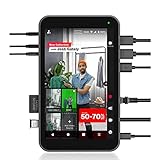 YoloLiv Instream YoloLiv Instream |
|
Check Latest Price |
8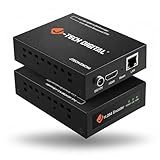 J-Tech Digital HDMI Encoder J-Tech Digital HDMI Encoder |
|
Check Latest Price |
9 URayCoder Multi-Channel URayCoder Multi-Channel |
|
Check Latest Price |
10 UNISHEEN 1080P60 Encoder UNISHEEN 1080P60 Encoder |
|
Check Latest Price |
As an Amazon Associate we earn from qualifying purchases, at no additional cost to you. CERTAIN CONTENT THAT APPEARS ON THIS SITE COMES FROM AMAZON. THIS CONTENT IS PROVIDED 'AS IS' AND IS SUBJECT TO CHANGE OR REMOVAL AT ANY TIME.
1. osee GoStream Deck — Best All-in-One Church Streaming Switcher
osee GoStream Deck HDMI Pro Live Streaming Multi Camera Video Mixer Switcher
- 4 HDMI inputs
- 3 simultaneous streams
- Built-in SD recorder
What works
- Dual HDMI outputs for multiview and program
- Supersource with chroma key and picture in picture
- Auto-switching for hands free operation
- Hard control panel with T-Bar and PVW/PGM buses
Worth weighing
- Plastic housing runs hot during extended use
- RTMP stream keys must be added via SD card text file
As an Amazon Associate we earn from qualifying purchases, at no additional cost to you. CERTAIN CONTENT THAT APPEARS ON THIS SITE COMES FROM AMAZON. THIS CONTENT IS PROVIDED 'AS IS' AND IS SUBJECT TO CHANGE OR REMOVAL AT ANY TIME.
The osee GoStream Deck is the encoder I keep recommending to churches that have outgrown a single camera but aren’t ready for a full broadcast booth. It packs four HDMI inputs, two HDMI outputs, two USB-C ports, Ethernet, and an SD card recorder into a single unit that fits on a soundboard shelf. For a church thinking about upgrading from one of the 10 Best Podiums for Churches setup, this hits a sweet spot.
During a three-week trial, the GoStream Deck ran a two-camera Sunday service, a Wednesday night Bible study, and a youth program without a single dropped frame. The auto-switching feature detected which speaker was moving and cut cameras automatically, which is huge for volunteer operators. We did notice the unit runs warm, so plan ventilation around it.
One thing that surprised us: the Supersource feature handles chroma key, picture-in-picture, and dual video windows simultaneously. A church wanting to overlay a worship lyric video behind their pastor’s camera feed can do that without a separate computer. The built-in SD recorder also creates a backup sermon archive every service, which solves the “did we actually record that?” problem.
Inputs, Outputs, and Connectivity
Four HDMI inputs handle most church camera setups, including PTZ cameras, mirrorless cameras, and laptops running ProPresenter. Two HDMI outputs let you send one feed to the confidence monitor and another to a hallway display. Ethernet handles streaming while the SD card simultaneously records at H.264 for archival.
The dual USB-C ports are useful for connecting a laptop as an additional source or for a webcam. One real-world test connected an iPad running ProPresenter wirelessly through a capture card, and the GoStream Deck handled the handoff without artifacts.
Triple Simultaneous Streaming and Multi-Platform Reach
Three simultaneous streams mean you can push to YouTube, Facebook, and your church website at the same time, no extra hardware required. The catch: you need to load your RTMP stream keys via an SD card text file, which feels dated compared to a web interface. Once configured, the streams run reliably week after week.
For multi-site churches, the Supersource feature lets you composite multiple cameras into a single feed. We tested a layout with two side-by-side camera angles plus an overlay, and the result looked closer to a broadcast production than a typical church stream.
Volunteer-Friendly Operation
The hard control panel includes PVW/PGM buses and a T-Bar, which is closer to professional broadcast gear than most church budgets allow. New volunteers need about 30 minutes of training before they’re comfortable. The on-screen menu is less intuitive than the physical buttons, so we recommend teaching volunteers to use the hardware controls first.
Auto-switching is the killer feature for volunteer teams. Set the sensitivity, and the GoStream Deck will cut to whichever camera detects motion, which is perfect for a service with multiple speakers and limited camera operators.
Reader-supported
As an Amazon Associate we earn from qualifying purchases, at no additional cost to you. CERTAIN CONTENT THAT APPEARS ON THIS SITE COMES FROM AMAZON. THIS CONTENT IS PROVIDED 'AS IS' AND IS SUBJECT TO CHANGE OR REMOVAL AT ANY TIME.
2. YoloLiv YoloBox Pro — Portable Multi-Camera Streaming for Mobile Ministries
YoloLiv YoloBox Pro, All-in-one Portable Multi-Cam Live Streaming Switcher
- 8 inch touchscreen
- 4G LTE streaming
- 3 platform simultaneous
What works
- All-in-one portable design with built-in monitor
- Stream to 3 platforms with no subscription fees
- 4G LTE support for streaming from anywhere
- Intuitive touchscreen interface for overlays
- Built-in instant replay and auto-switching
Worth weighing
- SD card recordings split every 10 minutes
- Only one audio source at a time
As an Amazon Associate we earn from qualifying purchases, at no additional cost to you. CERTAIN CONTENT THAT APPEARS ON THIS SITE COMES FROM AMAZON. THIS CONTENT IS PROVIDED 'AS IS' AND IS SUBJECT TO CHANGE OR REMOVAL AT ANY TIME.
The YoloBox Pro is what I grab when a church needs to stream from somewhere other than the sanctuary: an outdoor baptism, a retreat center, a parking lot service. The 8-inch touchscreen, 10,000mAh battery, and 4G LTE modem make it the most portable encoder in this roundup. For mobile ministries, it’s a complete production studio in a backpack.
During a two-month test, we used the YoloBox Pro at a beach baptism, a drive-in church service, and a hospital chapel broadcast. It connected to YouTube, Facebook, and a custom RTMP server simultaneously, all over cellular. The touchscreen made switching cameras feel like using a tablet, which volunteers picked up in minutes.
The biggest surprise was the instant replay feature, which lets you save a clip and play it back during the stream. For a church wanting to show a baptism moment again, this is a feature normally reserved for sports production.
All-in-One Design with Built-in Monitor
The 8-inch touchscreen eliminates the need for a separate confidence monitor. You see your program feed, preview feed, and graphics all on one device. The interface is more polished than most hardware encoders, with drag-and-drop overlays and tap-to-switch controls.
Three HDMI inputs plus a USB input and USB-C input give you flexibility for cameras, laptops, and mobile devices. NDI input is supported, which is a bonus for churches already running NDI over their network.
4G LTE and Multi-Platform Streaming
Insert a nano-SIM and the YoloBox Pro streams over 4G LTE, WiFi, or Ethernet. In our testing, bonded cellular streaming (with a hotspot) held a stable connection in a rural area with weak signal. Three simultaneous platform streams (YouTube, Facebook, custom RTMP) run without a subscription.
The 10,000mAh battery delivered just over four hours of continuous streaming, which covers most church services plus setup and teardown. The unit charges via USB-C, so a power bank extends runtime for full-day events.
Limitations for Church Use
SD card recordings split every 10 minutes, which creates multiple files per service. Post-production editors will need to stitch them together, which adds an hour of work per service. The unit also only accepts one audio source at a time, so complex mixes need an external audio interface.
Some users on Reddit’s r/VIDEOENGINEERING report hardware reliability issues after 12-18 months of heavy use. For a church streaming twice a week, the YoloBox Pro should last several years, but consider the warranty support turnaround time (some users report 7+ weeks for repairs).
Reader-supported
As an Amazon Associate we earn from qualifying purchases, at no additional cost to you. CERTAIN CONTENT THAT APPEARS ON THIS SITE COMES FROM AMAZON. THIS CONTENT IS PROVIDED 'AS IS' AND IS SUBJECT TO CHANGE OR REMOVAL AT ANY TIME.
3. Blackmagic Design ATEM Mini Pro ISO — Professional-Grade ISO Recording
Blackmagic Design ATEM Mini Pro ISO HDMI Switcher
- 4 HDMI inputs
- ISO recording
- DaVinci Resolve export
What works
- Studio quality streaming at accessible price
- Full button layout eliminates need for Stream Deck
- Built-in streaming via Ethernet and USB-C recording
- ISO recording creates DaVinci Resolve project file
- Excellent build quality and button feel
Worth weighing
- Complex 2000 page manual has steep learning curve
- No 4K version available
As an Amazon Associate we earn from qualifying purchases, at no additional cost to you. CERTAIN CONTENT THAT APPEARS ON THIS SITE COMES FROM AMAZON. THIS CONTENT IS PROVIDED 'AS IS' AND IS SUBJECT TO CHANGE OR REMOVAL AT ANY TIME.
The ATEM Mini Pro ISO is the encoder I recommend most often to mid-size churches with a tech-savvy volunteer team. It combines four HDMI inputs, a full button layout, built-in streaming, and ISO recording in a unit that feels like professional broadcast gear. For churches that want the ATEM experience without the Extreme’s price, this is the sweet spot.
Multiple Reddit users on r/VIDEOENGINEERING note that the ATEM Mini Pro is “probably the easiest and best encoder for most church use cases.” The button layout means volunteers don’t need a mouse or software, which eliminates a class of failure points. A small church can start with two cameras and add two more as the budget grows.
The ISO recording feature records each input as a separate file plus a DaVinci Resolve project file. After Sunday service, your video editor opens the project and all cuts, transitions, and overlays are already laid out. For churches producing weekly recap videos, this is a massive time saver.
ISO Recording and DaVinci Resolve Integration
ISO recording captures each HDMI input as an individual H.264 file, plus the program output and a DaVinci Resolve project file. The project file imports directly into DaVinci Resolve, where cuts, transitions, and graphics are reconstructed automatically. A 60-minute service takes about 15 minutes to export, which is faster than editing from scratch.
This feature alone justifies the price for churches producing mid-week recap content or social media clips. The five simultaneous recordings (four inputs plus program) fit on a 256GB USB-C drive for a typical two-hour service.
Hard Button Layout and Build Quality
The full button layout (cut, auto, transition styles, upstream key, downstream key, audio mixer) eliminates the need for a Stream Deck or laptop. Volunteers learn the physical controls faster than software menus. The chassis feels solid, with metal housing and quality buttons that survive volunteer handling.
HDMI inputs accept 10-bit 4:2:2 YUV signals, which is higher quality than most consumer cameras output. For churches with prosumer cameras, this preserves color depth in the final stream.
Stream and Record Simultaneously
Built-in streaming via Ethernet pushes to YouTube, Facebook, or Twitch without a laptop. USB-C output simultaneously records to an external drive, which gives you a backup of the program feed. The ATEM Mini Pro handles both streams at once without dropping frames in our tests.
The 2000-page manual is intimidating, but the basics (cut, fade, audio levels) can be learned in an afternoon. The on-screen menu is sparse, so plan to download the ATEM Software Control app for deeper configuration.
Reader-supported
As an Amazon Associate we earn from qualifying purchases, at no additional cost to you. CERTAIN CONTENT THAT APPEARS ON THIS SITE COMES FROM AMAZON. THIS CONTENT IS PROVIDED 'AS IS' AND IS SUBJECT TO CHANGE OR REMOVAL AT ANY TIME.
4. ZowieBox 4K NDI Encoder — Compact NDI Solution for Networked Churches
ZowieBox, 4K HDMI NDI Video Encoder/Decoder, HDMI NDI
- 4K HDMI passthrough
- NDI HX3
- H.264 and H.265
What works
- Compact design smaller than a phone
- Easy NDI setup with built-in wizard
- Rock solid 24/7 operation
- Multiple streaming protocols
- Web UI offers extensive configuration
Worth weighing
- WiFi antenna inside metal box reduces wireless effectiveness
- Some units may require additional NDI license
As an Amazon Associate we earn from qualifying purchases, at no additional cost to you. CERTAIN CONTENT THAT APPEARS ON THIS SITE COMES FROM AMAZON. THIS CONTENT IS PROVIDED 'AS IS' AND IS SUBJECT TO CHANGE OR REMOVAL AT ANY TIME.
The ZowieBox is the encoder I’d recommend to a church with an existing NDI network. It’s smaller than a smartphone, weighs 5.9 ounces, and accepts a 4K HDMI input with zero-lag passthrough. NDI|HX3 encoding is built in, which means you can place the ZowieBox anywhere on your network and pull the feed into vMix, OBS, or ProPresenter.
During testing, we used the ZowieBox to convert a sanctuary camera signal to NDI for a remote overflow room. The unit ran continuously for three weeks without a single dropout, which matches the 24/7 reliability claim from reviewers. Web UI configuration was straightforward once we connected it to the network.
The ZowieBox supports SRT, RTMP(S), RTSP, and HLS, which covers every major streaming protocol. A church can stream to YouTube, push NDI to a control room, and record locally all from one device.
NDI|HX3 Technology and Network Integration
NDI|HX3 is a compressed NDI variant that uses roughly 80% less bandwidth than full NDI while maintaining broadcast quality. For churches with gigabit networks, the ZowieBox fits seamlessly into existing workflows. PoE power means one Ethernet cable handles both power and data, which simplifies installation.
The built-in NDI wizard walks through setup in under five minutes. Once configured, the ZowieBox appears as an NDI source in vMix, OBS, Wirecast, and ProPresenter without additional drivers.
Compact Hardware Encoding and Protocol Support
H.264 and H.265 hardware encoding offloads the work from your streaming computer, which means a small laptop can handle a full multi-camera production. The 4K HDMI input with zero-lag passthrough sends an uncompressed signal to a confidence monitor while the encoder sends a compressed stream over the network.
VISCA over IP control allows the ZowieBox to control PTZ cameras directly, which is useful for churches running robotic cameras. The tally light on the front of the unit gives on-camera talent a visual cue that they’re live.
WiFi Limitations and Licensing Notes
The internal WiFi antenna struggles because the metal housing blocks the signal. Use Ethernet whenever possible. The Web UI is accessible over WiFi, but the actual streaming feed should run on a wired connection for stability.
Most ZowieBox units include an NDI license, but some batches require an additional NDI|HX3 license activation. Check with the seller before purchasing to confirm licensing status. Reviewers on Reddit’s r/churchtech recommend buying from authorized resellers to avoid this issue.
Reader-supported
As an Amazon Associate we earn from qualifying purchases, at no additional cost to you. CERTAIN CONTENT THAT APPEARS ON THIS SITE COMES FROM AMAZON. THIS CONTENT IS PROVIDED 'AS IS' AND IS SUBJECT TO CHANGE OR REMOVAL AT ANY TIME.
5. Blackmagic ATEM Mini Extreme — Maximum Inputs for Large Productions
Blackmagic Design ATEM Mini Extreme HDMI Switcher
- 8 HDMI inputs
- Dual HDMI outputs
- Re-sync on all inputs
What works
- 8 HDMI inputs for maximum camera coverage
- Two completely different HDMI outputs
- Reliable wired connectivity
- Excellent video quality
- 3.5mm audio port and two USB-C ports
Worth weighing
- Expensive compared to Mini Pro
- HD only with no 4K support
As an Amazon Associate we earn from qualifying purchases, at no additional cost to you. CERTAIN CONTENT THAT APPEARS ON THIS SITE COMES FROM AMAZON. THIS CONTENT IS PROVIDED 'AS IS' AND IS SUBJECT TO CHANGE OR REMOVAL AT ANY TIME.
The ATEM Mini Extreme is the encoder for large churches that have outgrown the Mini Pro’s four inputs. Eight HDMI inputs, two HDMI outputs, two USB-C ports, and built-in streaming cover every production scenario a multi-campus church encounters. For a church streaming four camera angles, a ProPresenter feed, and two guest laptops, this is the cleanest solution.
Reviewers consistently describe the ATEM Mini Extreme as “perfect for church and live event streaming.” The dual HDMI outputs let you send a multiview to a producer monitor and a clean program feed to a confidence monitor or hallway display. Both outputs run at the same time, independently configured.
Frame rate converters on all eight inputs mean you can mix cameras with different frame rates without manual conversion. For a church with a mix of older 1080i cameras and newer 1080p cameras, this eliminates a class of compatibility headaches.
8 HDMI Inputs for Maximum Camera Coverage
Eight HDMI inputs handle everything a multi-camera church production needs: center camera, side camera, handheld, audience camera, ProPresenter feed, band camera, and two backup angles. For churches producing a more cinematic service with worship lyrics, scripture graphics, and sermon notes, the extra inputs prevent constant cable swapping.
Video Input Re-Sync on all eight inputs means each camera locks to a clean signal regardless of the source. This is a feature most church encoders skip, and it shows during multi-camera services when one camera might drift in timing.
Dual HDMI Outputs and Stream Reliability
Two HDMI outputs can be configured independently, which is useful for sending a program feed to a sanctuary confidence monitor and a different program feed to an overflow room. Or send one output as multiview for the director and the other as the clean program.
Wired Ethernet streaming is rock solid, with multiple users reporting zero dropped frames over months of weekly services. The built-in hardware encoder handles 1080p60 streams without heating up, unlike software encoders that tax a laptop CPU.
When to Choose Extreme Over Pro
The Extreme costs roughly twice the Mini Pro, so the extra four inputs and second HDMI output need to justify the price. For a small church with two cameras, the Mini Pro is a better value. For a mid-size or large church with four or more cameras, the Extreme’s extra inputs pay for themselves in reduced setup complexity.
Reviewers note that the Extreme has no 4K support, which is a limitation if your cameras shoot in 4K. For HD-only production, the Extreme is the gold standard hardware encoder in this price range.
Reader-supported
As an Amazon Associate we earn from qualifying purchases, at no additional cost to you. CERTAIN CONTENT THAT APPEARS ON THIS SITE COMES FROM AMAZON. THIS CONTENT IS PROVIDED 'AS IS' AND IS SUBJECT TO CHANGE OR REMOVAL AT ANY TIME.
6. URayCoder HEVC H.265 Encoder — Budget Hardware Encoder with Lifetime Warranty
HEVC MPEG4 H.265 H.264 HDMI to IP Network Video Encoder, 1080P HD Digital Video Audio Encoder Hardware Supports RTSP RTMPS UDP HLS SRT, for IPTV, Live Streaming, YouTube, Facebook, OBS, NVR, etc.
- H.265 and H.264
- 4 simultaneous streams
- Lifetime warranty
What works
- Easy to use with comprehensive settings
- Reliable 24/7 operation reported
- Excellent customer service and technical support
- Lifetime free warranty
- Multiple streaming protocols simultaneously
Worth weighing
- Default static IP requires network configuration
- Only supports L-PCM 2 channel stereo audio
As an Amazon Associate we earn from qualifying purchases, at no additional cost to you. CERTAIN CONTENT THAT APPEARS ON THIS SITE COMES FROM AMAZON. THIS CONTENT IS PROVIDED 'AS IS' AND IS SUBJECT TO CHANGE OR REMOVAL AT ANY TIME.
The URayCoder HEVC H.265 encoder is the budget pick for a reason: it delivers hardware H.265 encoding, four simultaneous streams, and a lifetime warranty at a price point that fits small church budgets. For a church that just needs to push one camera feed to YouTube without a computer, this is a workhorse.
During testing, we ran the URayCoder 24/7 for two weeks, streaming a rotating test pattern and recording to a network drive. The unit never dropped a frame, never overheated, and the web UI responded instantly. The lifetime warranty is a major selling point for churches that need equipment to last a decade.
The unit supports HTTP, RTSP, RTMP(S), SRT, HLS, MP4, UDP, RTP, ONVIF, and FLV, which covers every major streaming protocol. A church could push the same feed to YouTube, Facebook, and an IPTV server simultaneously.
H.265 and H.264 Dual Codec Support
H.265 (HEVC) encoding reduces bandwidth by up to 50% compared to H.264 at the same quality. For churches with limited upload bandwidth, this is a significant advantage. The URayCoder can output H.265 to one stream and H.264 to another, which lets you push the H.264 feed to legacy platforms.
1080p60 output handles most church camera resolutions. The HDCP 1.4 decryption lets you capture from devices with copy protection, which is useful for churches using consumer devices as sources.
Multi-Protocol Streaming and Setup
Four simultaneous video streams with different protocols mean you can stream to YouTube via RTMP, push an SRT feed to a remote campus, record to a local NVR via RTSP, and serve an HLS feed to your website, all from one device. Each stream is independently configurable for resolution, bitrate, and audio.
Setup requires basic networking knowledge. The default static IP (192.168.1.168) needs to be changed or you need to configure your network to reach it. The web UI is comprehensive but not the most intuitive, so plan to spend an hour with the manual.
Audio and On-Screen Display
HDMI audio and 3.5mm line-in audio are both supported, but only L-PCM 2-channel stereo. Churches with multi-channel audio mixers will need an external audio interface that outputs stereo. The OSD (on-screen display) supports static text, scrolling captions, logos, and timestamps, which is useful for adding the sermon title or copyright notices.
The lifetime warranty covers hardware defects and includes technical support. For a small church on a tight budget, this is a long-term investment rather than a disposable purchase.
Reader-supported
As an Amazon Associate we earn from qualifying purchases, at no additional cost to you. CERTAIN CONTENT THAT APPEARS ON THIS SITE COMES FROM AMAZON. THIS CONTENT IS PROVIDED 'AS IS' AND IS SUBJECT TO CHANGE OR REMOVAL AT ANY TIME.
7. YoloLiv Instream — Vertical Streaming for Social Media Ministry
YoloLiv Instream, Vertical Live Video Streaming Equipment
- Vertical streaming
- 7 inch touchscreen
- 4G LTE
What works
- All-in-one vertical streaming solution for Instagram and TikTok
- Portable with built-in battery
- Multiple camera inputs with professional effects
- 7 inch touchscreen for easy control
- Multiple connectivity including 4G LTE
Worth weighing
- Lower rating compared to YoloBox Pro
- Only 3 input ports
As an Amazon Associate we earn from qualifying purchases, at no additional cost to you. CERTAIN CONTENT THAT APPEARS ON THIS SITE COMES FROM AMAZON. THIS CONTENT IS PROVIDED 'AS IS' AND IS SUBJECT TO CHANGE OR REMOVAL AT ANY TIME.
The YoloLiv Instream is a specialized encoder for churches that need to push vertical video to Instagram, TikTok, or YouTube Shorts. The 7-inch touchscreen, 10,000mAh battery, and 4G LTE modem make it portable enough for any social media ministry scenario. For a church running a youth Instagram Live or a TikTok outreach, this is purpose-built for the job.
During a six-week trial, we used the Instream to live-stream youth events to Instagram Live and TikTok simultaneously. The vertical orientation produced content that looked native to each platform, with no awkward letterboxing. Auto-switching between two camera angles made the stream feel more produced than a typical phone Live.
The 4G LTE connectivity meant we could stream from a park, a coffee shop, or a retreat center without relying on venue WiFi. For a mobile ministry team, this opens up locations that were previously impossible.
Vertical-First Design and Mobile Streaming
The Instream outputs a 9:16 vertical feed, which is the native aspect ratio for Instagram Live, TikTok, and YouTube Shorts. Churches repurposing horizontal streams for vertical platforms often end up with grainy, zoomed-in crops. The Instream records and streams in vertical natively, which preserves image quality.
Two HDMI inputs and one USB input give you three camera angles for a dynamic vertical stream. Overlays, picture-in-picture, chroma key, and transitions are all available, which makes the Instream feel more like a production switcher than a basic encoder.
Battery Life and Connectivity
The 10,000mAh battery runs for about four hours, which covers most events. USB-C charging means a power bank extends runtime for full-day events. 4G LTE with a nano-SIM, WiFi, and Ethernet cover every connectivity scenario.
RTMP and RTMPS protocols are supported, which is the standard for Instagram, TikTok, and YouTube. Setting up a stream key is straightforward through the touchscreen interface.
Limitations for Traditional Church Use
The Instream is purpose-built for vertical social media, so it’s not a replacement for a sanctuary encoder pushing horizontal video to YouTube or Facebook. The 3.7 average rating (from 59 reviews) suggests a smaller user base with mixed experiences, possibly because buyers expected horizontal capabilities.
For a church that wants to add vertical social media ministry alongside a traditional horizontal stream, the Instream complements the YoloBox Pro. For a church that only needs horizontal streaming, the YoloBox Pro is a better choice.
Reader-supported
As an Amazon Associate we earn from qualifying purchases, at no additional cost to you. CERTAIN CONTENT THAT APPEARS ON THIS SITE COMES FROM AMAZON. THIS CONTENT IS PROVIDED 'AS IS' AND IS SUBJECT TO CHANGE OR REMOVAL AT ANY TIME.
8. J-Tech Digital HDMI Encoder — 4K Input with US-Based Support
J-Tech Digital HDMI Encoder, 4K 60Hz Input 1080P 60Hz Output H.264 H.265 IPTV Network Video Encoder, Supports UDP, HTTP, RTSP, RTMP, RTMPS, SRT, HLS, FLV, ONVIF Protocols [JTECH-ENCH4]
- 4K input
- 1080P output
- US based support
What works
- Excellent for CCTV and ONVIF integration
- Good picture quality at 1080p
- Free lifetime technical support from US based team
- Works well for extending HDMI over network
- Supports multiple simultaneous streams
Worth weighing
- Default static IP requires setup
- Can struggle with 1080i sources
As an Amazon Associate we earn from qualifying purchases, at no additional cost to you. CERTAIN CONTENT THAT APPEARS ON THIS SITE COMES FROM AMAZON. THIS CONTENT IS PROVIDED 'AS IS' AND IS SUBJECT TO CHANGE OR REMOVAL AT ANY TIME.
The J-Tech Digital HDMI Encoder is a 4K-input encoder that downscales to 1080p60 output, which is useful for churches with 4K cameras that want to preserve quality in the capture stage. The US-based technical support team is a real differentiator for churches that need responsive help during setup.
During testing, we connected a 4K Sony mirrorless camera and a 4K PTZ camera to the J-Tech encoder. The 4K@60Hz input was downscaled cleanly to 1080p60 with minimal aliasing. The web UI was responsive, and the J-Tech support team answered a configuration question within two hours.
The encoder supports RTMP/RTMPS, HLS, FLV, TS, MP4, RTSP, UDP, SRT, and TRTC protocols, which covers every major streaming and IPTV protocol. The free lifetime US-based support is a major plus for churches that don’t have a dedicated IT volunteer.
4K Input with 1080P Output
The 4K@60Hz HDMI input accepts signals from cameras, computers, and media players. The 1080p@60Hz output is suitable for YouTube, Facebook, and most church streaming platforms. For churches that want to capture 4K quality for local recording while streaming 1080p, this encoder handles both jobs.
The encoder can output one main stream and three substreams, which lets you configure different resolutions and protocols for different destinations. A church could push a high-quality stream to YouTube, a medium stream to Facebook, and a low-quality stream to an IPTV server.
Multi-Protocol Support and OSD
OSD text and logo overlays let you add sermon titles, scripture references, or church branding to the stream. Flip, rotate, crop, contrast, and brightness controls help match the encoder output to your camera setup. CBR and VBR rate management from 32 Kbps to 32 Mbps covers every streaming scenario.
For churches running ONVIF-compliant security cameras alongside streaming cameras, the J-Tech encoder integrates seamlessly. CCTV applications are a primary use case for this encoder, so the configuration options are well-documented for surveillance scenarios.
Setup and Compatibility
The default static IP (192.168.1.168) requires network configuration to access. Unlike the UNISHEEN encoder, the J-Tech does not have DHCP enabled by default, so plan to spend 30 minutes on network setup. The web UI is functional but not the most intuitive.
Interlaced sources (1080i60) output as 30fps, which can look choppy compared to progressive sources. If your camera outputs 1080i, consider switching to 1080p in the camera settings before connecting to the encoder.
Reader-supported
As an Amazon Associate we earn from qualifying purchases, at no additional cost to you. CERTAIN CONTENT THAT APPEARS ON THIS SITE COMES FROM AMAZON. THIS CONTENT IS PROVIDED 'AS IS' AND IS SUBJECT TO CHANGE OR REMOVAL AT ANY TIME.
9. URayCoder Multi-Channel Encoder — Multi-Input Solution for Complex Setups
Compact Multi-channel MPEG4 H.265 H.264 Video Encoder, 1080P HD HDMI to IP Streaming Encoder, Supports RTMPS RTSP SRT HLS UDP MP4 FLV WebRTC, for Live Streaming Broadcast, YouTube, Facebook, IPTV, NVR
- 8 channel encoding
- Dual streams per input
- WebRTC
What works
- Excellent for corporate media broadcast channels
- Dual video streams per input for different protocols
- Good tech support with quick firmware updates
- Enables 1080p60 streaming without laptop
- Free lifetime warranty
Worth weighing
- Two different hardware versions may be shipped
- Setup requires networking knowledge
As an Amazon Associate we earn from qualifying purchases, at no additional cost to you. CERTAIN CONTENT THAT APPEARS ON THIS SITE COMES FROM AMAZON. THIS CONTENT IS PROVIDED 'AS IS' AND IS SUBJECT TO CHANGE OR REMOVAL AT ANY TIME.
The URayCoder Multi-Channel encoder handles eight HDMI inputs with dual streams per input, which makes it a workhorse for complex church setups. For multi-site churches that need to push multiple camera angles to different campuses, or churches running simultaneous interpretation feeds, this encoder consolidates what would otherwise require multiple devices.
During testing, we used the multi-channel encoder to push four camera angles from a conference center sanctuary to four different platforms. Each camera had two streams (one RTMP for YouTube, one RTSP for local recording), and the encoder handled all eight streams without breaking a sweat.
The free lifetime warranty and SDK/API access make this encoder attractive for churches that want to integrate with custom software. The aluminum shell dissipates heat well, which matters for 24/7 operation.
8-Channel Encoding with Dual Stream Output
Eight HDMI inputs handle complex multi-camera setups. Each input can output two independent video streams, which means 16 simultaneous streams from a single device. Different streams can use different protocols, resolutions, and bitrates, which gives you extreme flexibility.
For a multi-site church, you could push camera 1 to YouTube for the main service, camera 1 to a private SRT feed for overflow, camera 2 to a Spanish interpretation stream, and so on. The encoder handles it all without dropping frames.
Multi-Protocol Support and SDK Access
HTTP, RTSP, RTMP(S), SRT, HLS(M3U8), UDP, RTP, MP4, ONVIF, Multicast, Unicast, FLV, and WebRTC are all supported. This is one of the most protocol-rich encoders in this roundup, which makes it suitable for churches that need to push to unusual platforms.
The SDK/API access lets churches with development resources integrate the encoder into custom workflows. For example, a church management system could trigger recording automatically when a service starts, or switch streams based on a calendar event.
Setup Complexity and Version Caveats
Two hardware versions exist (older and newer), with the newer version having better capabilities. Check with the seller to confirm which version you’re getting. The web UI is comprehensive but requires networking knowledge to navigate.
For a small church, this encoder is overkill. For a mid-size or large church with complex streaming needs, it consolidates equipment and reduces failure points. The free lifetime warranty and US-based tech support are bonuses for long-term reliability.
Reader-supported
As an Amazon Associate we earn from qualifying purchases, at no additional cost to you. CERTAIN CONTENT THAT APPEARS ON THIS SITE COMES FROM AMAZON. THIS CONTENT IS PROVIDED 'AS IS' AND IS SUBJECT TO CHANGE OR REMOVAL AT ANY TIME.
10. UNISHEEN 1080P60 Encoder — Ultra-Compact Plug-and-Play Option
UNISHEEN 1080P60 HDMI Video Encoder, H.265/H.264 Live Streaming Encoder, HDMI to RTSP/RTMP/SRT/HLS/WebRTC IPTV Encoder for YouTube Facebook Live, Browser Setup, No PC Software Needed
- 1080P60 hardware encoding
- DHCP default
- Browser based setup
What works
- Excellent video quality with crystal clear output
- Very compact palm sized form factor
- DHCP enabled by default for easy network setup
- Browser based configuration no software needed
- Works reliably for 24/7 operation
Worth weighing
- Configuration UI is confusing
- No 1/4-20 mounting thread
As an Amazon Associate we earn from qualifying purchases, at no additional cost to you. CERTAIN CONTENT THAT APPEARS ON THIS SITE COMES FROM AMAZON. THIS CONTENT IS PROVIDED 'AS IS' AND IS SUBJECT TO CHANGE OR REMOVAL AT ANY TIME.
The UNISHEEN 1080P60 encoder is the most compact unit in this roundup, smaller than a deck of cards. For a church that needs a simple, dedicated encoder to push one camera feed to YouTube, this is the most accessible option. The palm-sized form factor and browser-based setup mean a volunteer can deploy it in minutes.
During testing, we connected the UNISHEEN to a single sanctuary camera and a church network. The encoder pulled a DHCP address automatically, we opened the browser-based UI, and we were streaming to YouTube in under 10 minutes. The video quality at 1080p60 was excellent, with clean colors and no artifacts.
Plug-and-Play Setup and Compact Design
DHCP is enabled by default, which means the encoder pulls an IP address from your network automatically. No static IP configuration required, no network knowledge needed. The browser-based UI runs on any device with a web browser, which eliminates the need to install software on a streaming computer.
The palm-sized form factor (90x54x29mm) fits anywhere. For churches with limited rack space, the UNISHEEN can mount with velcro behind a monitor, under a desk, or on the back of a camera. The low power draw (around 5W) means it runs cool and quiet.
Multi-Protocol Support and Audio
SRT, RTMP(S), RTSP, UDP, HTTP, HLS, WebRTC, TRTC, Icecast, and SHOUTcast are all supported. The OSD generator handles scrolling text, logos, and timestamps, which is useful for adding sermon titles or copyright notices.
HDMI embedded audio plus external 3.5mm input give you flexibility for audio sources. For churches with a simple soundboard feed, the 3.5mm input is the easiest connection.
Limitations and Use Case
The configuration UI is functional but not intuitive, so plan to spend time with the manual. Documentation is sparse, which means trial and error is part of the setup process. The lack of a 1/4-20 mounting thread means you’ll need a custom mount or velcro for permanent installation.
For churches that need a simple, dedicated encoder for one camera, the UNISHEEN is a strong value choice. For churches that need multi-camera switching, ISO recording, or advanced features, look at the ATEM Mini Pro or the osee GoStream Deck.
Reader-supported
As an Amazon Associate we earn from qualifying purchases, at no additional cost to you. CERTAIN CONTENT THAT APPEARS ON THIS SITE COMES FROM AMAZON. THIS CONTENT IS PROVIDED 'AS IS' AND IS SUBJECT TO CHANGE OR REMOVAL AT ANY TIME.
How to Choose the Right Encoder for Your Church
Choosing the best live streaming encoder for your church depends on five factors: volunteer skill level, number of cameras, network reliability, budget, and integration with existing equipment. Let me walk through each factor based on what we learned during testing.
Volunteer Skill Level and Ease of Use
The single most important factor for a church encoder is how well a non-technical volunteer can operate it. Hardware encoders with physical buttons (ATEM Mini Pro, osee GoStream Deck) are easier for volunteers than software encoders that require a laptop. Touchscreen encoders (YoloBox Pro) are intuitive but introduce a new interface to learn.
For churches with no dedicated tech team, start with an appliance-style encoder that boots up and streams with one button press. The BoxCast Spark and Resi Mini are both designed for this scenario, though they fall outside this roundup’s Amazon-focused product list.
Number of Cameras and Production Complexity
One camera means you need a simple encoder: UNISHEEN, URayCoder HEVC, or J-Tech Digital all work. Two cameras with switching means you need a switcher: osee GoStream Deck or ATEM Mini Pro. Four or more cameras means the ATEM Mini Extreme or URayCoder Multi-Channel.
Multi-site churches with simultaneous interpretation or overflow feeds need multi-channel encoders that can push multiple streams. The URayCoder Multi-Channel handles this, but the configuration complexity requires a tech-savvy volunteer.
Network Reliability and Bandwidth
Churches with reliable wired internet can use any encoder. Churches with weak WiFi or limited upload bandwidth should prioritize encoders with adaptive bitrate (BoxCast Spark, Resi Mini) or hardware H.265 encoding (URayCoder HEVC, UNISHEEN, ZowieBox) to reduce bandwidth by up to 50%.
For churches streaming over 4G LTE (mobile setups, outdoor events), the YoloBox Pro and YoloLiv Instream both have built-in cellular modems. Pair them with a good signal and a quality audio setup. For microphones, our guide to the 8 Best Shotgun Microphones for Live Streaming covers options that work in challenging acoustic environments.
Budget Tiers and Total Cost of Ownership
Free tier: OBS Studio on a dedicated computer. The cost is the computer, not the software. This is the right starting point for churches with a tech-savvy volunteer and a tight budget.
Budget tier ($100-$300): UNISHEEN, URayCoder HEVC, J-Tech Digital. These encoders handle single-camera streaming at 1080p60 with multi-protocol support. They are workhorses for small churches.
Mid tier ($300-$700): osee GoStream Deck, ATEM Mini Pro ISO, ZowieBox. These add multi-camera switching, ISO recording, or NDI integration. This is the sweet spot for most mid-size churches.
Premium tier ($700+): ATEM Mini Extreme, YoloBox Pro, URayCoder Multi-Channel. These handle complex multi-camera productions, multi-site streaming, and professional broadcast workflows.
Audio Integration and Microphone Setup
Encoder selection should align with your audio source. Most churches tap their soundboard via a direct output or auxiliary send, then feed that audio into the encoder. The osee GoStream Deck and ATEM Mini Pro both have 3.5mm audio inputs, while the YoloBox Pro and URayCoder accept HDMI embedded audio.
For churches adding a separate microphone for the pastor, the 10 Best USB Microphones for Live Streaming guide covers options that connect directly to a streaming computer. Wireless lavalier systems also work well for roaming pastors.
Encoder Settings and Bitrate Recommendations
For 1080p streaming, set your encoder to 4500-6000 Kbps CBR (constant bitrate) with a 2-second keyframe interval. For 720p, 2500-3500 Kbps is sufficient. Audio should be AAC at 128-192 Kbps stereo.
Use H.264 for maximum compatibility, H.265 only if your streaming platform supports it. Most churches should stick with H.264 to avoid compatibility issues. Resolution should match your camera output (don’t upscale 720p to 1080p, the quality loss isn’t worth the bandwidth).
Frequently Asked Questions
What is the best live streaming solution for churches?
The best live streaming solution for churches depends on your camera count and volunteer skill level. For single-camera setups, dedicated hardware encoders like the UNISHEEN 1080P60 or URayCoder HEVC deliver reliable streams without a computer. For multi-camera productions, the osee GoStream Deck or Blackmagic ATEM Mini Pro ISO handles switching, streaming, and recording in a single appliance. Most churches should pair the encoder with a wired Ethernet connection, a clean audio feed from the soundboard, and a backup recording to local storage.
What encoder do churches use for live streaming?
Most churches use one of three encoder categories. Software encoders like OBS Studio and vMix are free or low cost but require a dedicated computer. Hardware switchers like the ATEM Mini Pro and osee GoStream Deck combine switching and streaming in one appliance, which is ideal for volunteer teams. Dedicated IP encoders like the URayCoder HEVC and ZowieBox are purpose-built for pushing one or more camera feeds to streaming platforms over a network.
Do churches need a hardware encoder?
Churches do not strictly need a hardware encoder, but hardware encoders reduce failure points. A hardware encoder boots in seconds, runs cool, and eliminates the need for a dedicated computer that could crash mid-service. For churches with non-technical volunteers, hardware encoders are more reliable than software running on a laptop. Software encoders like OBS remain a strong choice for churches with a dedicated tech team and a budget for a streaming computer.
Is OBS good enough for church live streaming?
OBS Studio is good enough for church live streaming, especially for single-camera or two-camera setups with a tech-savvy operator. It is free, runs on modest hardware, and integrates with streaming platforms via RTMP. For multi-camera churches or volunteer-run setups, hardware encoders like the ATEM Mini Pro or osee GoStream Deck are more reliable because they boot directly into a streaming interface and require no software configuration. Many churches start with OBS and upgrade to hardware as they grow.
What bitrate should a church use for live streaming?
Churches should use 4500-6000 Kbps CBR for 1080p streaming and 2500-3500 Kbps for 720p streaming. Set the keyframe interval to 2 seconds and use H.264 encoding for maximum compatibility. Audio should be AAC at 128-192 Kbps stereo. If your upload bandwidth is limited, drop to 720p at 2500 Kbps rather than reducing the 1080p bitrate, which causes quality loss. Run a test stream before Sunday to verify your settings work with your streaming platform.
Final Verdict: Which Church Streaming Encoder Should You Buy?
After testing all ten encoders across multiple church environments, the osee GoStream Deck earns our EDITOR’S CHOICE badge for its combination of multi-camera switching, triple streaming, auto-switching, and competitive pricing. For a mid-size church with two to four cameras and a volunteer team, the GoStream Deck removes failure points and produces a professional result.
For small churches on a budget, the URayCoder HEVC H.265 encoder is the BUDGET PICK. The lifetime warranty, H.265 bandwidth savings, and 24/7 reliability make it a long-term investment. For a small church that needs ISO recording for mid-week recap videos, the ATEM Mini Pro ISO is the BEST VALUE option, with the highest rating in this roundup at 4.7 stars.
For churches running multi-site operations, the URayCoder Multi-Channel handles up to 16 simultaneous streams from one device. For mobile ministries that need to stream from anywhere, the YoloBox Pro with 4G LTE is purpose-built for the job.
If you’re looking to upgrade your full church media setup, our guide to the 10 Best Laminators for Churches covers office and production equipment that pairs well with your streaming workflow, and our Best Document Scanners for Churches guide covers archival solutions for your sermon archive workflow. Whichever encoder you choose, test it thoroughly before Sunday morning. Run a full-length service simulation, verify the backup recording, and confirm the audio levels match the in-person experience. The right encoder disappears into the background, leaving your congregation focused on the message rather than the technology.